Clinic Website with Online Booking
Northside Family Clinic is a family clinic with three locations, and we designed its website and online booking. Parents see prices and free slots, book a doctor online in two minutes, and the front desk sees every booking in one schedule.

- Industry
- Healthcare, family clinic
- Platforms
- Website, phone, front-desk admin
- Our role
- Product and UI design
- Users
- Parents, patients, front desk
Who the Northside clinic site is for
Families who would rather not call during work hours, and a front desk that needs every doctor’s day on one screen. The clinic has doctors for kids and adults, a dental team and a lab.
- Parents booking a check-up or a sick visit for a child.
- Adults booking for themselves, on a laptop or a phone.
- Receptionists running the day across doctors and rooms.
Why a family clinic needs online booking
The phone line is busy, the receptionist is with a patient, and a parent books elsewhere. The site does what a good front desk does: shows who is free, names the price and takes the booking.
- Who is free today, and at which location.
- What the visit costs, before the visit.
- How close the nearest clinic is.
What we designed for Northside Family Clinic
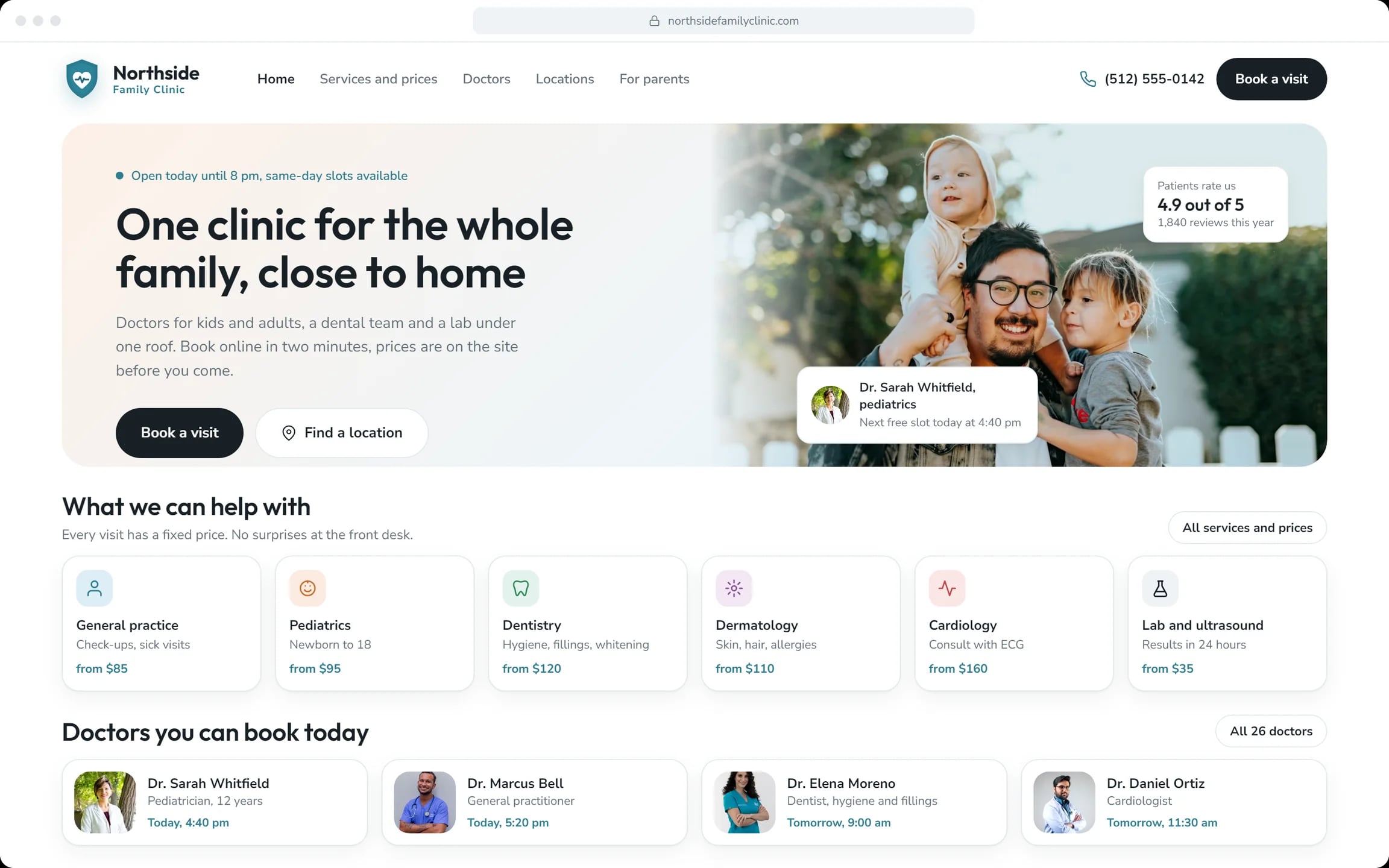
Home page for parents
“One clinic for the whole family, close to home.” Services with starting prices and the doctors free today.
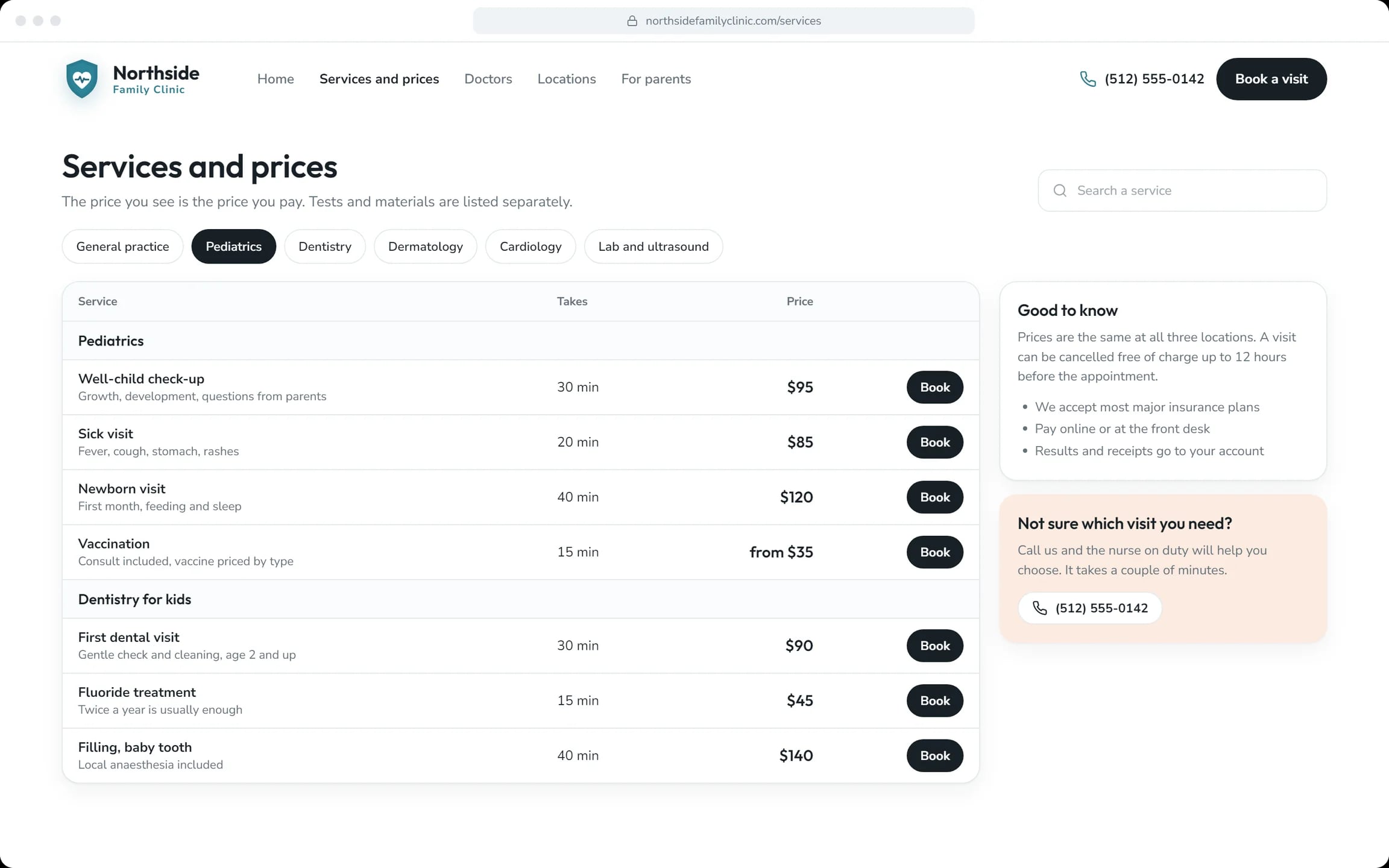
Services and prices
Every service with its length and a fixed price, the same at all three locations.
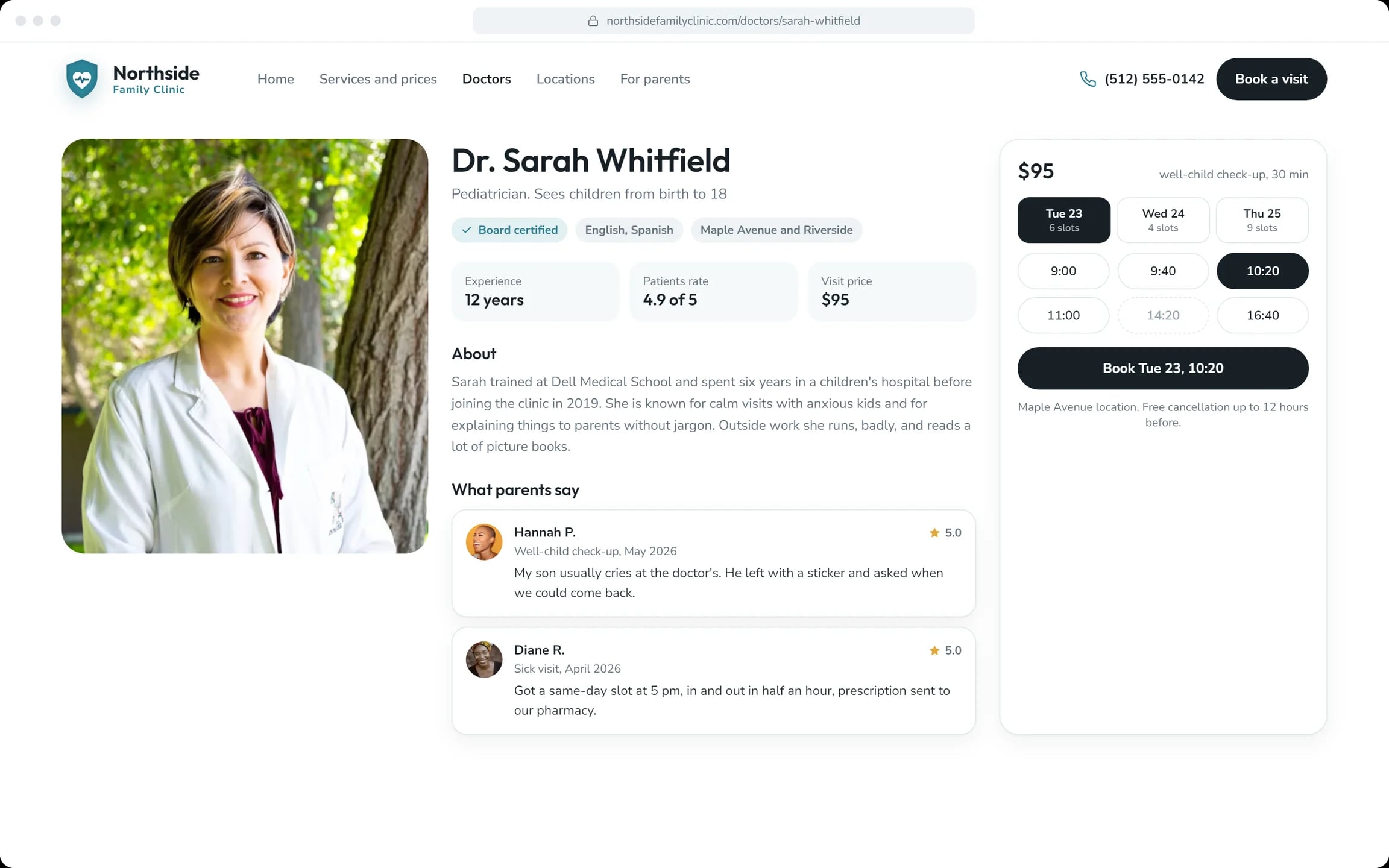
Doctor pages
Credentials, languages, reviews from parents and free slots beside the price.
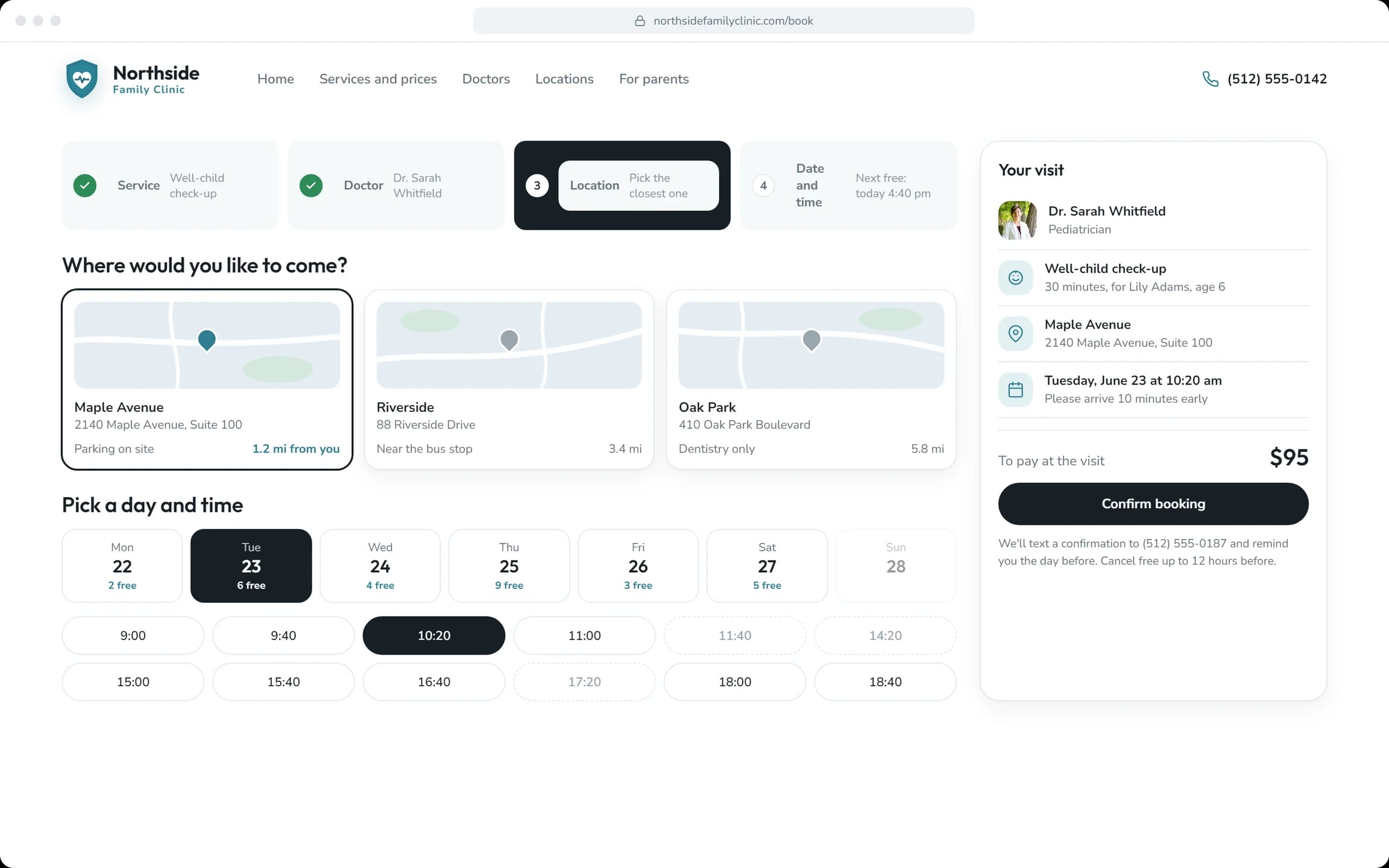
Booking in four steps
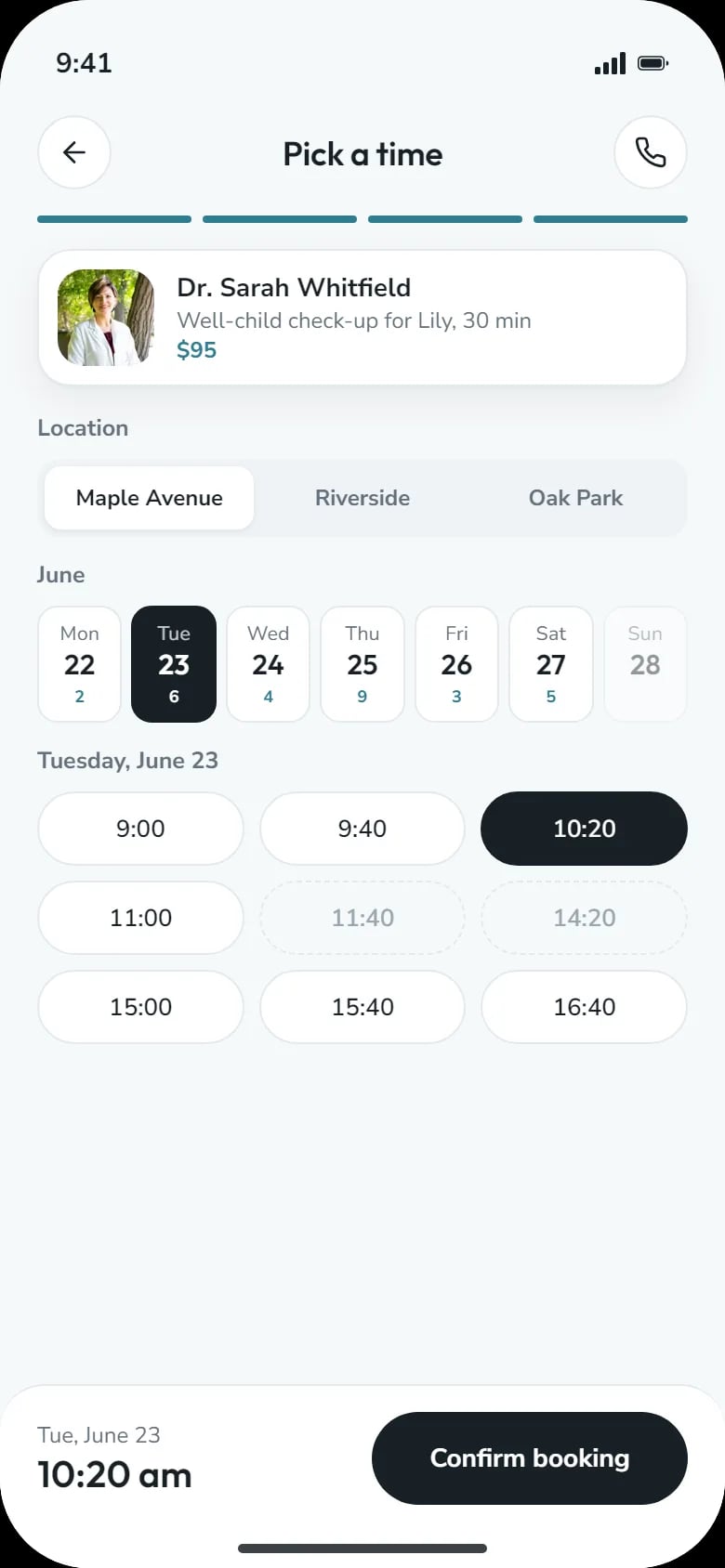
Service, doctor, location and time on one screen, with the distance to each clinic.
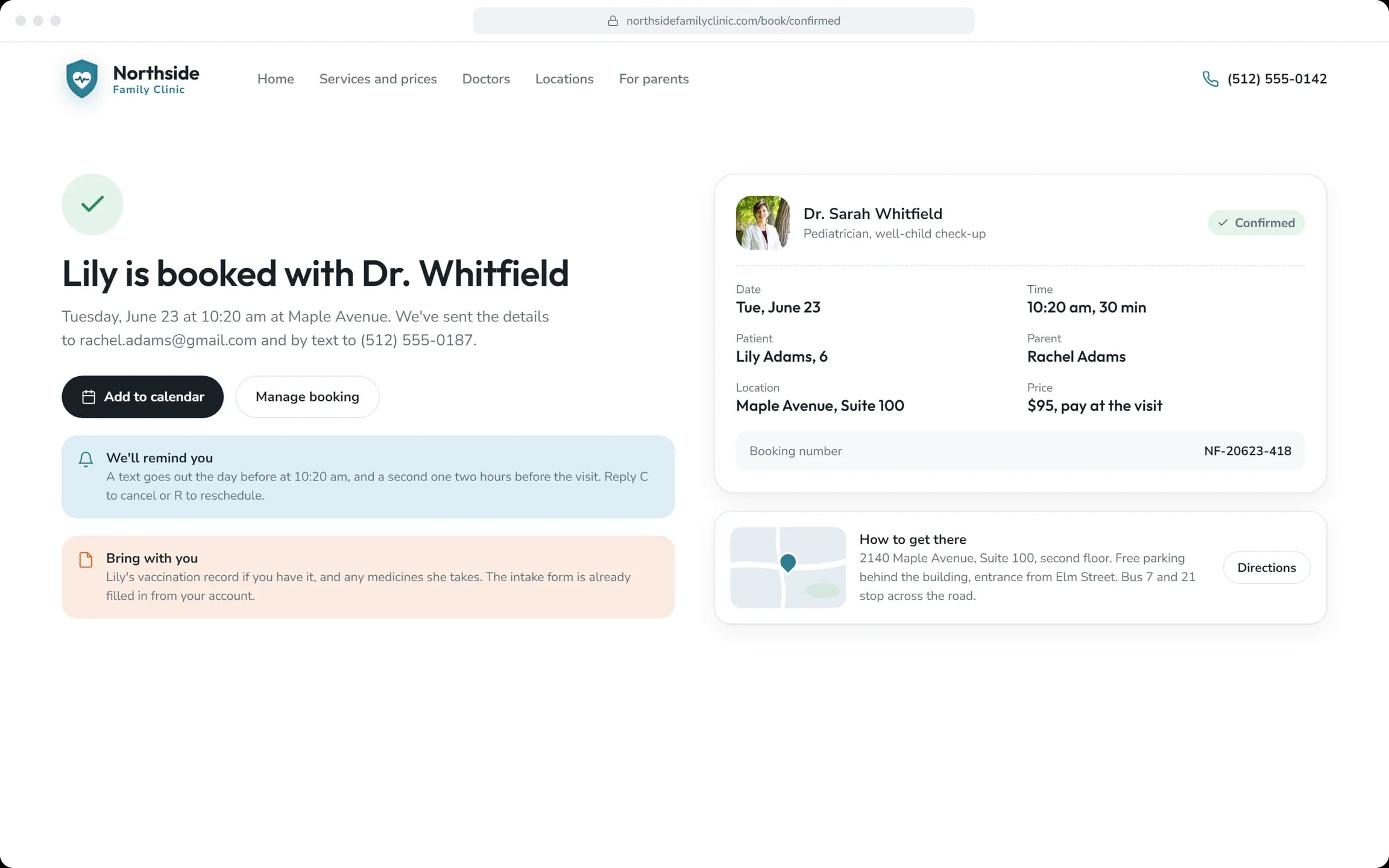
Confirmation and reminders
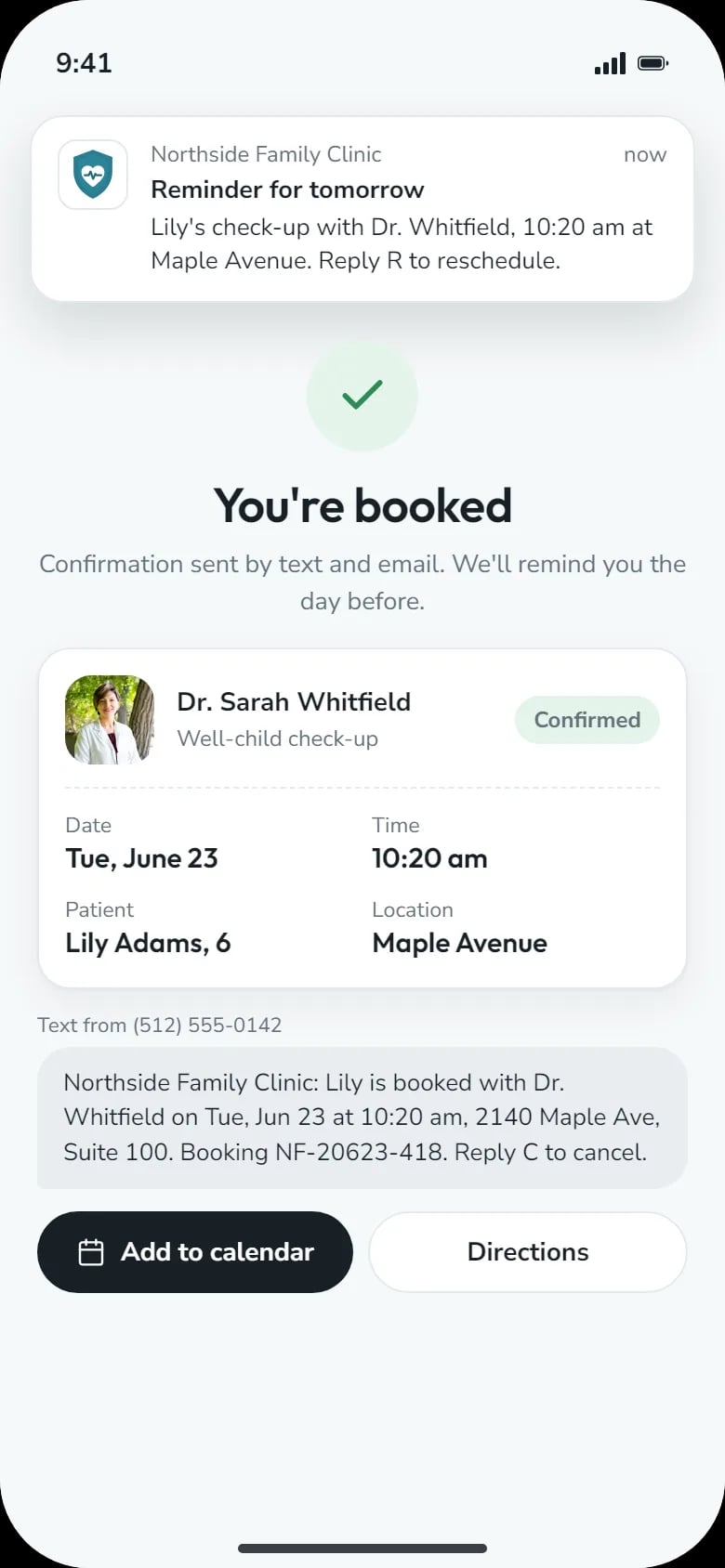
Address and what to bring. A text the day before and two hours before; reply to cancel or reschedule.
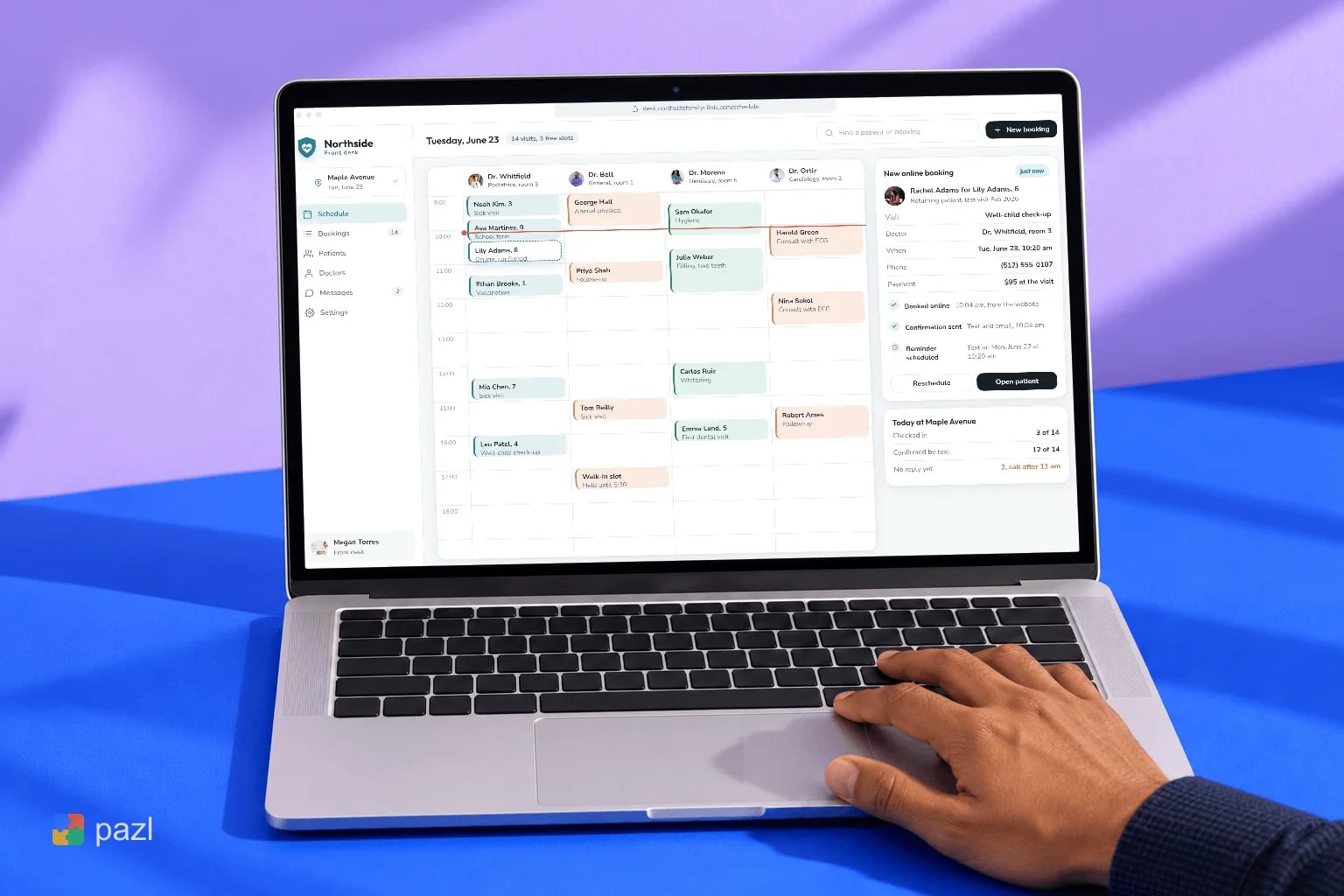
Front-desk schedule
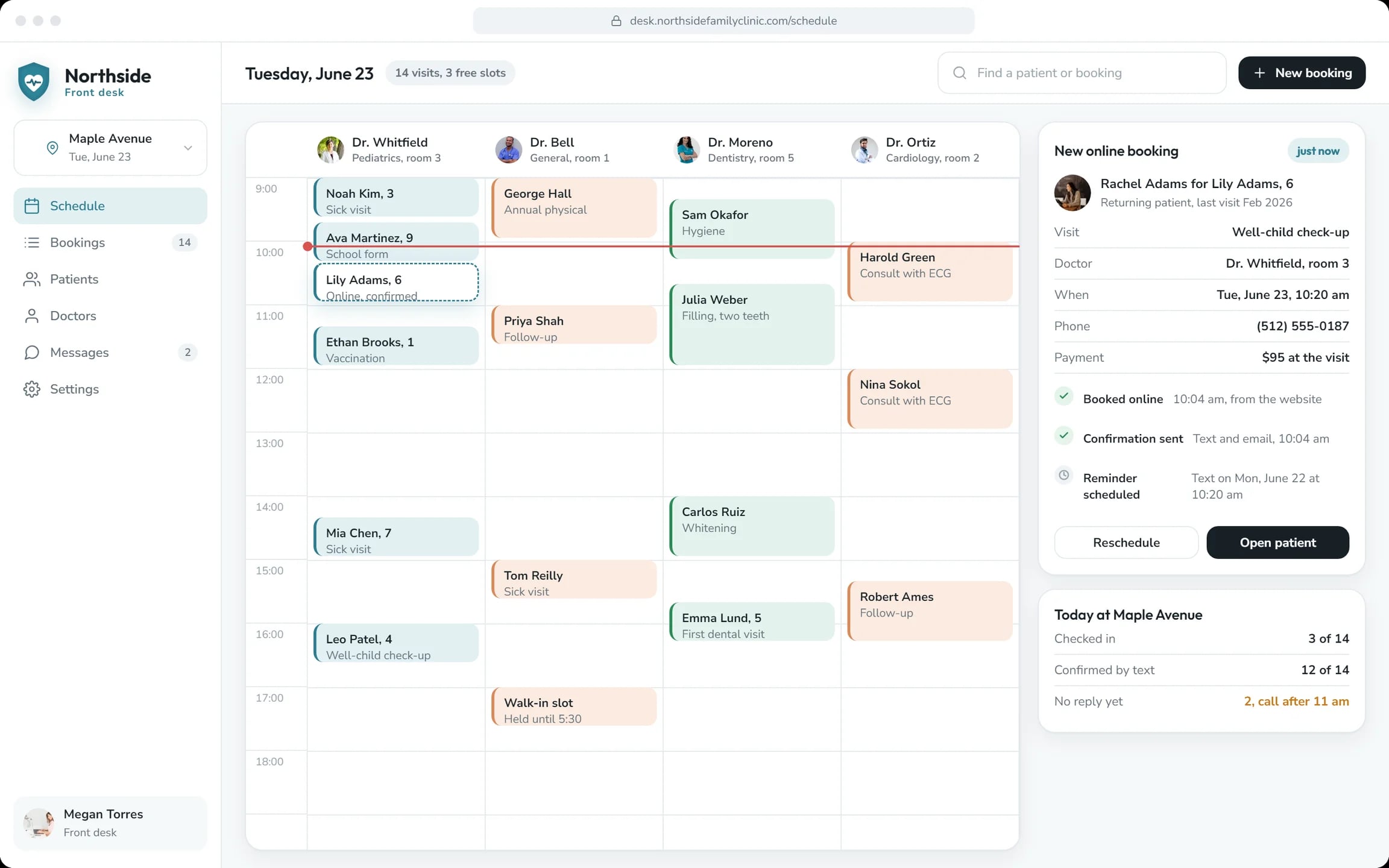
Every doctor and room in one grid. Online bookings arrive beside walk-ins, already confirmed.
How a parent books a visit
Find
Open the site and see today’s doctors and the price of the visit.
Choose
Pick the service, the doctor and the nearest location.
Book
Choose a day and a time, name the patient and confirm.
Get reminded
A confirmation by text and email, then reminders before the visit.
How we designed the Northside clinic site
We built the site around one action, Book a visit, and the questions parents ask first. Behind the form we designed the front desk’s day. The screens are laid out in HTML and CSS, for desktop and phone.
Parents’ questions first
Free slots, prices and locations come before any text about the clinic.
Booking on one screen
Four steps with the visit summary beside them, price and place included.
The other side of the form
A schedule where online bookings, walk-ins and reminders show up as they happen.
Desktop and phone screens
Six desktop screens and two phone screens for booking on the go.
A closer look at the screens
What the clinic site does
- Shows prices and free slots before anyone calls.
- Takes a booking in two minutes, on desktop or phone.
- Lets patients cancel free of charge up to 12 hours before, or reschedule by text.
- Puts online bookings and walk-ins in one schedule for the front desk.
Questions about this project
Services with prices, doctor pages with free slots, short booking, reminders and a schedule for the front desk.