Kestrel Markets: Crypto Terminal
Kestrel Markets is a concept we designed: a crypto trading terminal that brings markets, positions and orders into one focused workspace.
A fictional product exploration showing interface and interaction design. No live deployment or commercial results are implied.
- Project type
- Concept project
- Industry
- Crypto trading
- Platform
- Web, desktop
- Our role
- Product design, trading UI
- Status
- Fictional study, no live product
Who a terminal like Kestrel is for
People who trade crypto on a desktop and want the market, the order and their money on one screen.
- Traders who watch a pair on timeframes from one minute to one day.
- People who place limit and market orders and want the cost before they buy.
A dense screen that still reads clearly
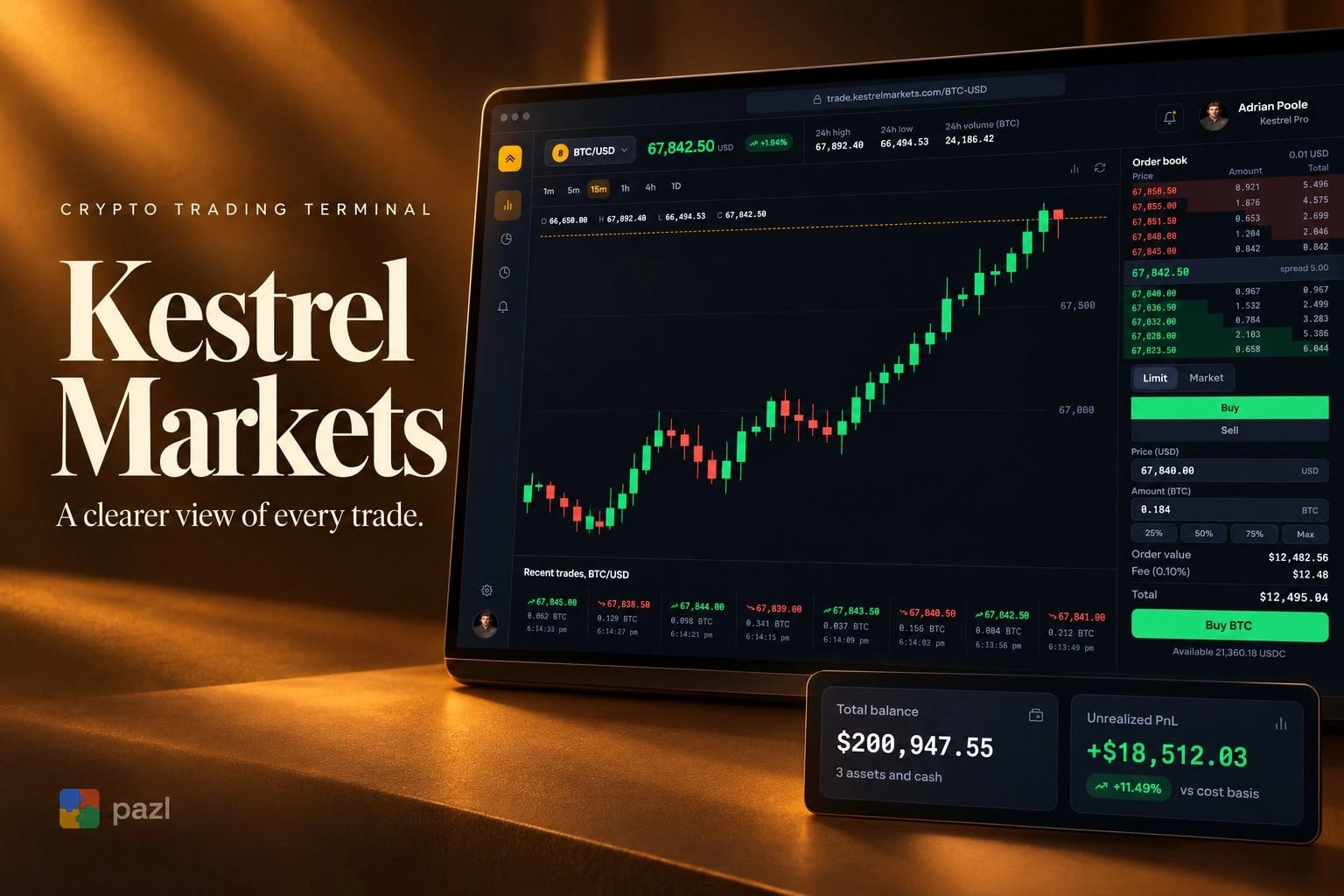
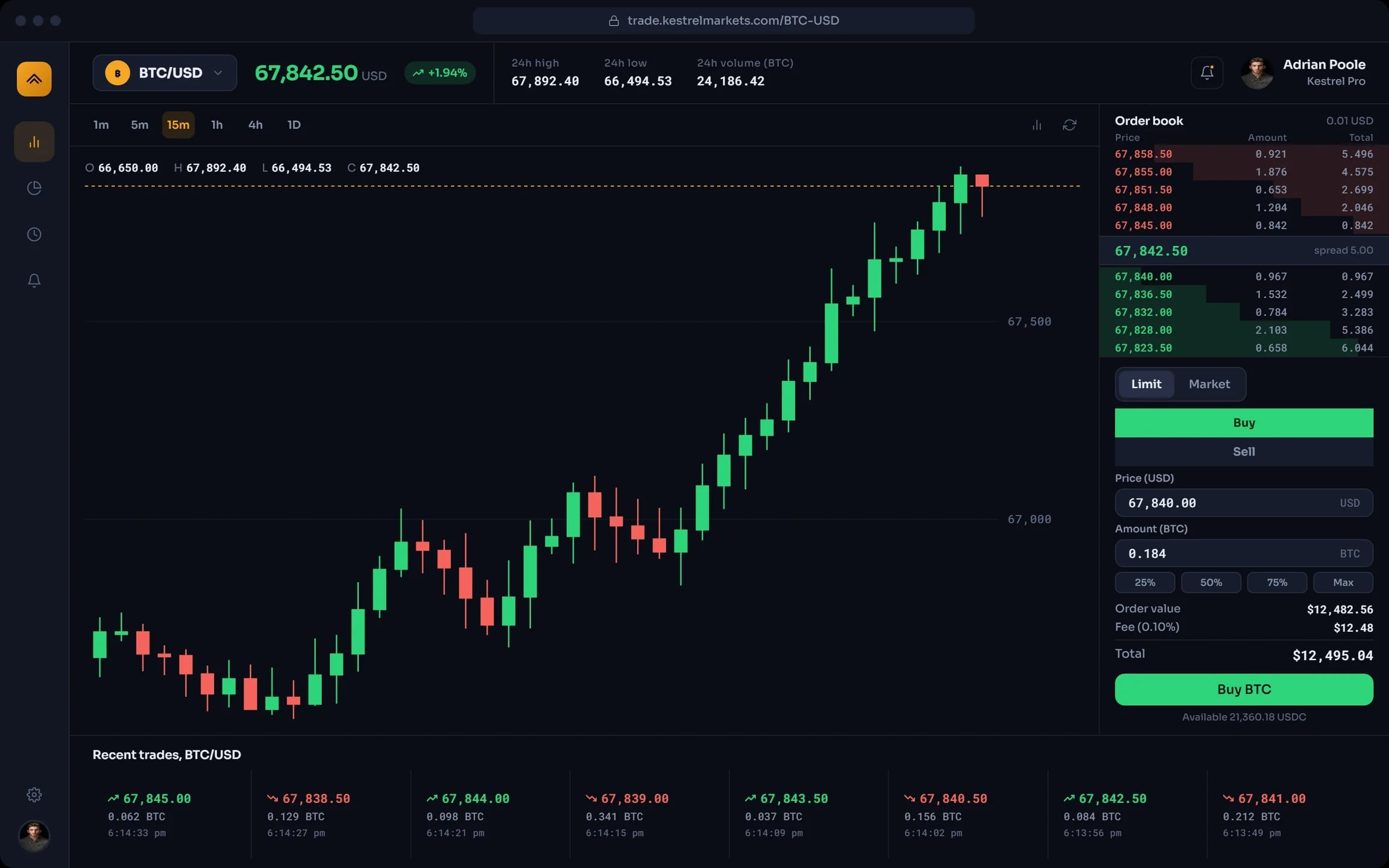
A trading screen carries a lot at once: price, chart, order book, recent trades and the order itself. The concept is about hierarchy, density and readable states, so every number has its place.
- Keep the pair, the price and the 24-hour range on top.
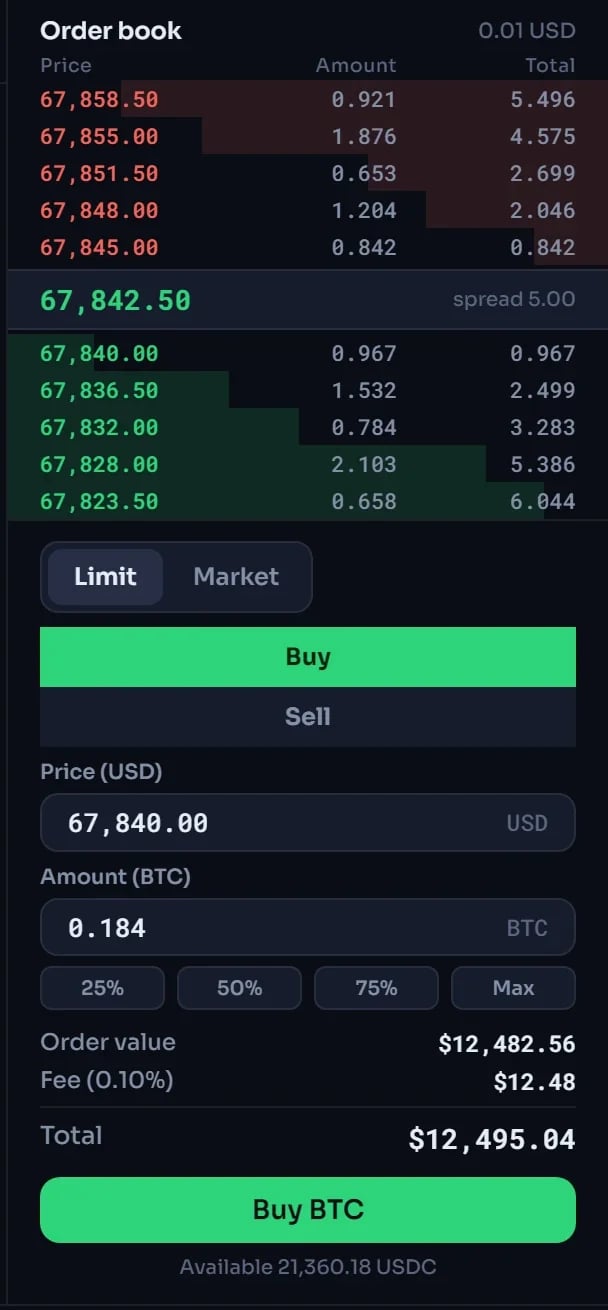
- Show the order book with the spread between bids and asks.
- Make the order’s value, fee and total readable before the click.
What the Kestrel terminal shows
Pair and price
BTC/USD with the last price, the day’s change and the 24-hour high, low and volume.
Candlestick chart
Six timeframes from one minute to one day, with open, high, low and close above the chart.
Order book
Asks and bids with depth bars, and the spread between them.
Order ticket
Limit or market, buy or sell, price and amount, with quick shares of the balance up to Max.
Recent trades
The latest trades of the pair with price, amount and time, green for up and red for down.
Balance and P&L
Balance and P&L kept in view, as on the cover. The terminal screen shows the available balance.
How a trade would go
Pick the market
Choose a pair and a timeframe for the chart.
Read the book
See where bids and asks sit and how wide the spread is.
Set the order
Limit or market, price and amount, or a quick share of the balance.
Check and buy
Order value, fee and total show first; one button places the order.
How we designed the Kestrel concept
Kestrel is a design study with no live product behind it. The work is the interface: one workspace for markets, positions and orders, designed around hierarchy, density and readable transaction states.
One workspace
Pair and price on top, the chart in the middle, the book and the order ticket on the right, recent trades below.
Numbers that line up
A monospaced face for prices and amounts, so the columns of the book and the trades stay aligned.
Colour for direction
Green and red mark buys and sells, rises and falls. The rest of the screen stays graphite.
A closer look at the screens
What the concept shows
- A full trading screen that reads top to bottom: price, chart, book, order.
- The cost of an order, fee included, before the button.
Questions about this project
No. It is a fictional concept project, a design study of a trading terminal. There is no live product, no trading and no results.