Halliday Group: Staff Scheduling
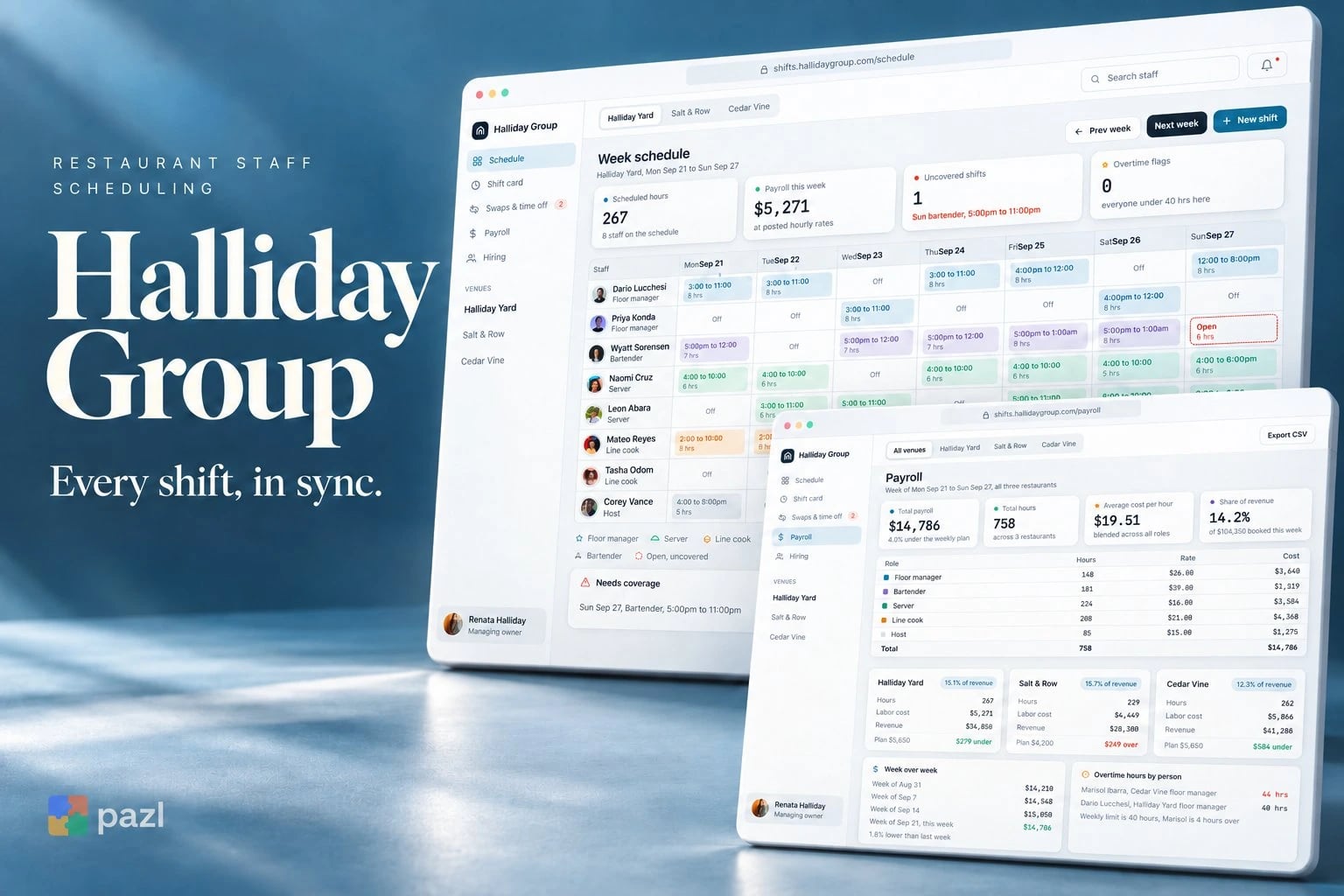
Halliday Group is a concept web app we designed for an owner of three restaurants. It shows the empty shift, the double booking and the overtime before service starts, not after.
A fictional product exploration showing interface and interaction design. No live deployment or commercial results are implied.
- Project type
- Concept project
- Industry
- Restaurants, hospitality
- Platforms
- Web app for the office
- Our role
- Product and interface design
Who Halliday Group is for
An owner running three restaurants, her floor managers and the staff who trade shifts. Each restaurant keeps its own schedule; payroll and hiring cover all three.
- The managing owner, who signs off overtime and watches labour cost.
- Floor managers, who post open shifts and approve swaps.
- Servers, cooks, bartenders and hosts, who swap shifts and ask for time off.
Why restaurant schedules break
Restaurant scheduling breaks in small ways: a bartender nobody assigned, a manager listed in two places, a cook drifting past 40 hours. Halliday Group puts the schedule, swaps, payroll and hiring in one dashboard, so the gaps show up while there is still time to fix them.
- See the open shift days before service.
- Catch a person booked at two restaurants at once.
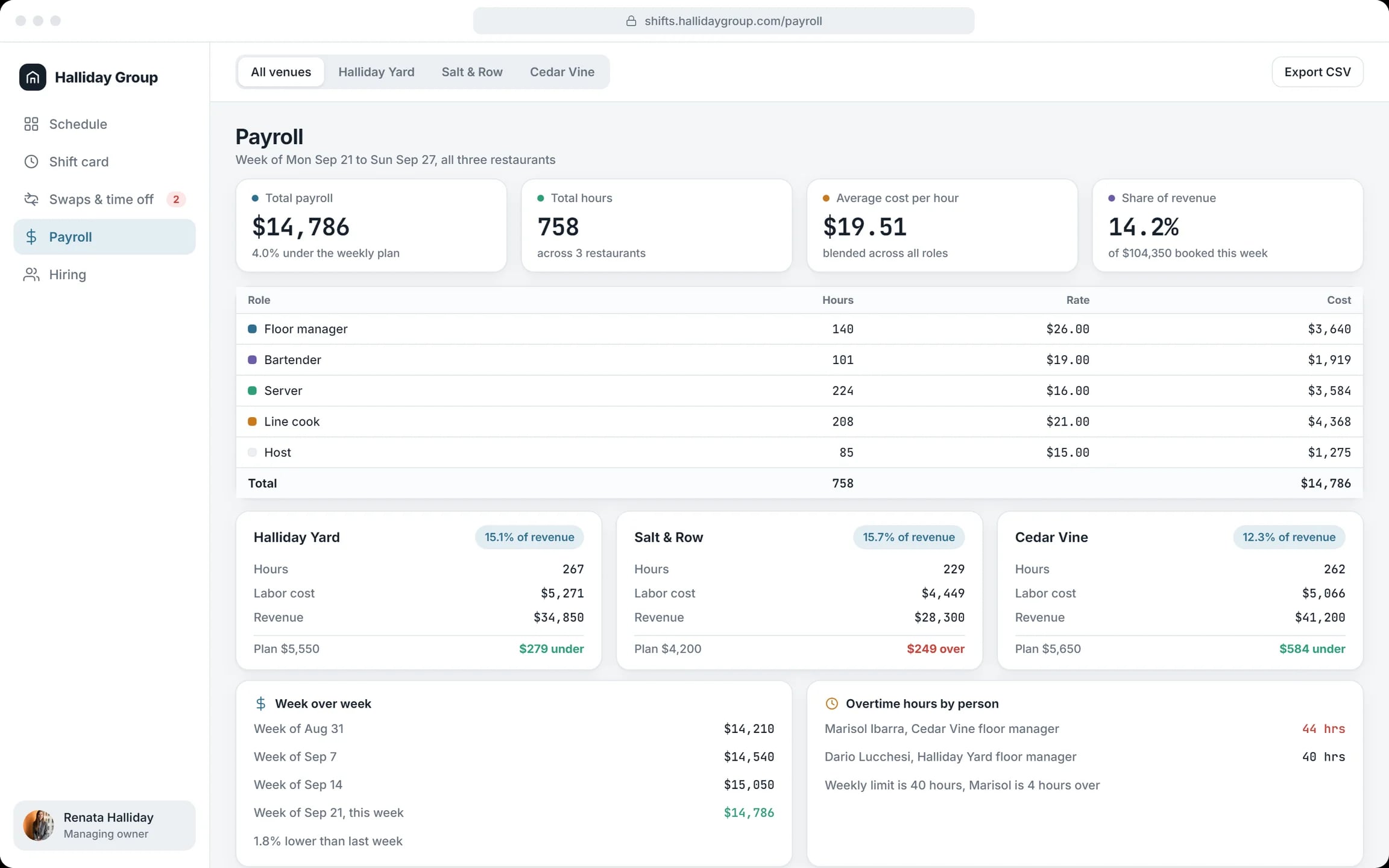
- Watch overtime and labour cost against plan.
What we designed for Halliday Group
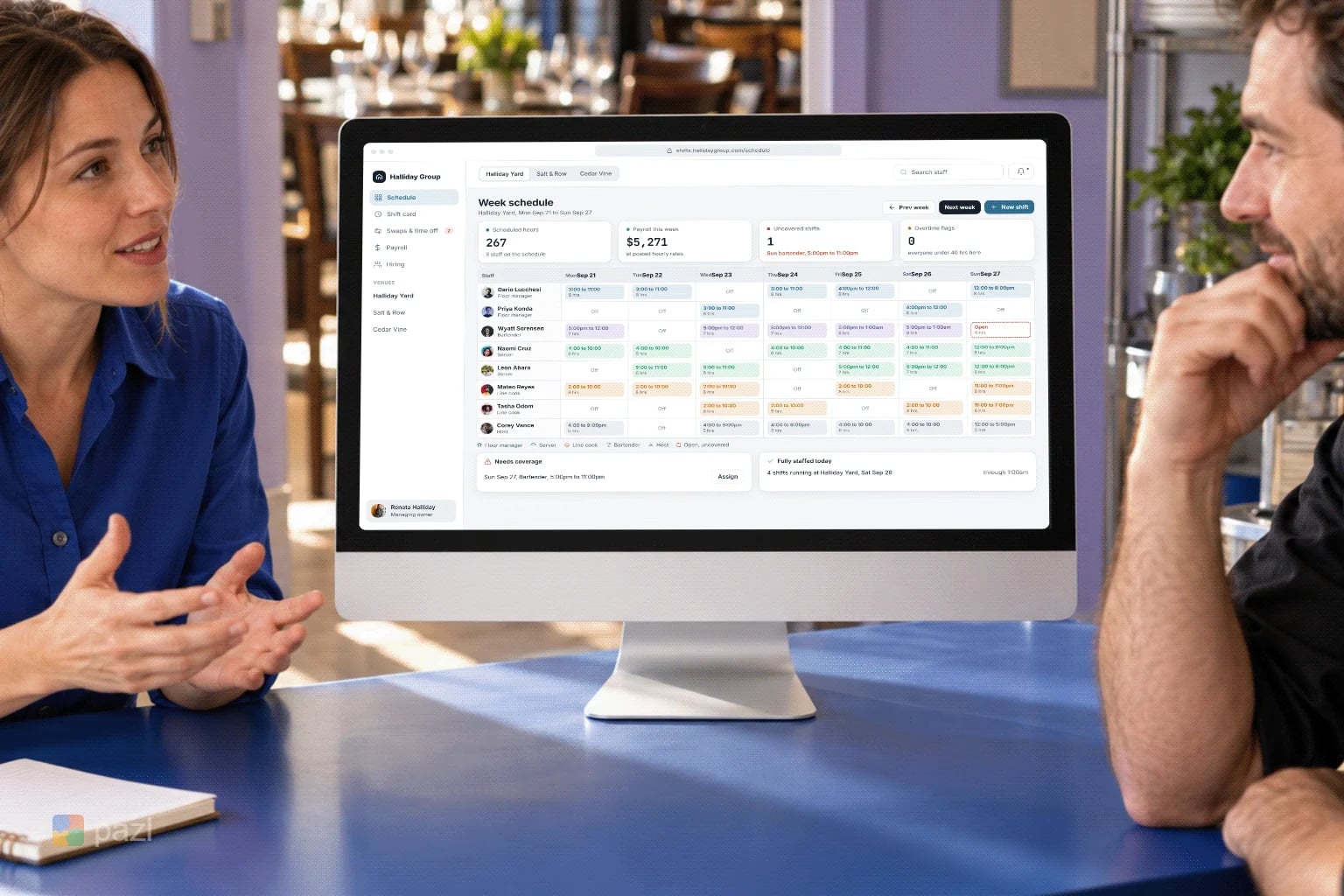
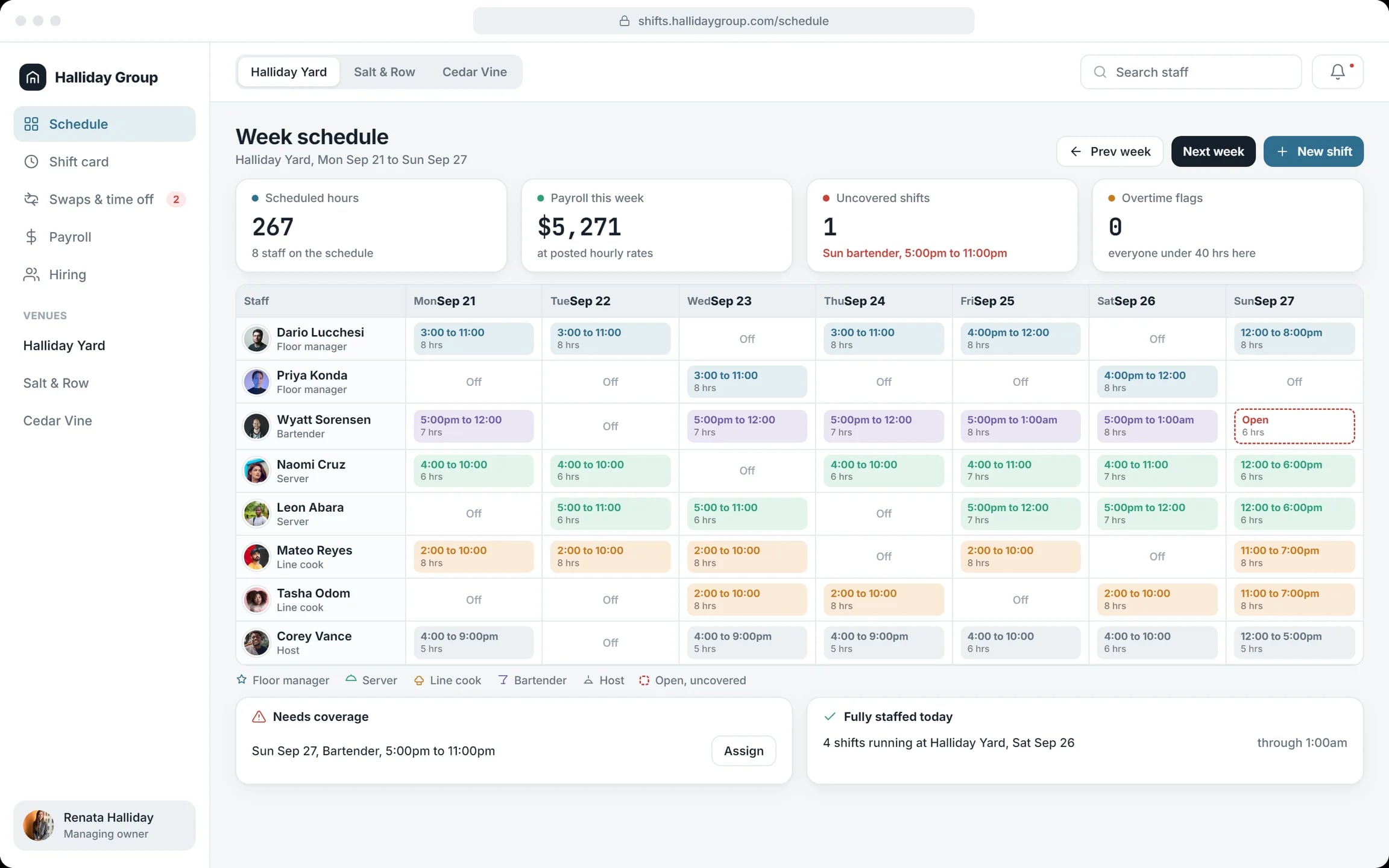
Week schedule per restaurant
Staff by day, colour-coded by role, with scheduled hours, payroll, open shifts and overtime flags on top.
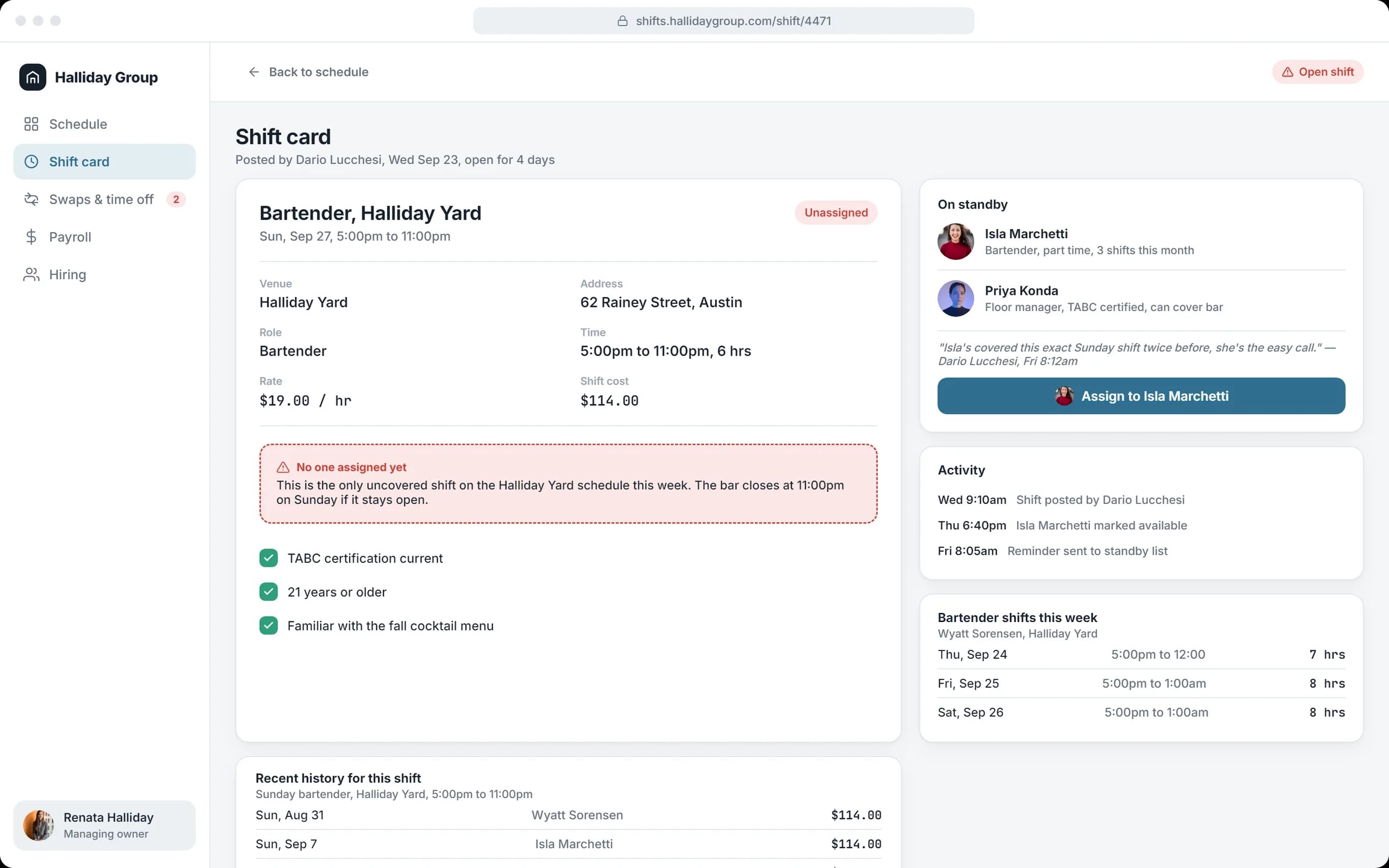
Shift card
An open shift with its rate and cost, the requirements, a standby list and one button to assign it.
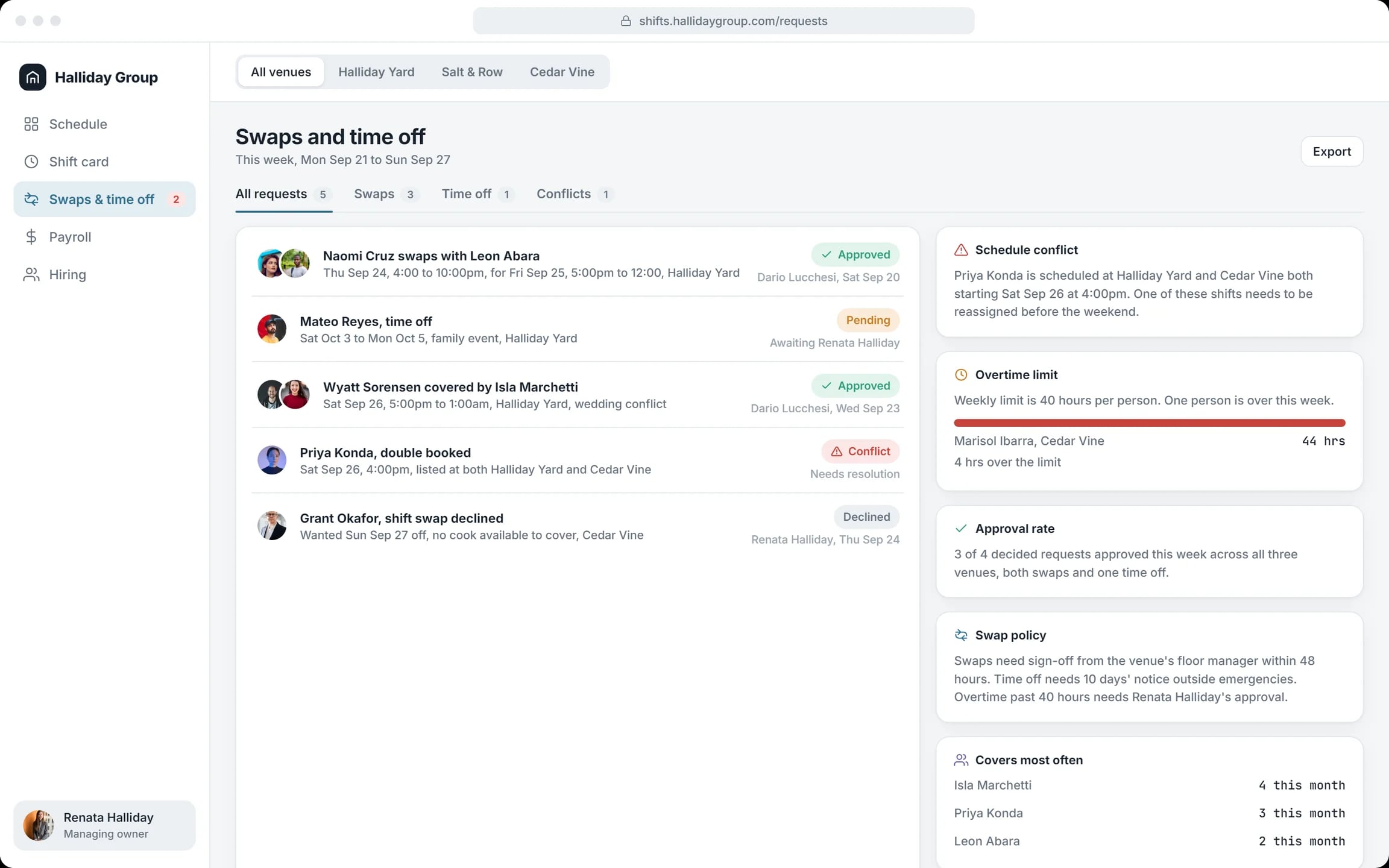
Swaps and time off
Every request with its status, a double booking flagged as a conflict and the overtime limit in view.
Payroll across venues
Hours and cost by role and by restaurant, labour cost against plan, week over week, with a CSV export.
Hiring pipeline
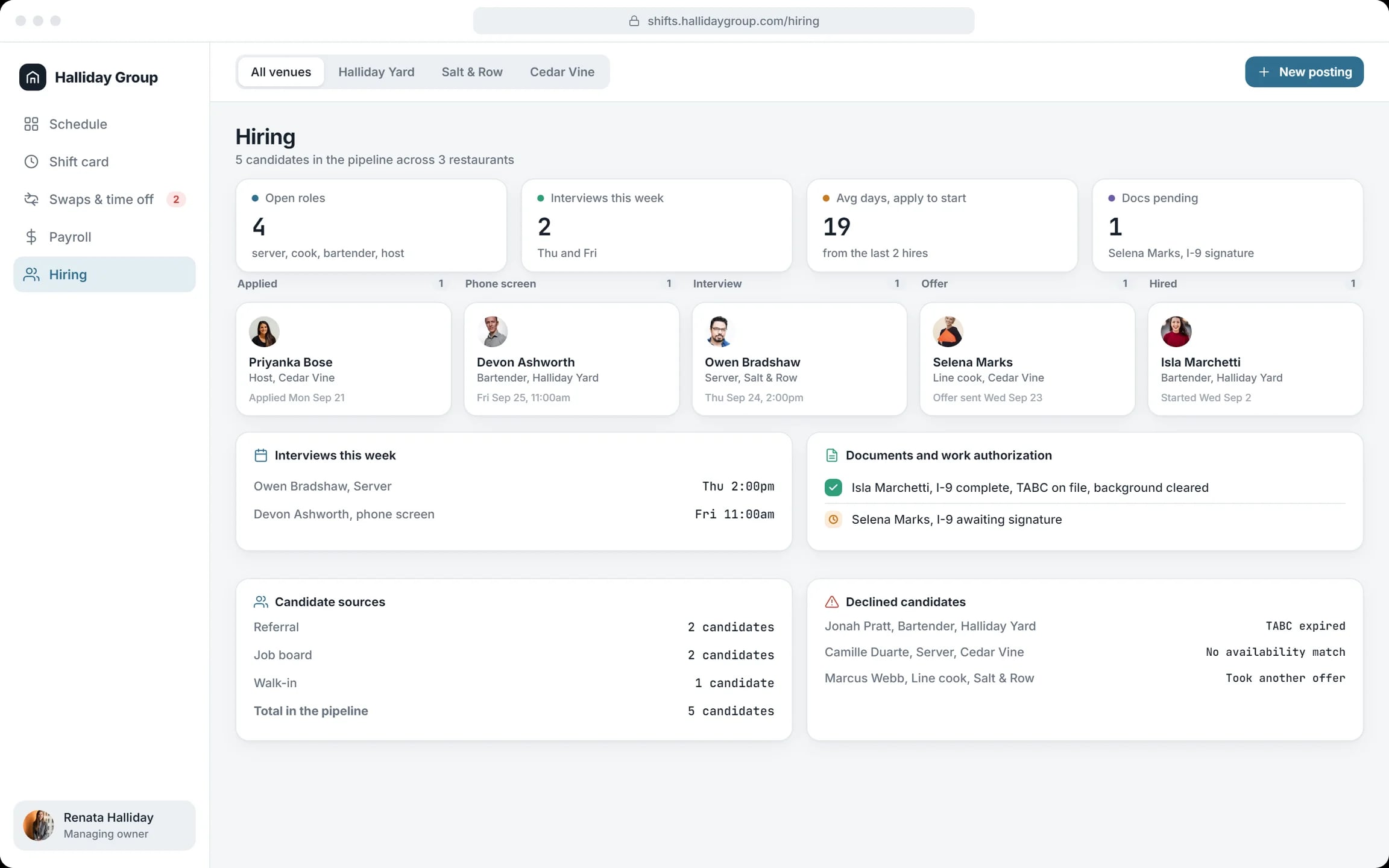
Candidates from applied to hired, interviews this week and work documents still pending.
How a week runs in Halliday Group
Open the week
Each restaurant’s schedule shows the open shift in red.
Fill the gap
The shift card lists who is on standby and who covered it before. One click assigns the shift.
Settle requests
Approve swaps and time off, and fix the person booked in two places.
Check labour cost
Payroll shows hours and cost by role, and each restaurant against plan, before the week closes.
Hire
Move candidates through the stages and chase the missing paperwork.
How we designed Halliday Group
We followed one week through the eyes of the managing owner: one open Sunday shift, one conflict to resolve and one payroll across three restaurants. The screens are laid out in HTML and CSS.
Problems on top
The schedule and hiring screens open with what needs attention: uncovered shifts, overtime flags, pending documents.
Colour by role
Floor manager, server, line cook, bartender and host each have a colour. An open shift is a dashed red box.
One tab per restaurant
The three restaurants switch at the top; swaps, payroll and hiring can also show all venues at once.
House rules on screen
The swap policy sits beside the requests: manager sign-off, notice for time off, the owner’s approval for overtime.
A closer look at the screens
What the Halliday Group concept does
- Shows open shifts, double bookings and overtime before service starts.
- Keeps one schedule per restaurant and one payroll for all three.
- Turns an open shift into a short list of people who can cover it.
- Compares each restaurant’s labour cost with plan and shows hours and cost by role.
- Tracks hiring from application to first shift, paperwork included.
Questions about this project
No. It is a concept project: a fictional group of three restaurants we used to design the product. The names and numbers on the screens are invented.