AI receptionist
An AI receptionist that answers every call and books the appointment
The phone rings while your receptionist is with a client. The caller hangs up and books somewhere else. An AI receptionist picks up every call, including at night, at weekends and when every line is busy. It answers the usual questions, books, moves or cancels the appointment in your calendar, takes a message, and puts the call through to a person when it should.
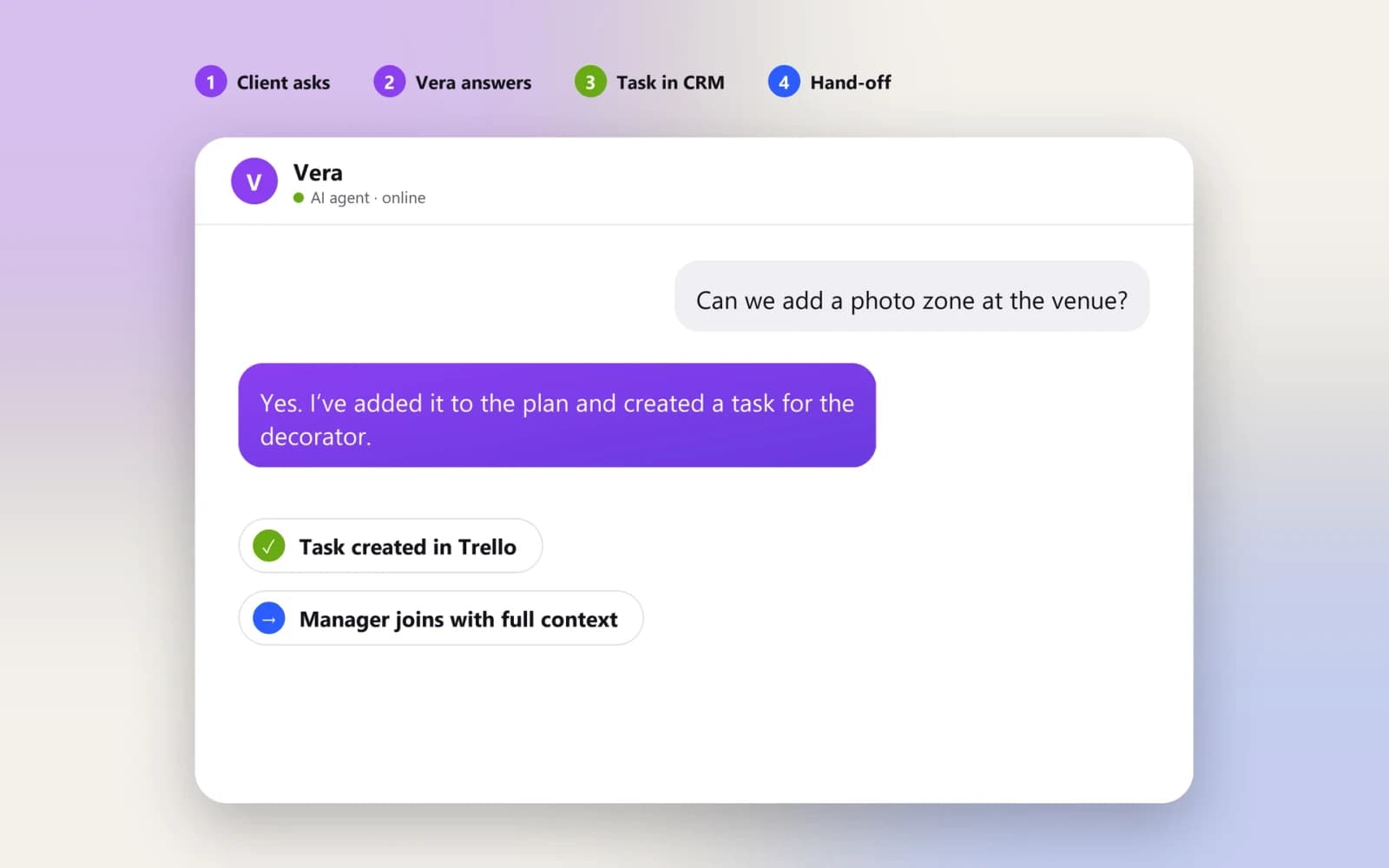
The same agent logic, in chat.
On your phone line the receptionist answers from the same approved information, books into the same calendar and transfers the same way.
It’s live — try it right here, nothing saved.
What it handles on every call
Answers the questions you hear every day
Opening hours, address and parking, prices, what to bring, whether you take a certain insurance or do a certain treatment. The receptionist answers from the information you approve, in your tone. It does not improvise answers it doesn’t have.
Books, reschedules and cancels
It offers real free slots from your calendar or booking software, books the right service with the right person, and sends a confirmation. When a client calls to move or cancel, it follows your rules, for example the notice period or the deposit. A freed slot can go to the next person on your waiting list.
Takes messages and routes calls
A supplier, a complaint, a question only the owner can answer: the receptionist takes the details, writes a short summary into your CRM or inbox, and tells the caller when they’ll hear back. If you want, urgent topics go straight to a person’s phone.
Transfers to your staff when it matters
A caller asks for a person, the request is outside the rules, or the caller is upset. The call is transferred with a summary, or a callback is booked. Your team decides where that line is, and it can be changed after launch.
Built for your kind of front desk
A general AI receptionist knows how to answer a phone. A receptionist for your business knows your services, your people and your booking rules. That is the part we set up.
For clinics and medical practices
Patients call to book, move an appointment, ask about prices or find out whether a doctor is in today. The receptionist books by doctor, location and visit type. It asks only what the visit needs and sends a reminder. Anything that sounds like a medical question or an emergency goes to a person, or the caller is told to call emergency services. It never gives medical advice. Personal data is handled under GDPR, with EU hosting available.
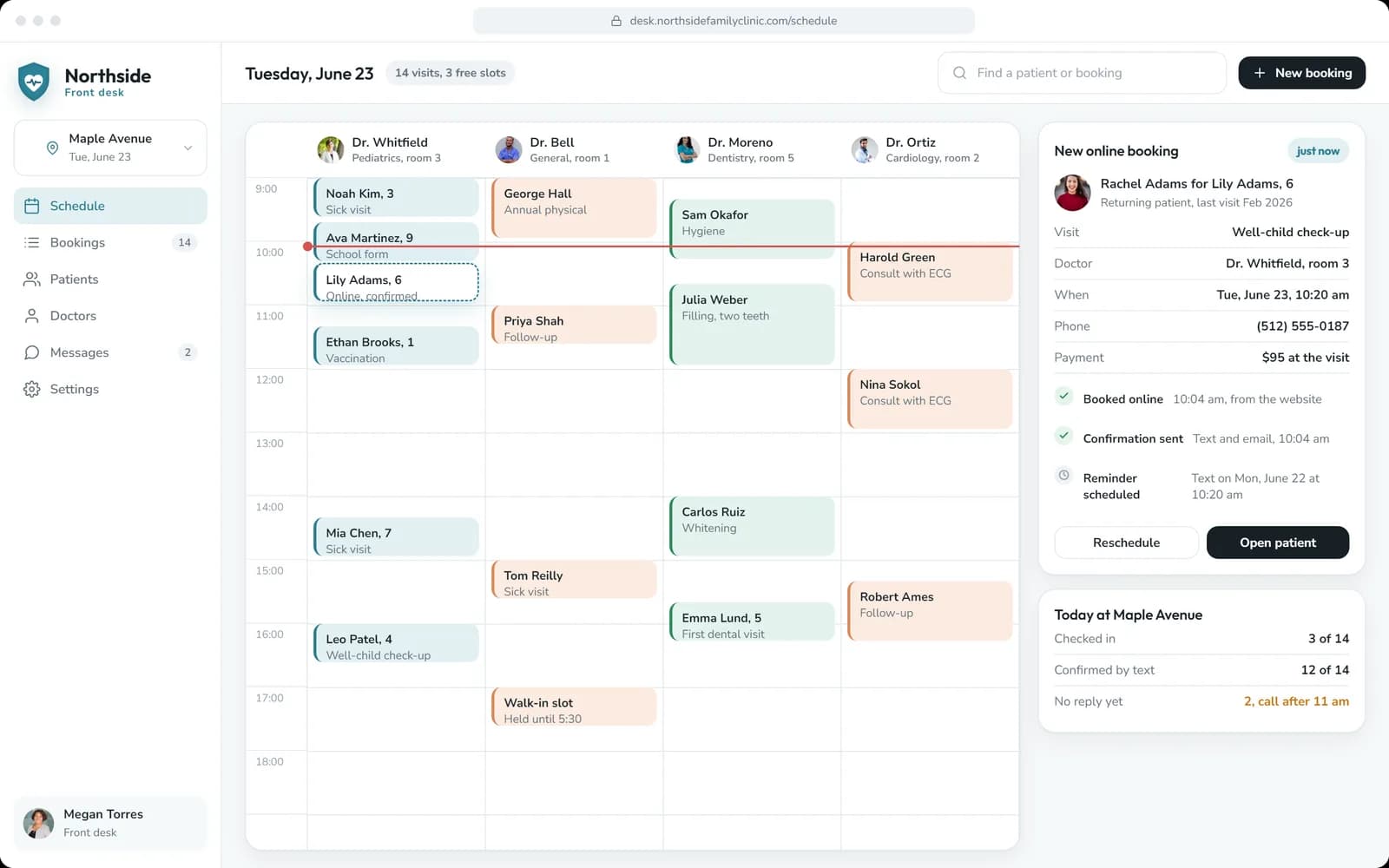
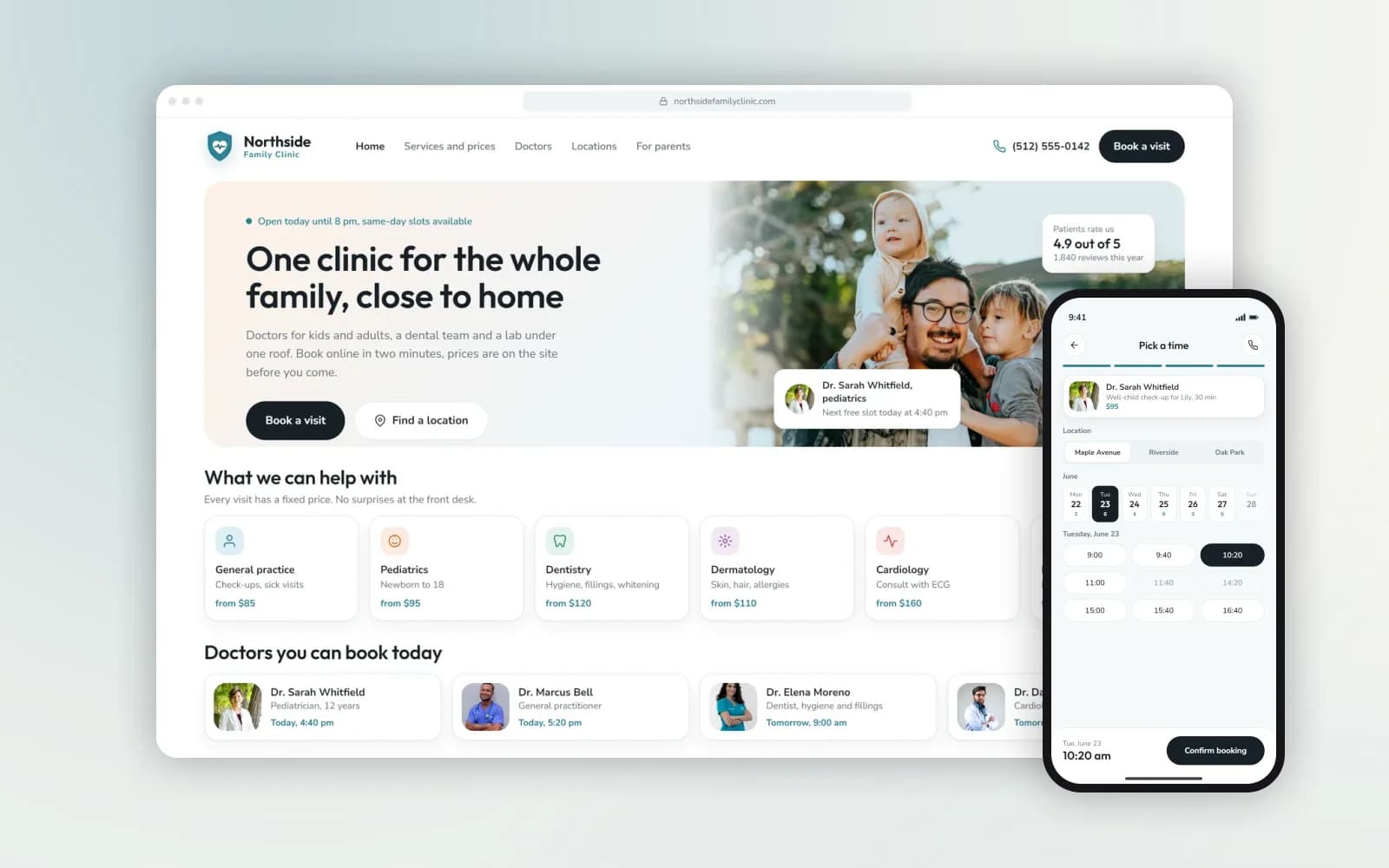
We have built the booking side of this for a family clinic: doctors available today, prices shown before booking, and a front-desk admin with the day’s schedule and a waiting list. The receptionist writes into the same kind of schedule.
For salons, spas and studios
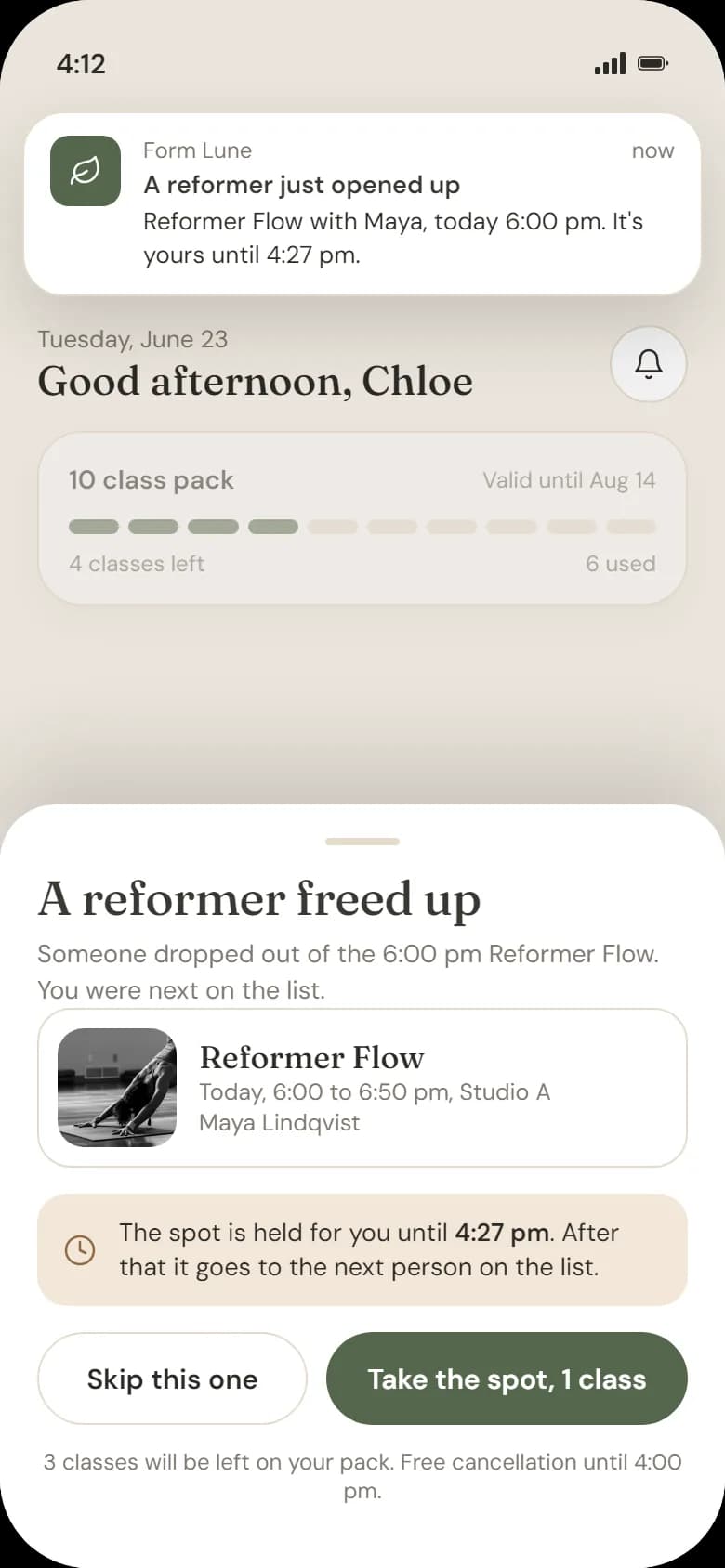
Most calls are “can I come in on Saturday?”. The receptionist knows which stylist or instructor does what, how long each service takes, and what can’t be booked back to back. It fills the gaps: when someone cancels, the slot can go to the waiting list. That is the same logic as the waiting list in the studio app we built.
For restaurants and cafés
During service nobody has time for the phone. The receptionist takes table bookings within your rules for party size and times, answers the menu, allergen-policy and opening-hours questions from your own information, and passes large group or event enquiries to the manager. Takeaway and delivery orders by phone are scoped separately.
Other businesses with a busy phone
Home services, repair shops, agencies, property management: wherever calls follow a pattern and end in a booking, a message or a transfer, the same setup works.
Ready-made AI receptionist service or one set up for you
Several phone and video providers now sell an AI receptionist as an add-on. For a lot of small businesses that is a good start. Here is how to tell which you need.
Setup
- Ready-made AI receptionist service
- Self-service: fill in a profile and FAQs
- Set up for your business (Pazl)
- We build it from your services, rules and real calls
Booking
- Ready-made AI receptionist service
- Often a link sent by text, or its own calendar
- Set up for your business (Pazl)
- Books directly into your calendar, booking software or CRM through their APIs
Your rules
- Ready-made AI receptionist service
- General options
- Set up for your business (Pazl)
- Your durations, staff, notice periods, deposits, waiting list
Hand-off
- Ready-made AI receptionist service
- Transfer to a number
- Set up for your business (Pazl)
- Transfer or callback, with a summary written where your team works
Pricing
- Ready-made AI receptionist service
- Monthly subscription, often per call or minute
- Set up for your business (Pazl)
- Development quoted up front; telephony and model usage billed at cost
Best for
- Ready-made AI receptionist service
- Answering FAQs and taking messages
- Set up for your business (Pazl)
- A front desk whose calls end in a booking or an action in your systems
If a ready-made service covers your calls, use it. We’ll tell you so. If you need the receptionist to work inside your own booking and CRM setup, that is what we build.
How calls reach it
You don’t have to change your number. The usual setups:
- All calls. The receptionist answers first and transfers when needed.
- After hours. Your team answers during the day, and the receptionist takes evenings, nights and weekends.
- Overflow. It picks up only when your lines are busy or nobody answers after a few rings.
Calls are forwarded from your current number through your phone provider. A new number is also possible. We check the options in the scope. For the technology behind it (speech recognition, the language model, the integrations), see our page on AI voice agent development.
Want clients to book without calling at all? The same rules can drive booking on your website and in WhatsApp. See the online booking system.
AI receptionist cost
Telephony and model usage are billed at cost and listed separately, so you see what a minute of calls costs you. Number setup and call testing are part of the build.
Six-month warranty. Coverage and ongoing support are set out in your project agreement.
What changes the estimate
- The number of services, staff and locations
- The calendar, booking software or CRM it has to work with
- Which calls it takes: all calls, after hours or overflow
- The languages it answers in
- Whether it also works in chat, which uses the same knowledge and rules
From your phone line to go-live
Tell us how your front desk works
Tell us which calls you get most, how you book, which calendar or software you use and when a call must go to a person. A short message is enough to start.
Agree the scope and quote
We fix the call types, the booking rules, the hand-off rules and the systems to connect. You get the price and the delivery plan before development begins.
Set up, connect and test
We set up the receptionist’s knowledge and rules, connect your calendar or CRM, set up the number and call forwarding, and test it on real call scenarios. You and your team call it before any client does.
Go live step by step
Start with after-hours or overflow calls. Your team reads the transcripts in the first weeks, and the rules are tuned on real calls. Then the receptionist can take more.
Projects behind it
The booking side and the conversation side of a receptionist, each already running in a product we built.
The stack we build with.
One team, six crafts.
Fair questions, straight answers.
Tell us which calls you miss
Send us your opening hours, your top ten caller questions and the calendar or software you book in. We’ll set out what the receptionist would handle, what stays with your team, and what it costs to build and to run.