Chatbot development agency
Custom chatbots that finish the job inside the chat
Pazl is a chatbot development company for small and growing businesses. We design, build and connect custom chatbots that take one repeat task, such as a booking, an order, an enquiry or a document request, from the first message to a finished result. Anything that needs a person goes to your team.
- Website chat
- Telegram
- Discord
Walk a real purchase flow.
Tap through a rental bot — ID upload, e-sign, payment, reminders. Ninety seconds, zero paper.
It’s live — try it right here, nothing saved.
A web app inside Telegram: no install, no sign-up, Telegram already knows who you are.
An app that lives inside the messenger.
Tap “Open app”: a real web app opens on top of the chat — menu, cart, Telegram’s own Pay button, and the confirmation lands back in the conversation. Nothing to install, nothing to sign up for.
It’s live — try it right here, nothing saved.
Chatbot development services for teams buried in repeat messages
A chatbot pays off when the same conversation happens many times a day and ends the same way. It usually starts with one of these:
- Your team answers the same ten questions by hand, including in the evening and at weekends.
- Bookings and orders arrive as free text, and someone retypes them into a calendar, a spreadsheet or a CRM.
- Enquiries that come in at night are cold by morning.
- Customers send documents in pieces, and staff spend days chasing what is missing.
- Reminders and status updates go out by hand, or never.
A bot doesn’t replace your team. It takes the predictable part of the conversation so your people handle the cases that need judgement.
What can your chatbot handle?
Enquiries and lead capture
Ask the questions your team needs answered, collect the details in a consistent format and send the request to the agreed destination: CRM, inbox or a team chat. Include a route to a person when the user needs help.
Bookings and reminders
The customer picks a service and a slot in the chat, and the booking lands in your calendar. A reminder goes out before the visit. Rescheduling and cancellation follow the rules you set.
Orders and payments in the chat
A catalogue, a cart and a payment step without leaving the conversation. The order reaches your system with the customer’s details, and status updates come back to the same chat.
Document collection
Guide users through submitting information or files for a defined process. We agree which documents are required, how incomplete submissions are handled and who reviews them.
Reminders and status messages
Send updates triggered by an agreed event, such as a change in request status or a payment reminder. Delivery depends on the selected channel, the provider’s rules and the permissions the user has given.
Internal bots for your team
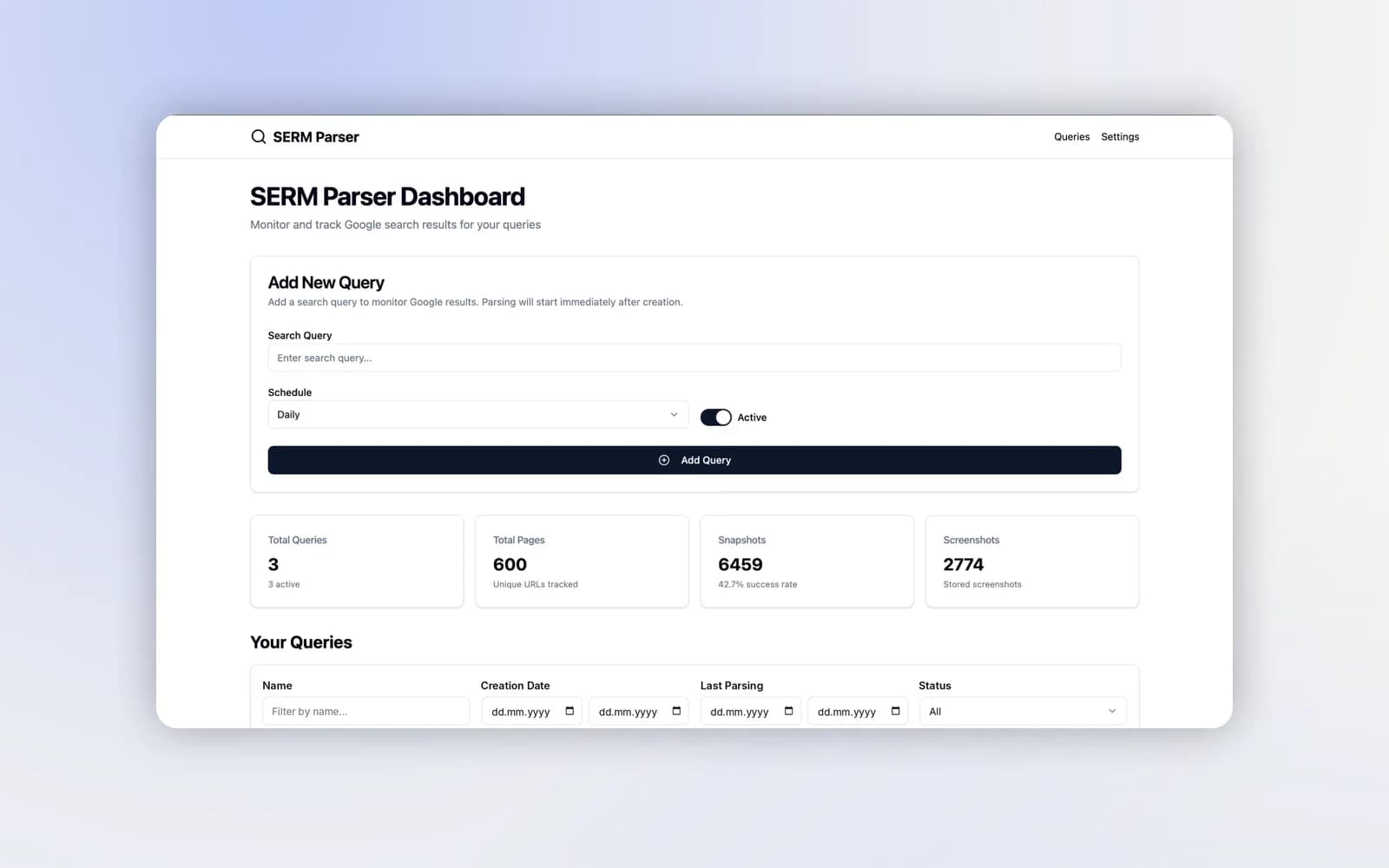
Not every bot faces customers. A bot can give an operator alerts, a daily queue and one-tap actions, so they don’t have to watch a dashboard all day. Our DMCA project works this way: a Telegram bot sits next to a web dashboard.
Types of chatbots we build
Most chatbot development projects fall into one of four types. Pick the type from the task, not from the trend.
Rule-based (button) bots
The conversation follows a map: buttons, lists, short forms. It suits bookings, orders, registrations and status checks, where the questions and next steps are known in advance. It’s predictable, cheap to run and easy to test. Its limit is free text: if a customer writes something off the map, the bot has to hand over or ask again.
AI chatbots
A language model reads what the customer writes and answers from your own content: help pages, policies, price lists, order data. It suits questions that come in many wordings. The model has to be kept on a short leash. It answers only from your sources, hands over what it can’t find, and gets tested against real past conversations before launch. For a website-first assistant, see our AI chatbot for your website.
Hybrid bots
This is what most businesses end up with. Buttons carry the steps that have to be exact, such as choosing a slot, paying or signing. An AI step handles open questions along the way. You get the reliability of a flow and the flexibility of language understanding, and you pay for AI only where it adds value.
Mini apps inside a messenger
When a chat is too narrow for a catalogue or a form, a web app opens on top of the conversation. Telegram Mini Apps are the best-known example: menu, cart and payment without installing anything. You can try one above. There’s more in our guide to Telegram Mini Apps for business.
Rule-based
- Best for
- Bookings, orders, forms, status checks
- Watch out for
- Free-text questions
AI chatbot
- Best for
- Many different questions, answers from documents
- Watch out for
- Needs a clean knowledge base and testing
Hybrid
- Best for
- Most business workflows
- Watch out for
- Clear rules for when AI is used
Mini app
- Best for
- Catalogues, carts, long forms
- Watch out for
- Only in channels that support it
Where your bot lives: channels
The same flow can run in several channels, but each channel has its own rules, message types and approval steps. We scope each channel separately instead of assuming one build covers all of them.
Website chat
A chat widget on your site answers visitors while they’re still on the page, then books, qualifies or hands over. Details are on the AI chatbot for your website page.
Telegram bot development
Telegram has an open bot platform, inline buttons, built-in payments and Mini Apps. That makes it the quickest channel to launch in, and a natural fit for order-ahead, bookings, communities and internal tools. The Telegram Mini App demo above runs on it.
WhatsApp
WhatsApp is where many customers already write to you. Bots there run on the official WhatsApp Business API, with message templates, opt-in and a 24-hour reply window. We set up the API on your own number. See WhatsApp Business API setup.
Instagram and Discord
Instagram direct messages suit brands that sell through content. Discord suits communities: roles, access, moderation and announcements. Both have their own API limits, which we check before quoting.
Must-have features of a business chatbot
Whatever the channel, a bot that works in a real business needs the same basics:
- Hand-over to a person with context. The customer can always reach a human, and your staff see the whole conversation instead of starting from scratch.
- Integrations. Data goes where your team works: CRM, calendar, help desk, order system, spreadsheet. We review each system’s API and agree the fields, actions and error handling.
- Payments where needed. A payment link or an in-chat payment at the end of an order or a booking.
- An admin view. You change texts, prices, schedules and answers without calling a developer.
- Analytics. How many conversations finish, where people drop off, how often the bot hands over. You improve what you can see.
- Error handling. What happens if a payment fails, a slot is taken or a file is the wrong format. The flow has an answer for each case.
- Channel rules and consent. Opt-in, message templates and reply windows are respected, so your number or account stays in good standing.
- Data protection. Personal data is handled under GDPR, and EU hosting is available.
Common chatbot mistakes, and how to avoid them
Most chatbots that fail don’t fail on technology. They fail on a few predictable decisions:
- Starting with everything. A bot that tries to cover sales, support and bookings on day one does all three badly. Launch one flow, measure it, then add the next.
- Hiding the human. If customers can’t reach a person, they leave or complain in public. Make the hand-over easy to find and fast.
- AI without sources. A language model with no knowledge base will answer confidently and wrongly. Give it your documents and rules, and let it hand over what it can’t find.
- No owner inside the business. Prices, hours and policies change. Someone on your team should own the bot’s content, and the admin view should make that a five-minute job.
- Ignoring channel rules. Messaging customers without opt-in, or spamming templates, gets numbers and accounts restricted. The rules are part of the design, not an afterthought.
- Measuring nothing. Without completion and hand-off rates you can’t tell whether the bot saves time or just moves the problem. Decide what “working” means before launch.
What to prepare before chatbot development starts
You don’t need a specification. A short brief is enough to get a fixed quote:
- 1
Five to ten real conversations
From your inbox, the ones the bot should handle, including a messy one.
- 2
Where the answers live
Help pages, price lists, policies, a spreadsheet, or people’s heads.
- 3
The systems involved
CRM, calendar, order system, payment provider, and who has admin access.
- 4
The channel
The one your customers already use, and whether you have a business account there.
- 5
Who takes over
Who picks up when the bot hands a conversation to a person, and in which tool.
With that, we can map the flow and name the price and the date.
Chatbot use cases by industry
Clinics, salons and studios
Booking, rescheduling, reminders before the visit, answers about prices and preparation. Fewer phone calls and fewer no-shows. The same booking logic runs on our online booking system projects.
Restaurants and coffee shops
Order-ahead with pickup time, the menu with options and payment in the chat. The Pazl Coffee Telegram Mini App above shows the pattern.
Rentals and services
Choose the item or service, pick the dates, upload an ID, sign, pay the deposit, get reminders. It’s paperwork done in chat, as in the Gear Rental Bot demo at the top of this page.
Agencies and professional services
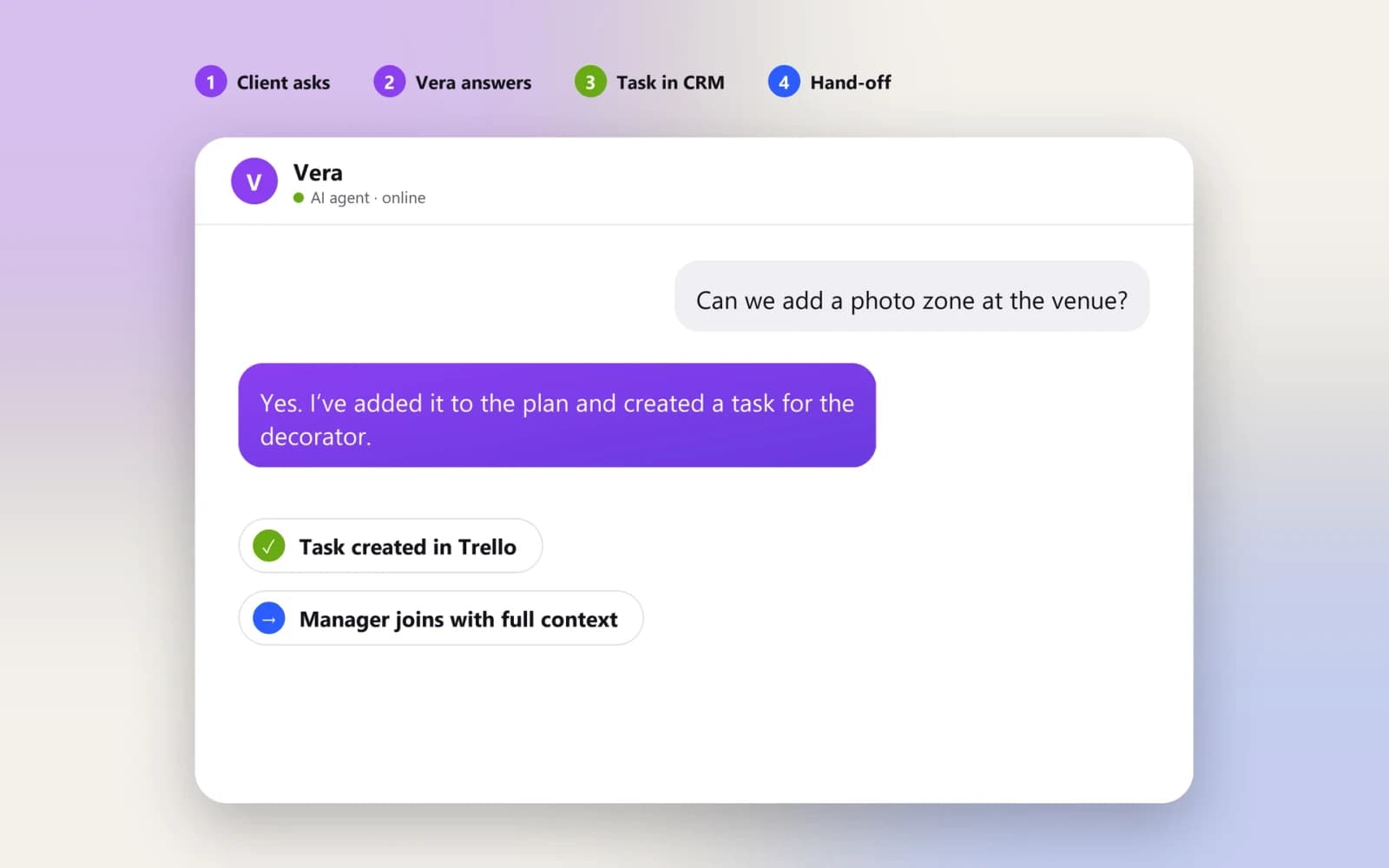
Collect the brief, answer routine questions, keep the client updated and bring in a manager only when it matters. See the Vera case below.
E-commerce and retail
Order status, delivery questions, returns and product questions answered from your catalogue. Order updates are sent to the same chat.
Internal operations
Bots for your staff: approvals, alerts, daily queues, data lookups. The DMCA project below uses a Telegram bot as the operator’s working tool.
Chatbot development cost
The price is fixed and written into the agreement before development starts.
Every project comes with a six-month warranty. You get full ownership of the code, and ongoing support is set out in the agreement. You can pay by card or bank transfer.
What moves the estimate
- Number of flows. Each separate conversation, such as booking, order or support, is its own piece of work.
- Channels. Each additional channel has its own interface, rules and, in WhatsApp’s case, provider approval.
- Integrations. Sending a lead to a CRM is simpler than reading and writing orders, stock or accounts.
- AI. Adding language understanding means a knowledge base, rules and testing on real conversations.
- Payments and documents. Payment providers, e-signing and file handling add steps and checks.
- Admin and reporting. A simple content editor or a full back office for your team.
Running costs are listed separately in the proposal: messaging fees (for example, WhatsApp template messages), hosting, AI model usage and any third-party subscriptions.
Chatbot builder or custom chatbot development?
No-code chatbot builders are a good start for simple FAQ flows and marketing sequences. Custom development makes sense when the bot has to do real work inside your business.
Launch
- Chatbot builder
- Hours to days, by yourself
- Custom chatbot from Pazl
- From around two weeks, done for you
Logic
- Chatbot builder
- Templates and the builder’s blocks
- Custom chatbot from Pazl
- Your process, including exceptions
Integrations
- Chatbot builder
- The builder’s list of connectors
- Custom chatbot from Pazl
- Any system with an API, agreed in scope
AI
- Chatbot builder
- The builder’s settings
- Custom chatbot from Pazl
- Answers only from your data, with your rules
Cost
- Chatbot builder
- Monthly fee that grows with contacts or messages
- Custom chatbot from Pazl
- Fixed build price plus running costs at cost
Ownership
- Chatbot builder
- Flow lives in the builder’s account
- Custom chatbot from Pazl
- Code and data are yours
If a builder covers your case, we’ll say so. It’s often the right first step.
How we build a custom chatbot, step by step
Pick one conversation
Start with the task your team repeats most, for example “book a visit” or “where is my order”. One flow done well beats five half-done.
Map the flow
We draw the main path, the alternative paths, the failure cases and the moment a person takes over. This is where we decide where buttons are enough and where AI is needed.
Agree the scope and a fixed price
The first release, integrations, channels, responsibilities, price and delivery date are written down before development begins.
Build and connect
The bot, its admin side and the integrations with your CRM, calendar, payments or help desk. You see working flows as they’re built, not only at the end.
Test on real conversations
We run the flow against real examples from your inbox, including the awkward ones, and fix the gaps before customers see it.
Launch, measure, extend
After launch we watch completion and hand-off rates. The next flow is added once the first one works.
Custom chatbot development is mostly about the conversation, not the code: we map it first, then connect the systems. A focused first version can be planned from around two weeks, once the flow, the content and the required access are ready. Extra channels, complex integrations and provider approvals, such as WhatsApp business verification, can add time.
Chatbot and AI assistant projects we’ve shipped
Vera is an AI agent that runs a wedding agency’s day-to-day chat; the DMCA complaint system gives its operator a Telegram bot next to a web dashboard. The Gear Rental Bot (ID upload, e-sign, payment, reminders) and the Pazl Coffee Telegram Mini App (menu, cart, Telegram payments) at the top of this page are working demos: they show the flows we build, and nothing you enter is saved.
The stack we build with.
TypeScript, Node.js and Python (FastAPI) on the back end, React and Next.js for admin panels and Mini Apps, PostgreSQL or MongoDB for data, Stripe for payments, and the official Telegram and WhatsApp Business APIs for messaging. Infrastructure runs on AWS or Vercel.
One team, six crafts.
Fair questions, straight answers.
Which conversation should your bot handle first?
Send an example of a request your team processes repeatedly. We’ll suggest a conversation flow and estimate the bot and its integrations.