WhatsApp Business API
WhatsApp Business API setup and chatbots that book, sell and answer
Your customers already write to you on WhatsApp. We set up the official WhatsApp Business API on your own number and connect it to your calendar, your orders and your CRM. A message becomes a booking, an order or an answered question, and a person takes over the moment the conversation needs one.
- Telegram
A rental handled entirely in chat.
Tap through: choose the gear, the dates, the cover, upload an ID, pay the deposit — the same flow runs in WhatsApp, Telegram or Instagram. Ninety seconds, zero paper.
It’s live — try it right here, nothing saved.
What the WhatsApp Business API is, and when you need it
The WhatsApp Business API (Meta calls it the WhatsApp Business Platform) lets software send and receive WhatsApp messages on a business number. It’s what sits behind every WhatsApp chatbot, every automatic reminder and every shared team inbox. There is no app to download: you connect to it through Meta’s Cloud API, directly or through a Business Solution Provider.
You need it once WhatsApp stops being “one person with a phone”.
WhatsApp Business app vs WhatsApp Business API
Who replies
- WhatsApp Business app
- One person, by hand, on a phone (plus linked devices)
- WhatsApp Business API
- A bot, a team, or both
Automation
- WhatsApp Business app
- Greeting, away message, quick replies
- WhatsApp Business API
- Full chatbot flows, triggers, reminders
Integrations
- WhatsApp Business app
- None
- WhatsApp Business API
- CRM, calendar, order system, help desk
Messages you start
- WhatsApp Business app
- Manual only
- WhatsApp Business API
- Approved templates, with the customer’s opt-in
Cost
- WhatsApp Business app
- Free
- WhatsApp Business API
- Meta’s per-message fees plus the build
If one person answers a few dozen chats a day, the free app is enough. If you want bookings, orders or answers to happen without someone typing, or several people working one number, you need the API.
Cloud API directly or through a provider
Meta hosts the Cloud API. You can connect to it directly or through a Business Solution Provider (BSP), a company that adds its own inbox, billing and support on top. Going direct means no provider subscription. A BSP can make sense if your team wants that provider’s inbox. We look at your volume and tools and recommend one, and the provider subscription, if any, is listed separately.
Templates, opt-in and the 24-hour window
Three rules shape every WhatsApp flow:
- Opt-in. You message people first only if they agreed to hear from you on WhatsApp.
- Templates. Messages you start, such as reminders, order updates and confirmations, use templates that Meta approves in advance, by category: marketing, utility or authentication.
- The 24-hour window. When a customer writes to you, you can reply freely for 24 hours. After that, only templates.
We register the templates, build the flow around these rules and keep your number in good standing. For more on what to automate first, read our practical guide to WhatsApp automation for small business.
WhatsApp chatbot for business: what we build
Buttons and lists are used where the choice is clear. An AI step is added only where free text has to be understood. The same flow can be published to Telegram and Instagram from one implementation.
Bookings and reminders
A customer picks a service and a slot in the chat, and the booking lands in your calendar. The reminder goes out the day before. Rescheduling and cancellation follow the rules you set.
Orders and payments
Catalogue messages, a cart in the conversation and a payment link at the end. The order reaches your system with the customer’s details, and status updates come back to the same chat.
Answers, with a person one tap away
The questions you answer twenty times a day, such as opening hours, prices, delivery and “where is my order”, are answered instantly from your data. Anything else goes to your team with the whole conversation attached, inside the tool they already use.
Notifications customers actually want
Order confirmations, delivery updates, appointment reminders and payment reminders, sent as approved templates to customers who opted in.
How we set up the WhatsApp Business API and launch
Pick the conversation
Send us a few real WhatsApp threads your team handles every day. We choose the first flow together.
Accounts and number
We set up the API on your own number through Meta or a provider, with your business account, display name and business verification. Meta’s verification runs on their clock and can add a few days.
Map the flow
The trigger, the questions, the branches, the failure cases and the hand-over are written down step by step before anything is built.
Templates
We write and submit the message templates your flow needs.
Build and connect
The bot and the integration with your CRM, calendar, order system or help desk.
Test and launch
We run the flow on real examples, go live and watch the first weeks with your team.
A first flow can be live from around two weeks once the number is verified and access to your systems is ready.
Your CRM, your inbox, your rules
Every message is stored in your CRM or help desk, so a WhatsApp conversation is as visible to your team as an email. We review each system’s API and the data the flow needs to read and write, and the scope lists the connections in the first release. Common CRMs, calendars, order systems and help desks connect through their APIs.
Personal data is handled under GDPR. The number, the accounts and the data stay yours.
Project examples: an assistant that handles enquiries, a clinic that books online
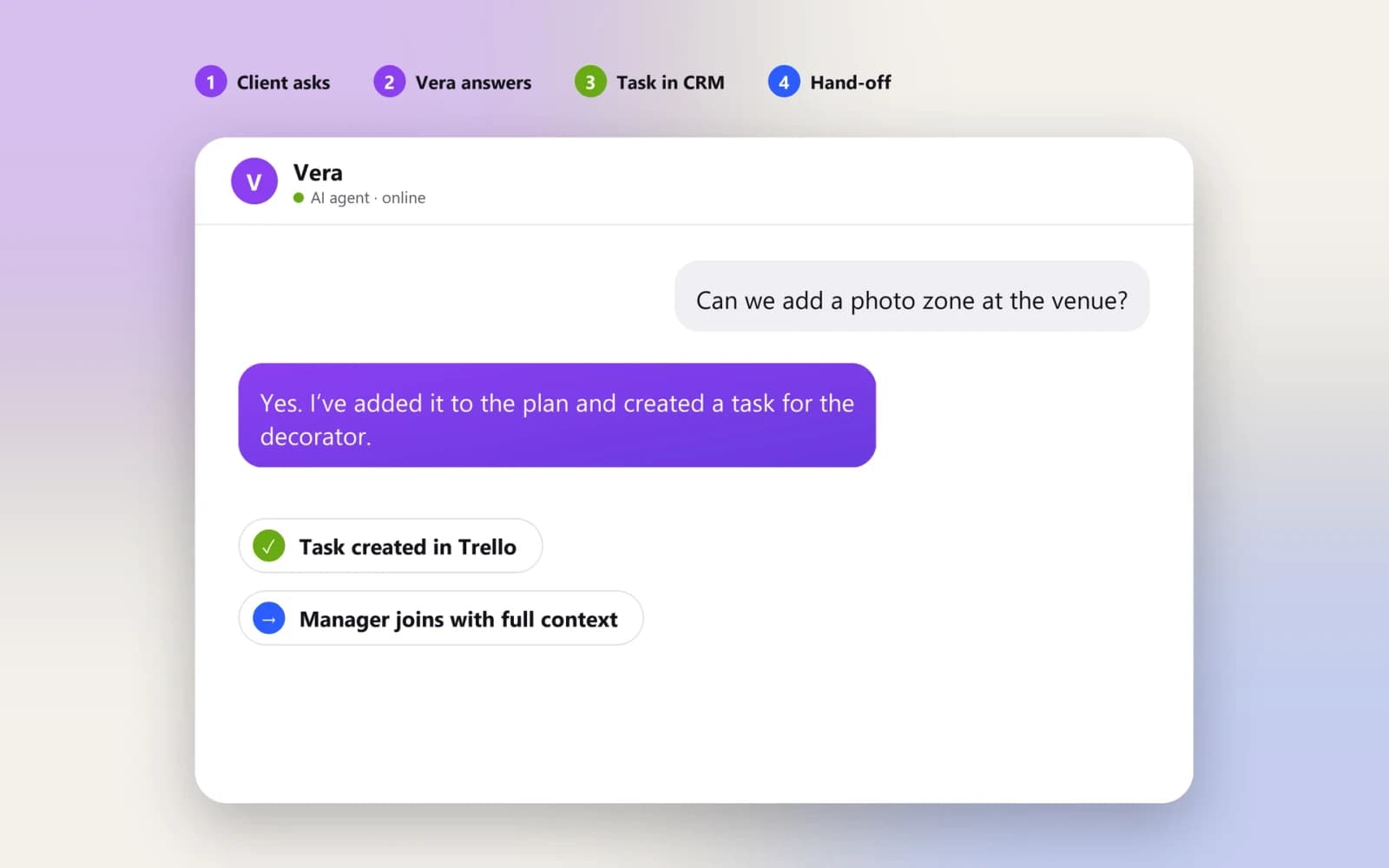
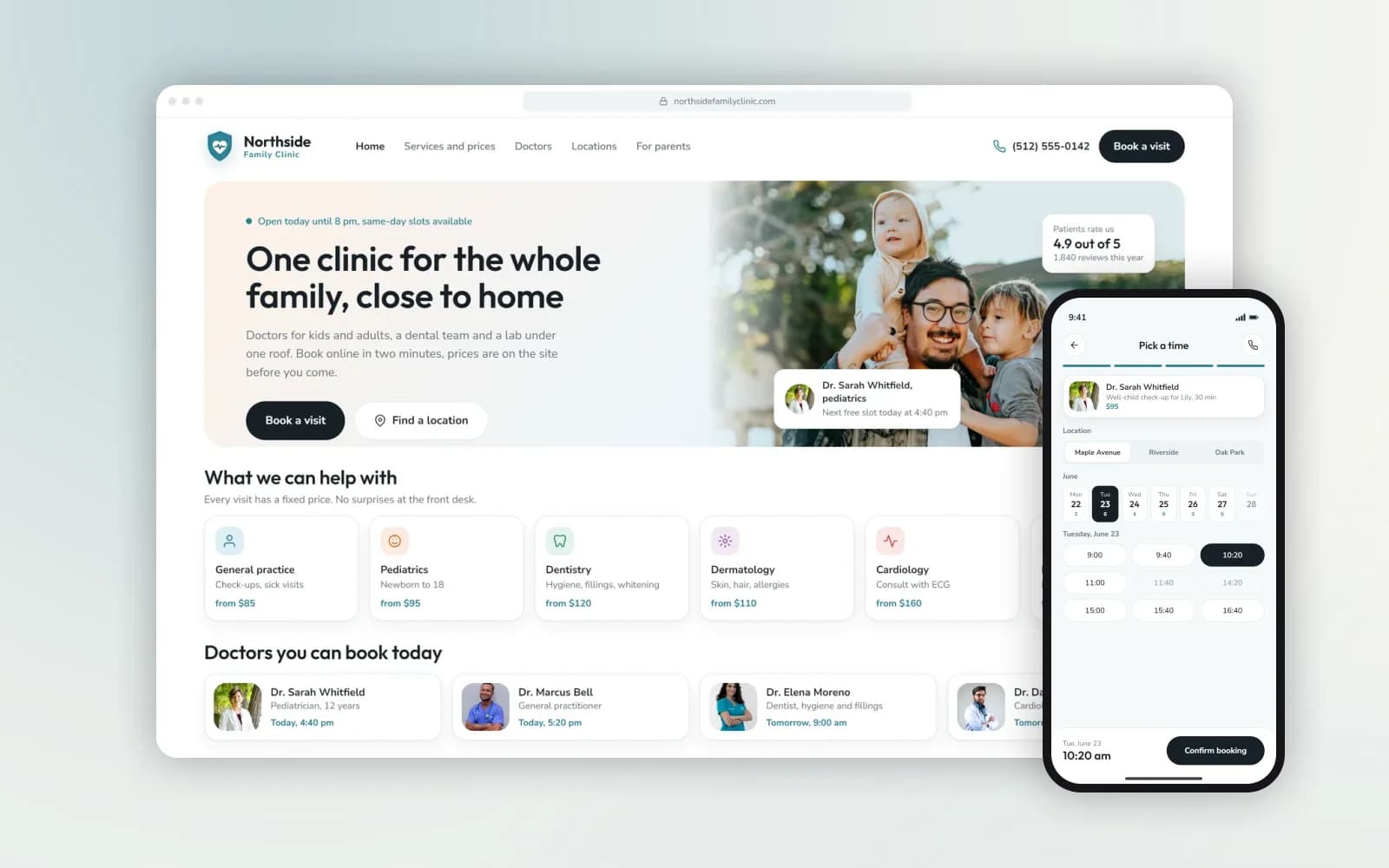
The WhatsApp flows we build rely on the same patterns as these projects.
WhatsApp Business API cost
Your bill has two separate parts:
Our build. A one-time fixed price. It depends on the number of flows, the systems they touch and whether free-text understanding (AI) is needed.
Meta’s fees. Meta charges for template messages, the ones you start, by category and by the customer’s country. Replies inside the 24-hour customer service window (service messages): from October 1, 2026, each number gets 1,000 free per month, and every reply above that is charged at the utility rate for the customer’s country. Check Meta’s current rate card for your markets. If you use a Business Solution Provider, its subscription is added on top.
Every project comes with a six-month warranty. Coverage and ongoing support are set out in your project agreement.
Off-the-shelf WhatsApp tool or a custom flow?
Ready-made WhatsApp inbox and campaign tools work well for broadcasts and a shared inbox. A custom flow makes sense when the conversation has to do something in your systems: check real availability, create an order, update a record, take a payment. It follows your rules, not the tool’s templates. If a ready-made tool covers your case, we’ll tell you.
The stack we build with.
Fair questions, straight answers.
Tell us which conversation to put on WhatsApp first
Send a few real WhatsApp threads your team handles every day: bookings, orders, questions. We’ll map the flow, name the integrations and estimate the work.