Cedar Lane: Tutoring Platform
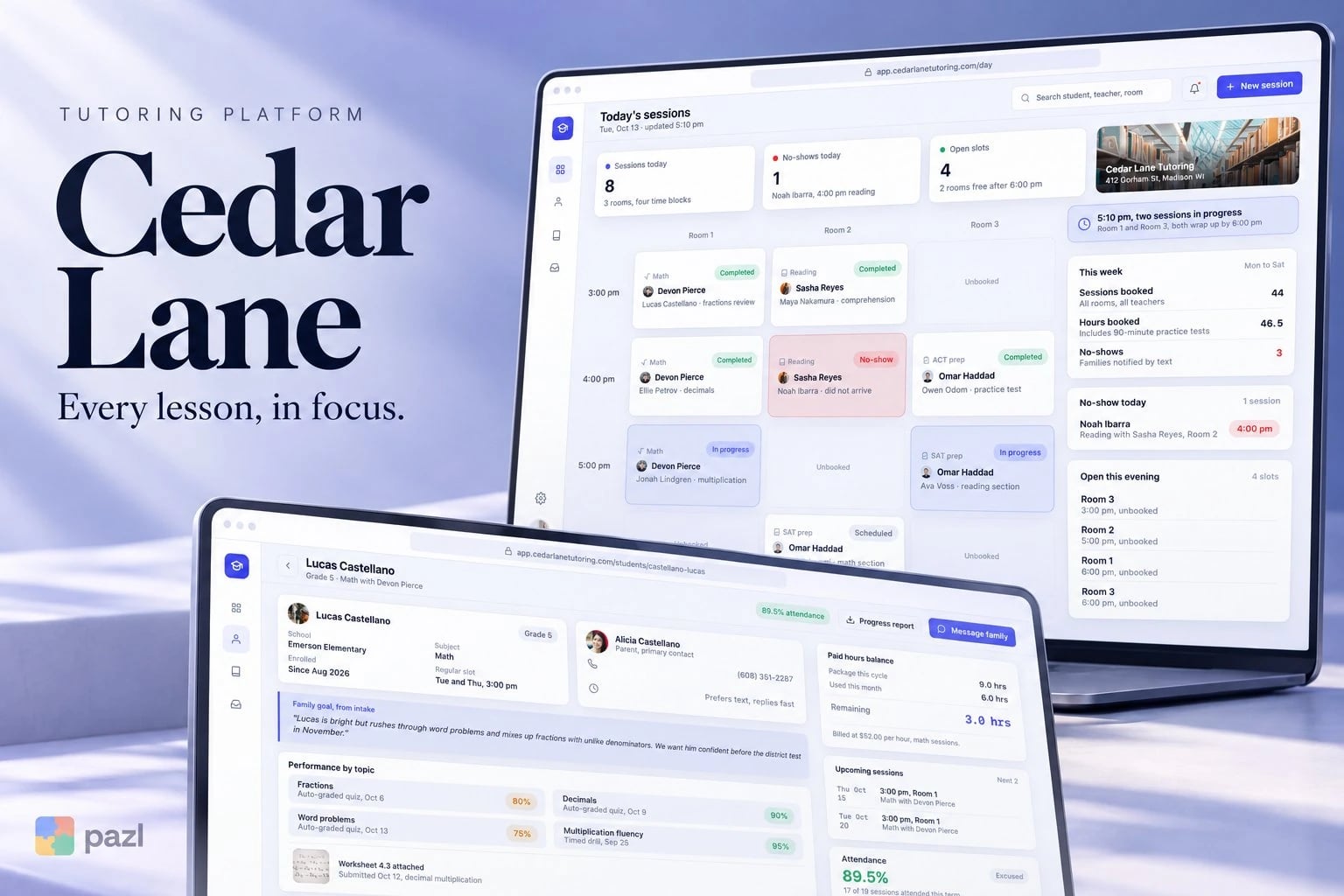
Cedar Lane is a concept web app we designed for a small tutoring centre. The director sees the whole afternoon by classroom, and parents get the schedule, progress and bill without a phone call.
A fictional product exploration showing interface and interaction design. No live deployment or commercial results are implied.
- Project type
- Concept project
- Industry
- Education, tutoring
- Platforms
- Office web app and parent portal
- Our role
- Product and interface design
Who Cedar Lane is for
A small tutoring centre that teaches maths, reading and test prep. Three groups share one record.
- The director, who runs several rooms every afternoon.
- Teachers, who track scores, notes and homework.
- Parents, who want the schedule, progress and bill without calling.
Why a tutoring centre needs one shared record
A tutoring centre runs on small promises: the right teacher in the right room, homework checked, a bill that matches the sessions. Cedar Lane keeps the director, the teachers and the parents looking at the same record.
- See every room and time block at once.
- Flag a no-show and let the family know by text.
- Give parents progress, homework and the bill in one place.
What we designed for Cedar Lane
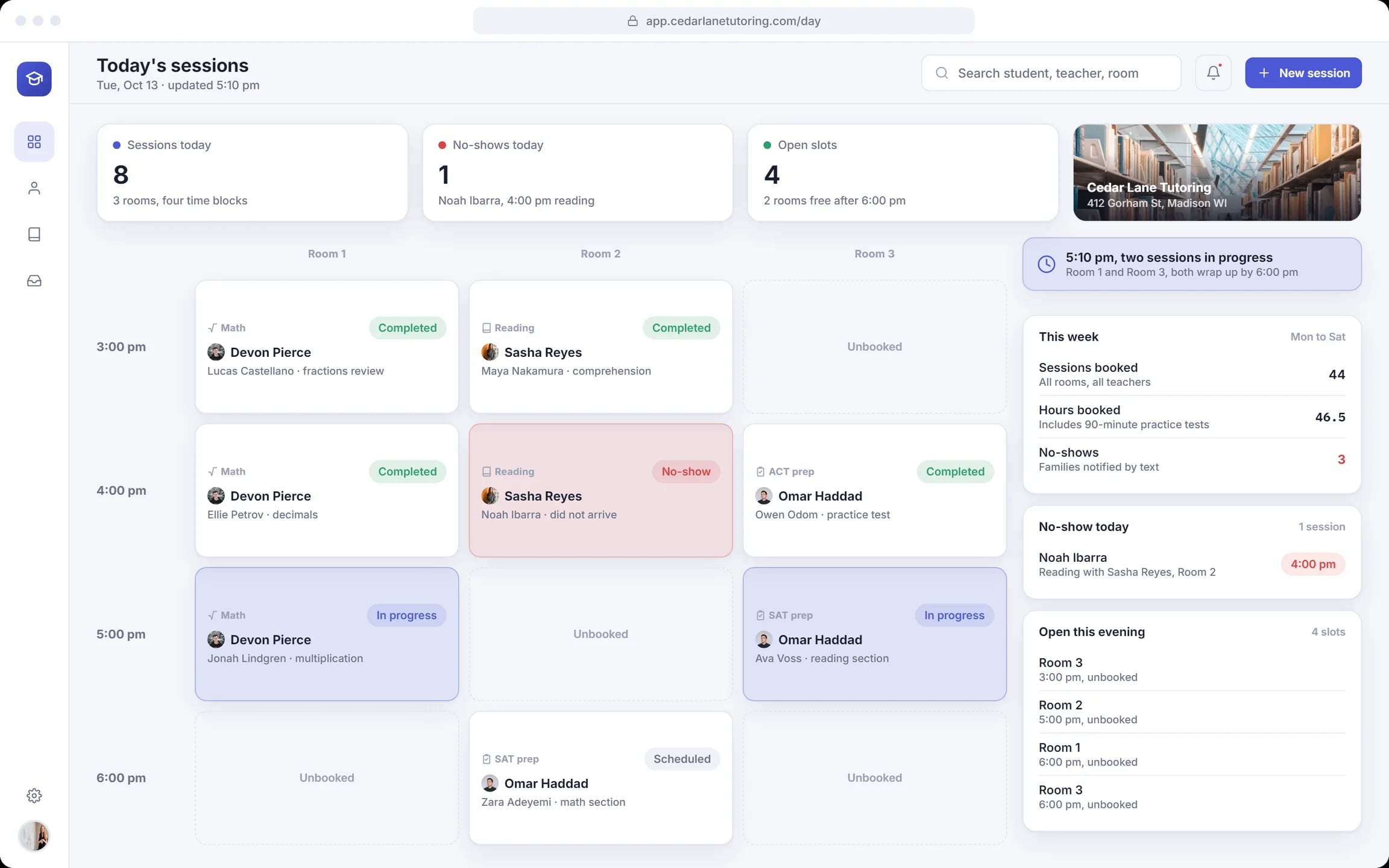
The afternoon by room
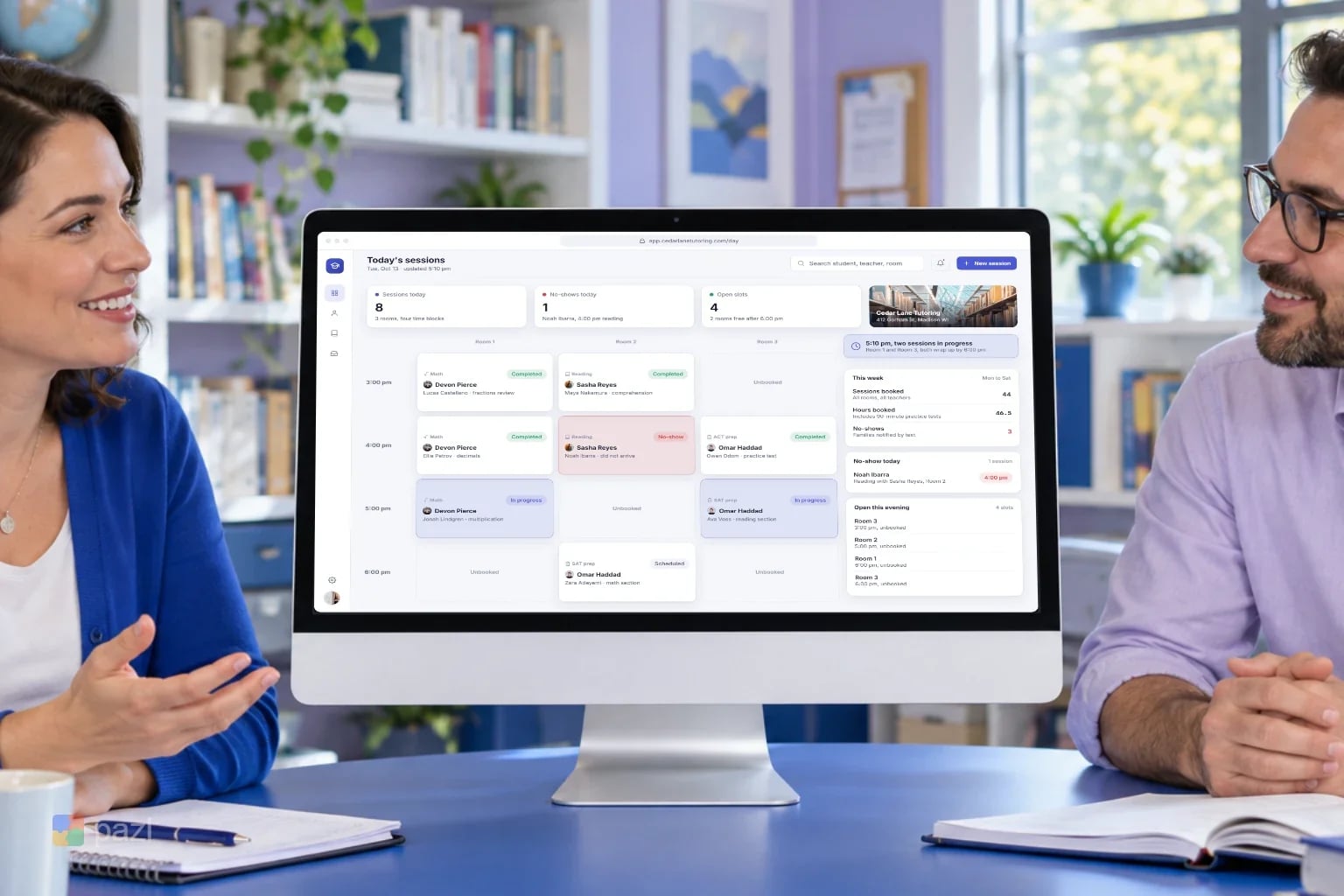
Rooms and time blocks in one grid, each session colour-coded. A no-show turns red and the family gets a text.
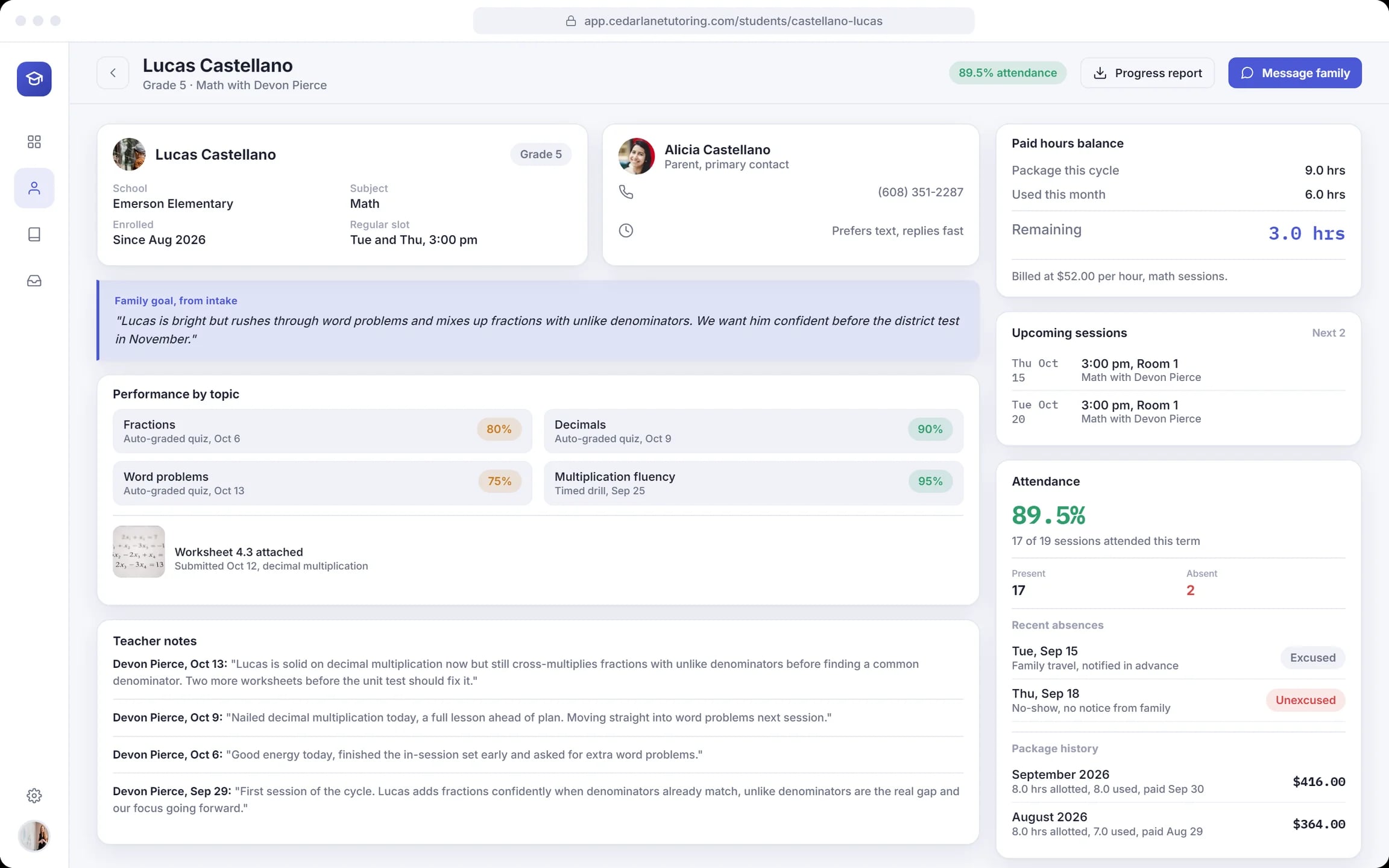
One card per student
Scores by topic, teacher notes, attendance, the family’s goal from intake and the paid hours left on the package.
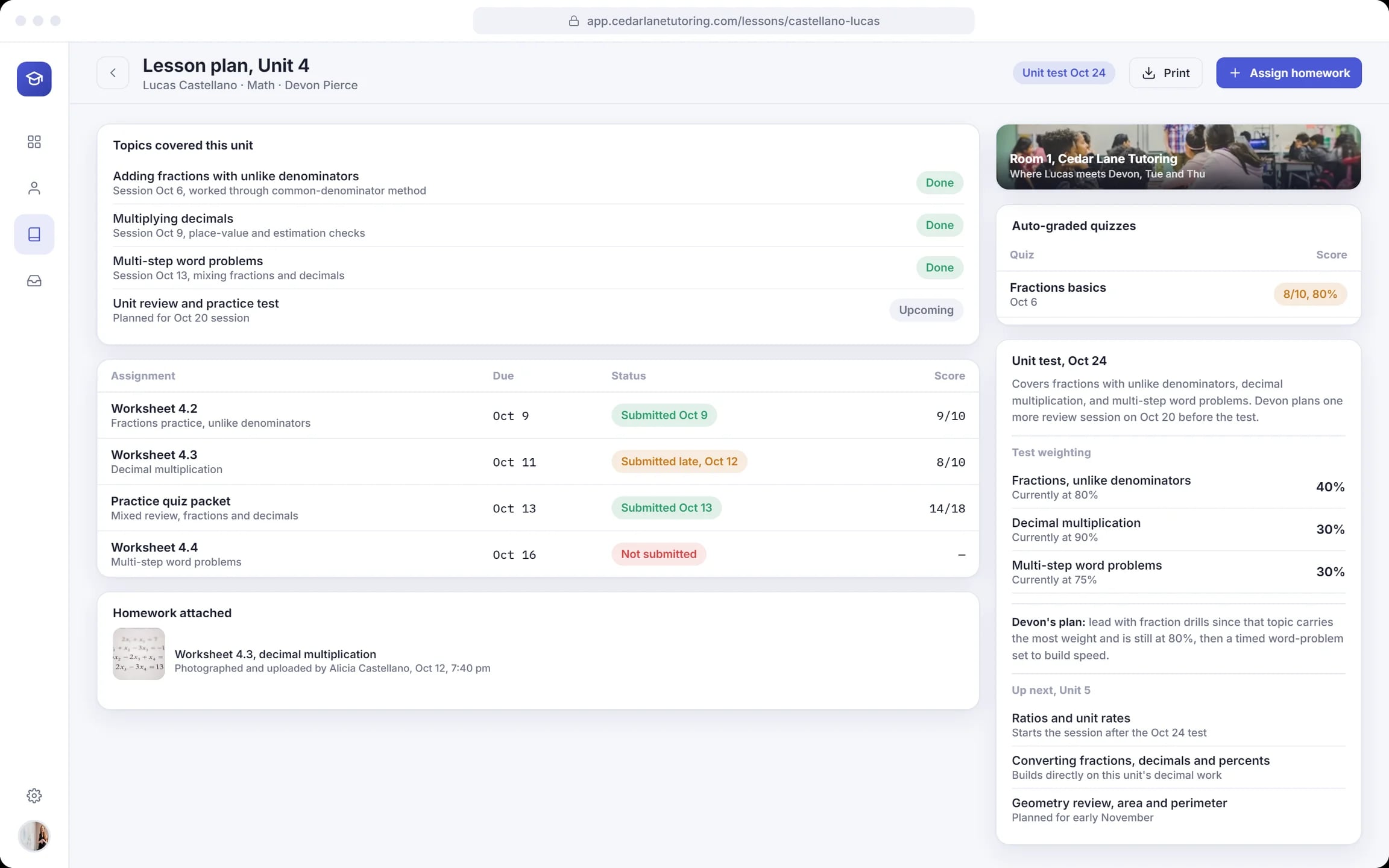
Lesson plans around the test
Topics done and coming, worksheets with due dates and scores, auto-graded quizzes and how the unit test is weighted.
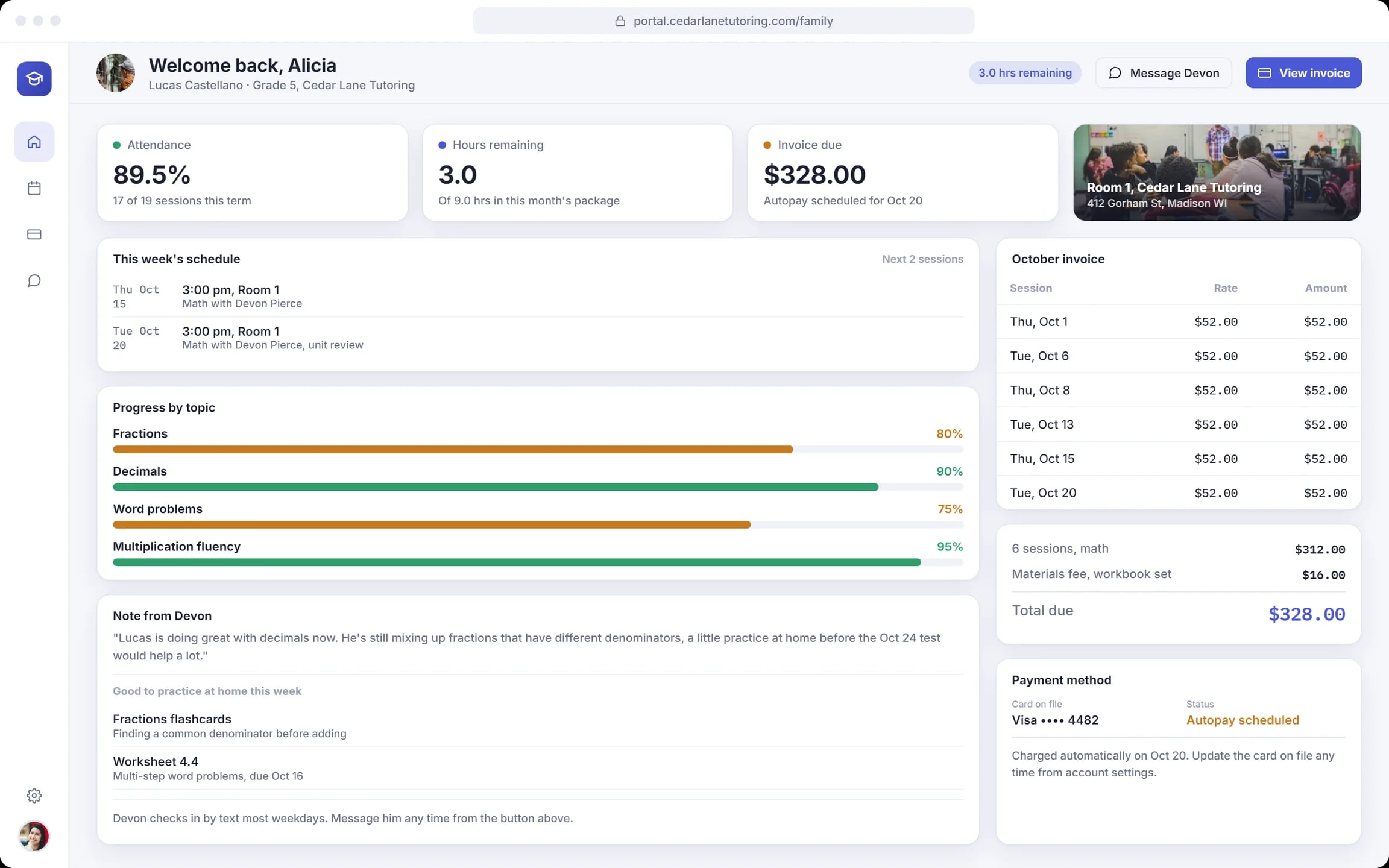
A portal for parents
The next sessions, a note from the teacher, homework for the week, progress by topic and the month’s invoice on autopay.
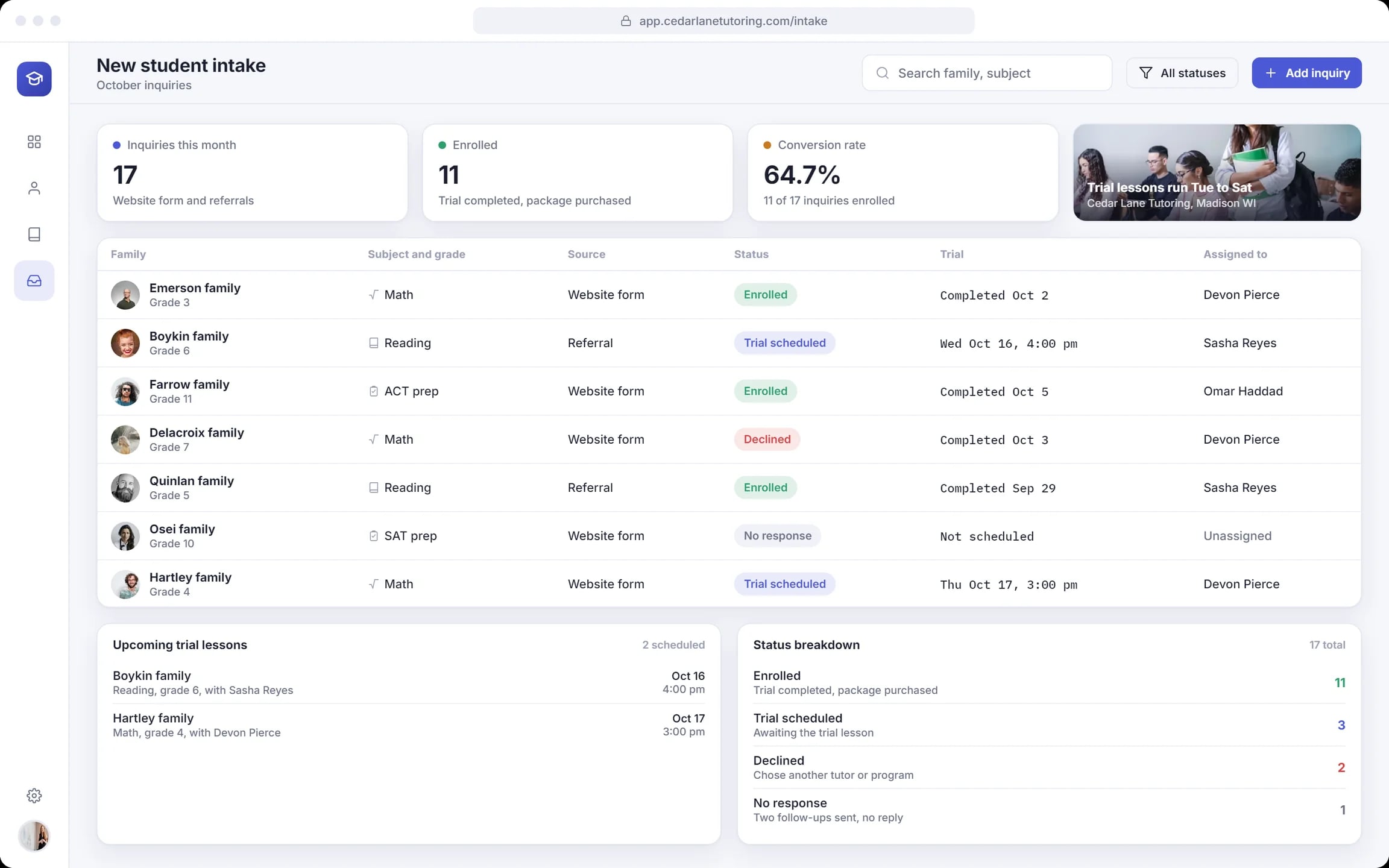
Intake for new families
Inquiries from the website form and referrals, trial lessons, enrolments and the teacher each family is assigned to.
How the centre uses Cedar Lane
Open the day
The director sees every room, the no-show and the slots still open this evening.
Teach to the plan
The teacher checks scores and notes and leads with the topic that needs work before the test.
Keep parents in the loop
Parents see the next sessions, the teacher’s note and homework, and upload a photo of finished work.
Bill what was taught
The invoice lists every session at the hourly rate and is charged on autopay.
How we designed Cedar Lane
We followed one Tuesday afternoon and one student through the day view, his card, his lesson plan and the parent portal. The screens are laid out in HTML and CSS.
One day, one student
Four of the five screens follow the same afternoon and student, so the details match.
Three views of one record
The student card, the lesson plan and the parent portal draw on the same scores, sessions and hours.
Status in colour
Green for done, blue for in progress, red for problems such as a no-show, an unexcused absence or a missing worksheet.
Bills that add up
Each session at the hourly rate plus the materials fee: the parent sees the hours the office sees.
A closer look at the screens
What the Cedar Lane design does
- Shows the afternoon by classroom, with no-shows and open slots.
- Keeps scores, notes, attendance and paid hours on one student card.
- Gives parents the schedule, progress, homework and bill without a phone call.
- Follows new families from inquiry to trial lesson to enrolment.
Questions about this project
No. Cedar Lane is a concept project: a fictional centre we used to design the product. The names, scores and amounts on the screens are invented.