Ridgeway Auto Works
Ridgeway Auto Works is a concept web app we designed for an independent repair shop with four lifts. It shows what every lift is doing, what waits on a customer and what waits on a part.
A fictional product exploration showing interface and interaction design. No live deployment or commercial results are implied.

- Project type
- Concept project
- Industry
- Auto repair
- Platforms
- Web app for the shop
- Our role
- Product and interface design
Who Ridgeway Auto Works is for
An independent shop: the owner, the service advisor, the mechanics and the customers who approve work by text.
- The service advisor, who checks cars in and sends estimates.
- Mechanics, who fill in the inspection and attach photos.
- The owner, who watches the bays, the parts and the day’s revenue.
- Customers, who say yes or no to each repair by text.
Why a repair shop needs a clearer view
Without a shared view, the shop runs on a whiteboard and a round of phone calls: which car is on which lift, who still has to approve, which part is late.
- Answer the advisor’s first question at a glance.
- Get the customer’s yes without a phone call.
- Know when each part arrives.
What we designed for Ridgeway Auto Works
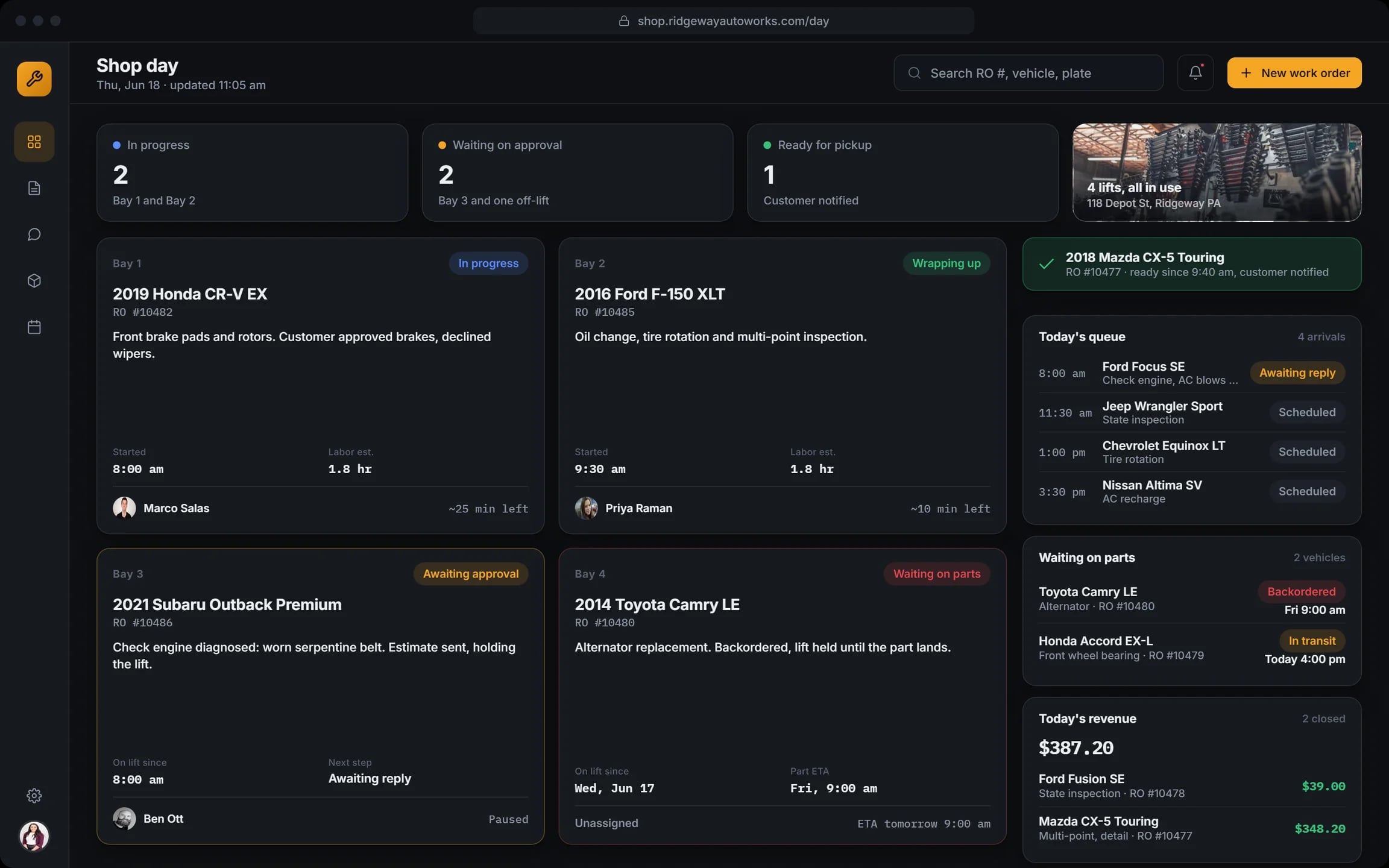
Shop day
Four bays with the car, the job and its status, from in progress to waiting on parts. The queue and the day’s revenue sit beside them.
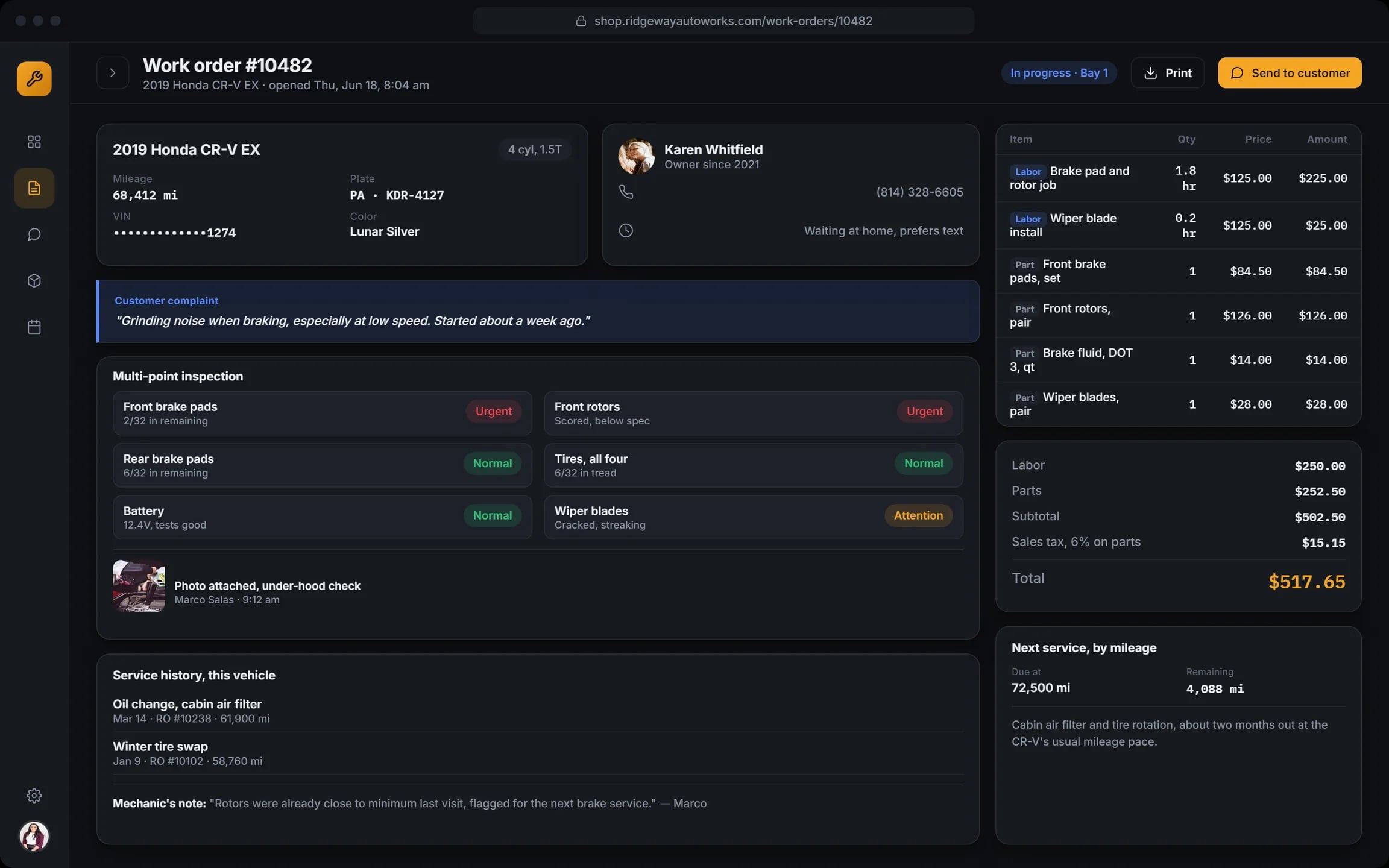
Work order
The vehicle, the customer, the complaint in their words, a multi-point inspection with photos, labour and parts lines and the total.
Approval by text
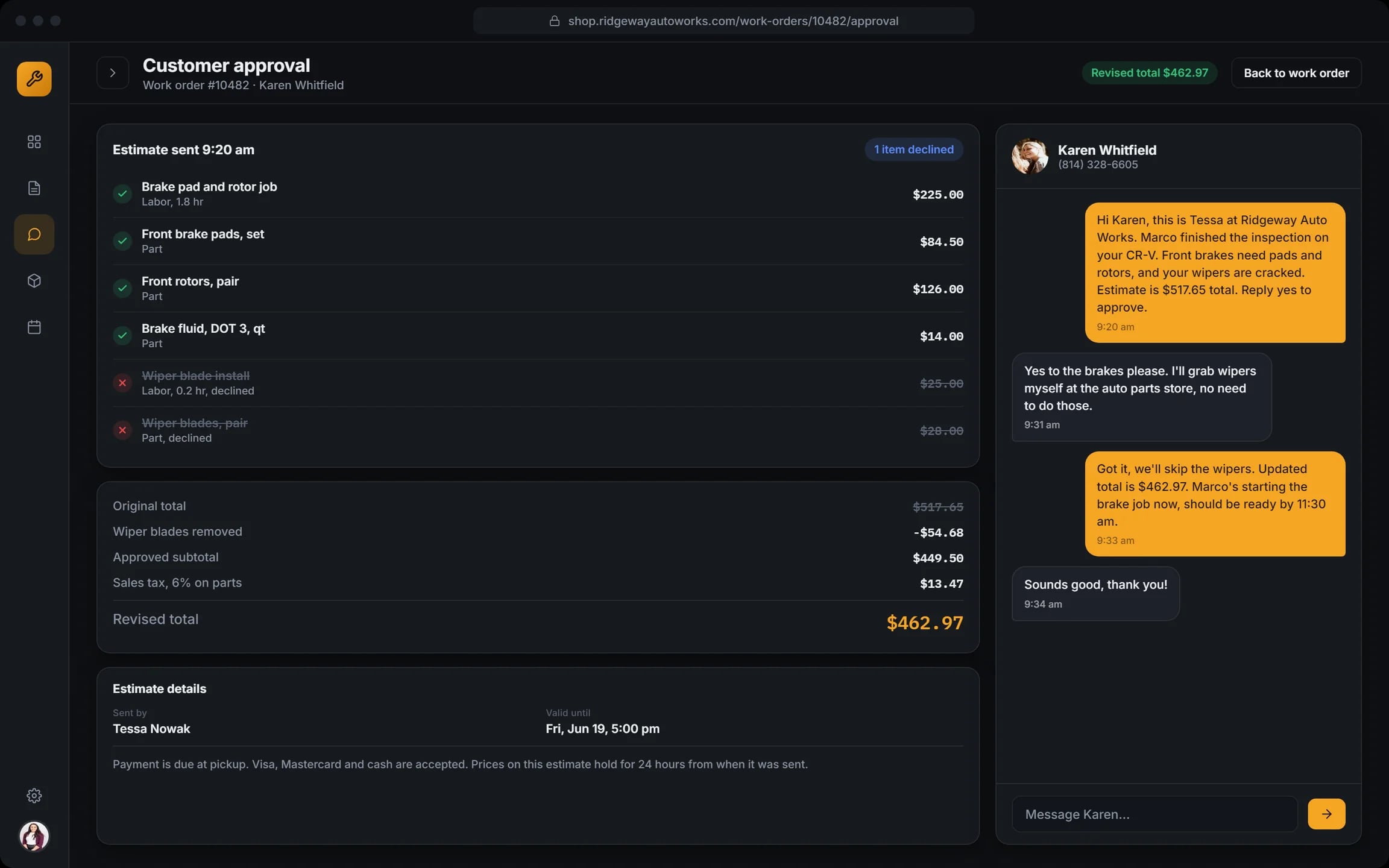
The estimate goes to the customer by text. She says yes to the brakes and no to the wipers; the declined lines drop out and the total updates.
Parts with a paper trail
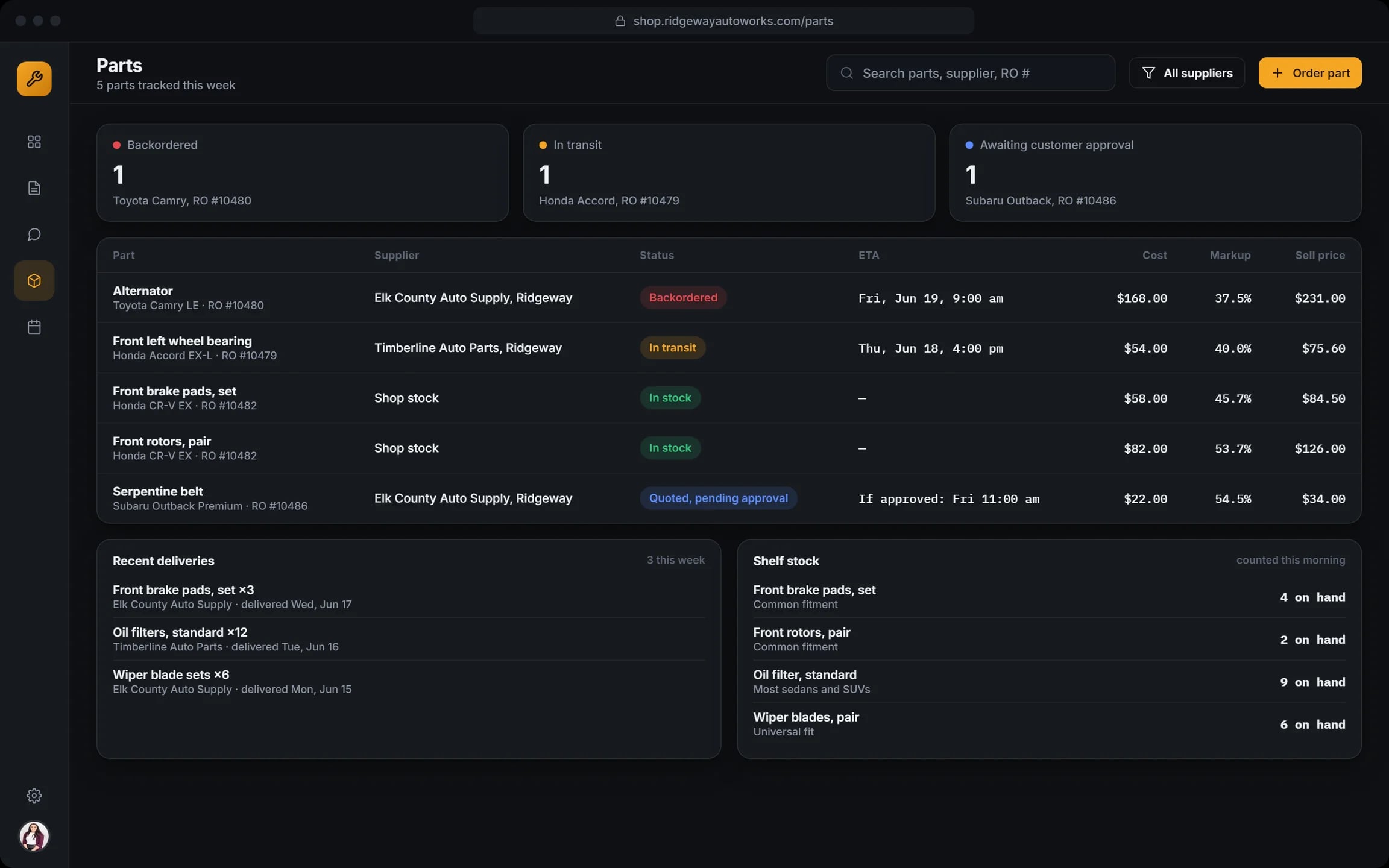
Supplier, status, ETA, cost, markup and sell price for every part, tied to its repair order.
Week schedule
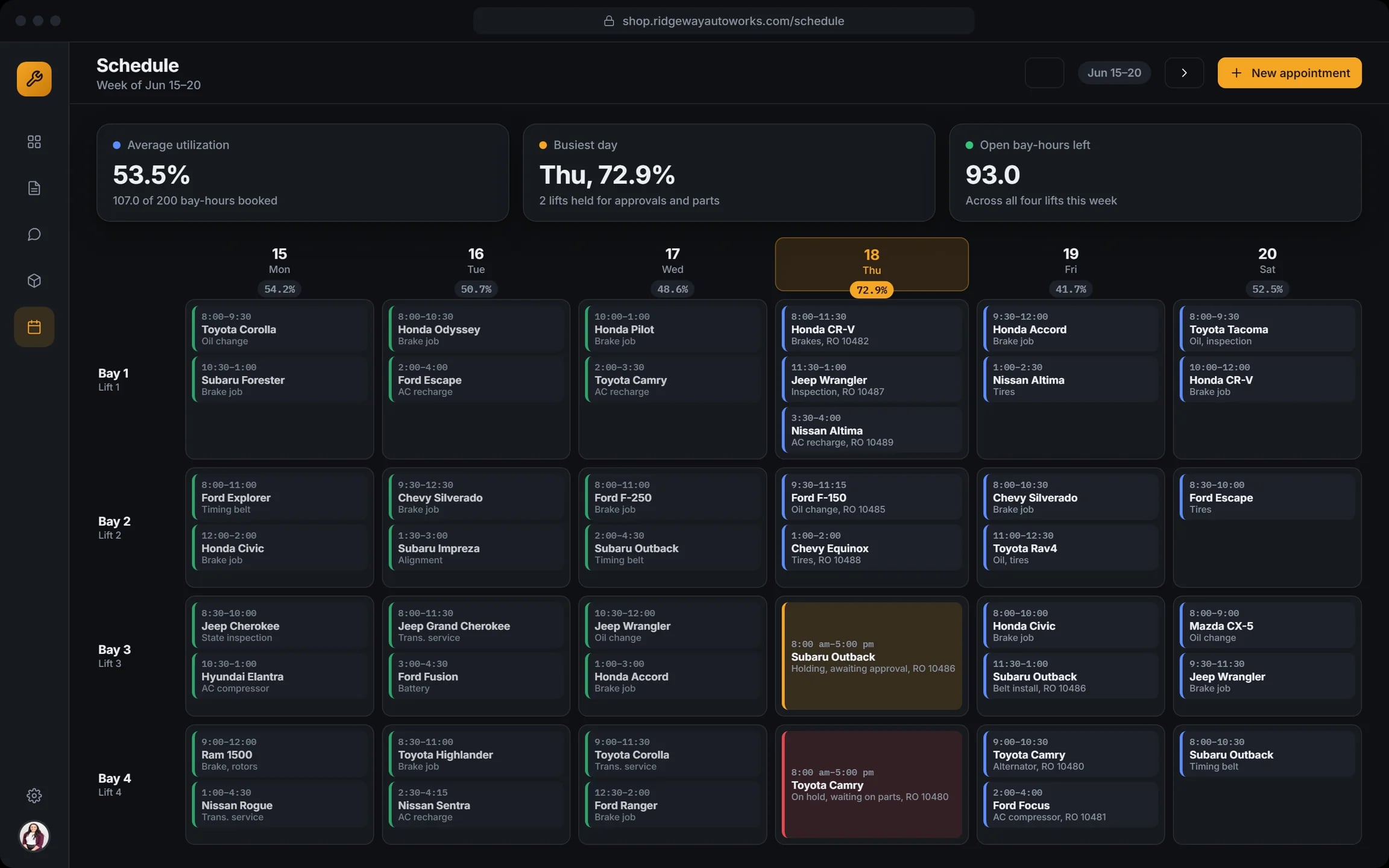
Jobs by bay and day, how busy each day is and which lifts are held for approvals or parts.
How the shop runs a day
Morning check-in
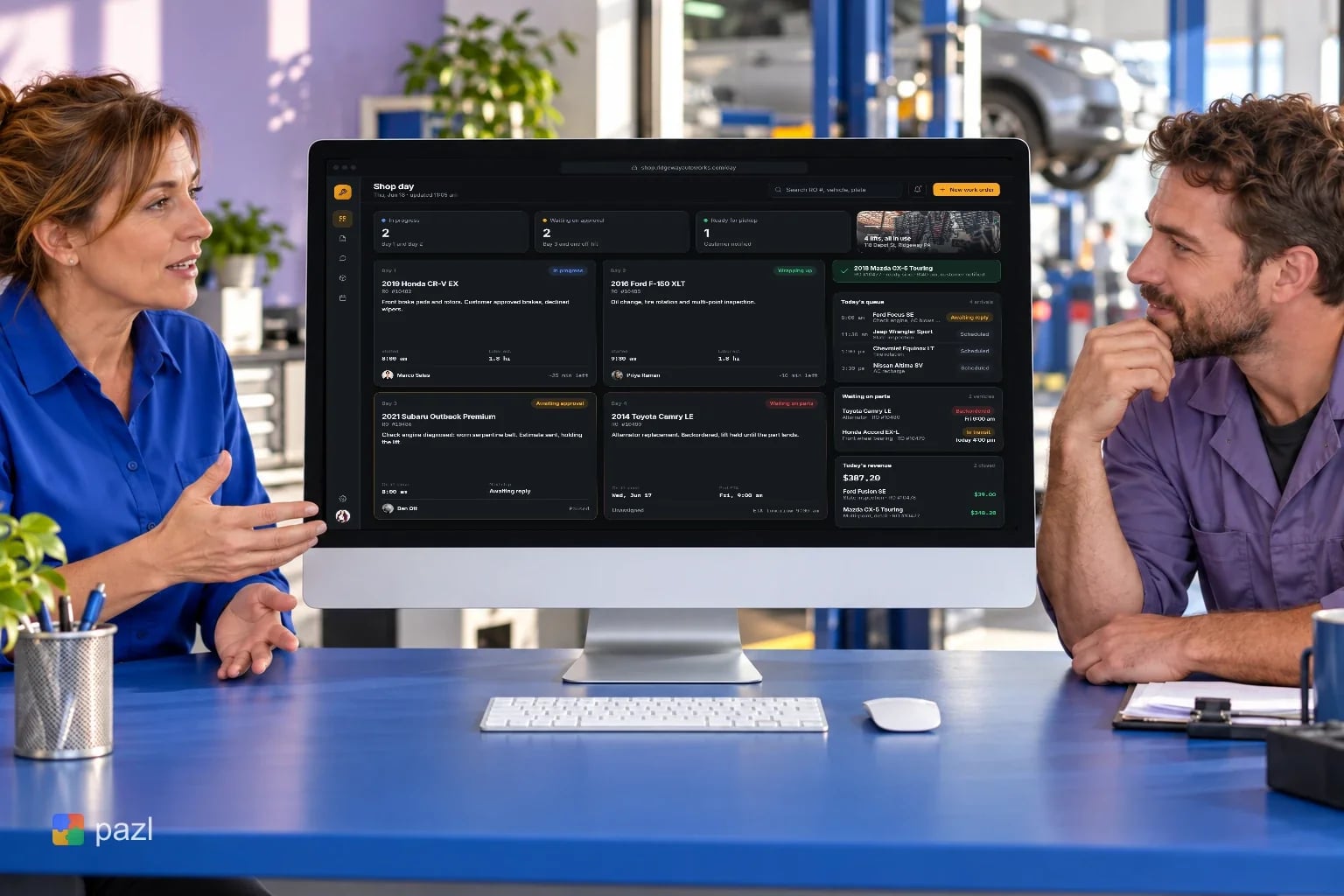
The advisor and a mechanic go over the shop day: which car is on which lift.
Inspect
The mechanic records the inspection, marks what is urgent and attaches a photo.
Approve by text
The advisor sends the estimate. The customer says yes to the brakes and no to the wipers.
Order parts
Parts are ordered against the repair order and tracked until they arrive.
Hand back
When the job is done, the car is marked ready and the customer is notified.
How we designed Ridgeway Auto Works
The day view answers the advisor’s first question: which cars are on lifts, which wait for a yes and which wait for a part. The screens are laid out in HTML and CSS.
Start from the advisor
The shop day shows every lift and its status before any detail.
Everything on the work order
Each work order carries the inspection, the estimate and the text thread with the customer.
Dark with amber
Dark screens with amber accents, so the status colours stay loud.
Parts tied to jobs
Every part links to its repair order, so a held lift shows why.
A closer look at the screens
What the Ridgeway Auto Works concept does
- Shows all four lifts and their status on one screen.
- Puts the inspection, the estimate and the customer’s messages on one work order.
- Gets the customer’s yes or no by text and updates the total.
- Tracks every part from the supplier to the repair order.
- Plans the week by bay and shows which lifts are held.
Questions about this project
No. It is a concept project: a fictional four-lift shop we used to design the product. The cars, customers and prices on the screens are invented.