Finance Web App with Dashboard Builder
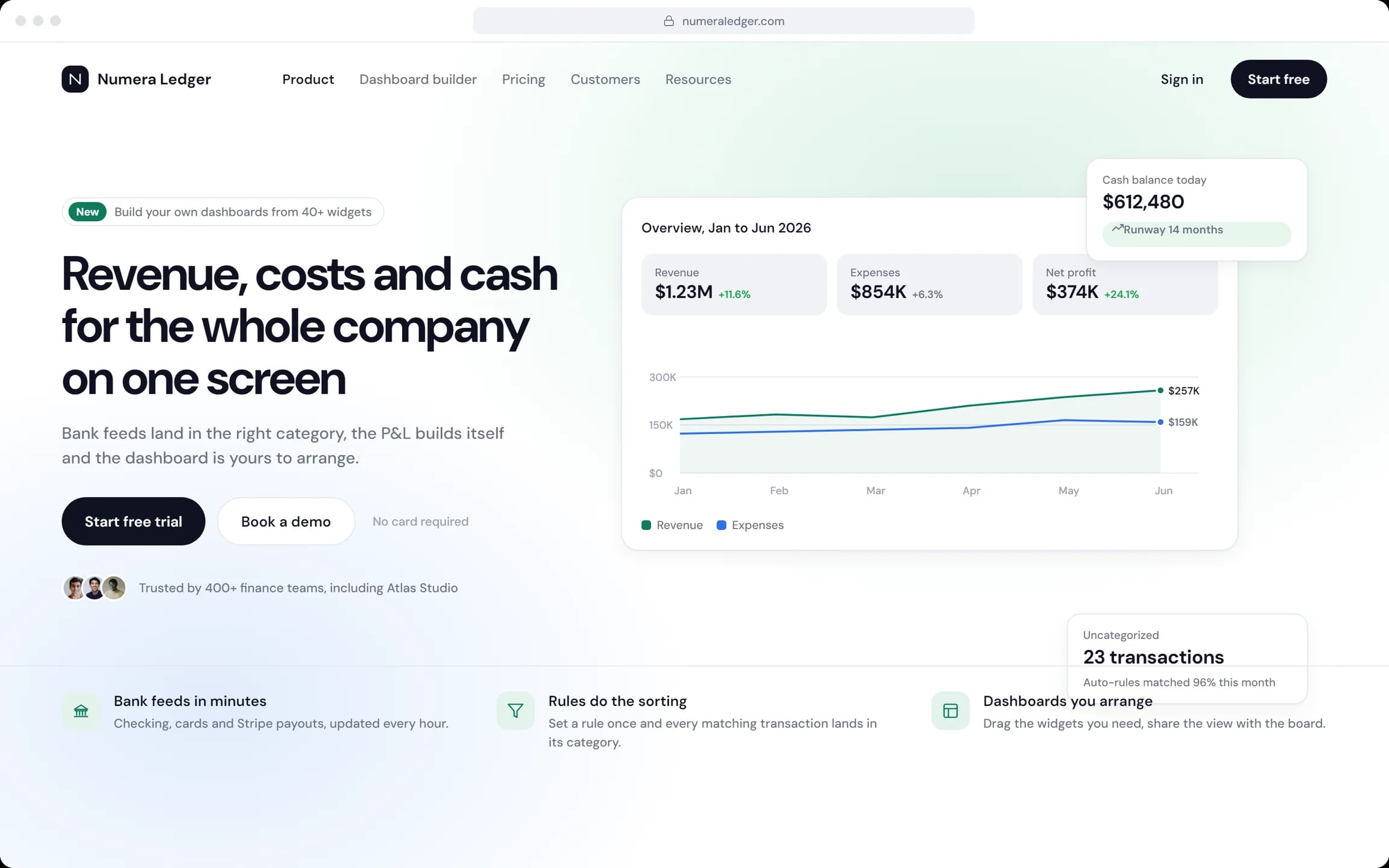
Numera Ledger is a finance web app we designed for companies that want to see their money without retyping it. Bank feeds land in the right category, the P&L builds itself, and the dashboard the board reads is arranged by the person who runs the numbers.
- Industry
- Finance, company accounts
- Platforms
- Web app and phone view
- Our role
- Product and UI design
- Users
- Founders, CFOs, finance teams
Who Numera Ledger is for
Founders and finance leads. Every morning they ask how the company is doing; at the end of the month they show the board the answer.
- A founder checking cash across accounts before the first meeting.
- A CFO closing the month and approving the P&L.
- A finance team sorting transactions and receipts.
- A board that opens a shared dashboard instead of slides.
Why one path from the bank to the board
Off-the-shelf tools answer “how are we doing?” for accountants, in their language. Numera Ledger keeps one path from the bank to the board, so nothing is retyped on the way.
- Sort every bank feed into the right category.
- Build the profit and loss report from the sorted feeds.
- Share a live view with the board instead of a deck of slides.
What we designed for Numera Ledger
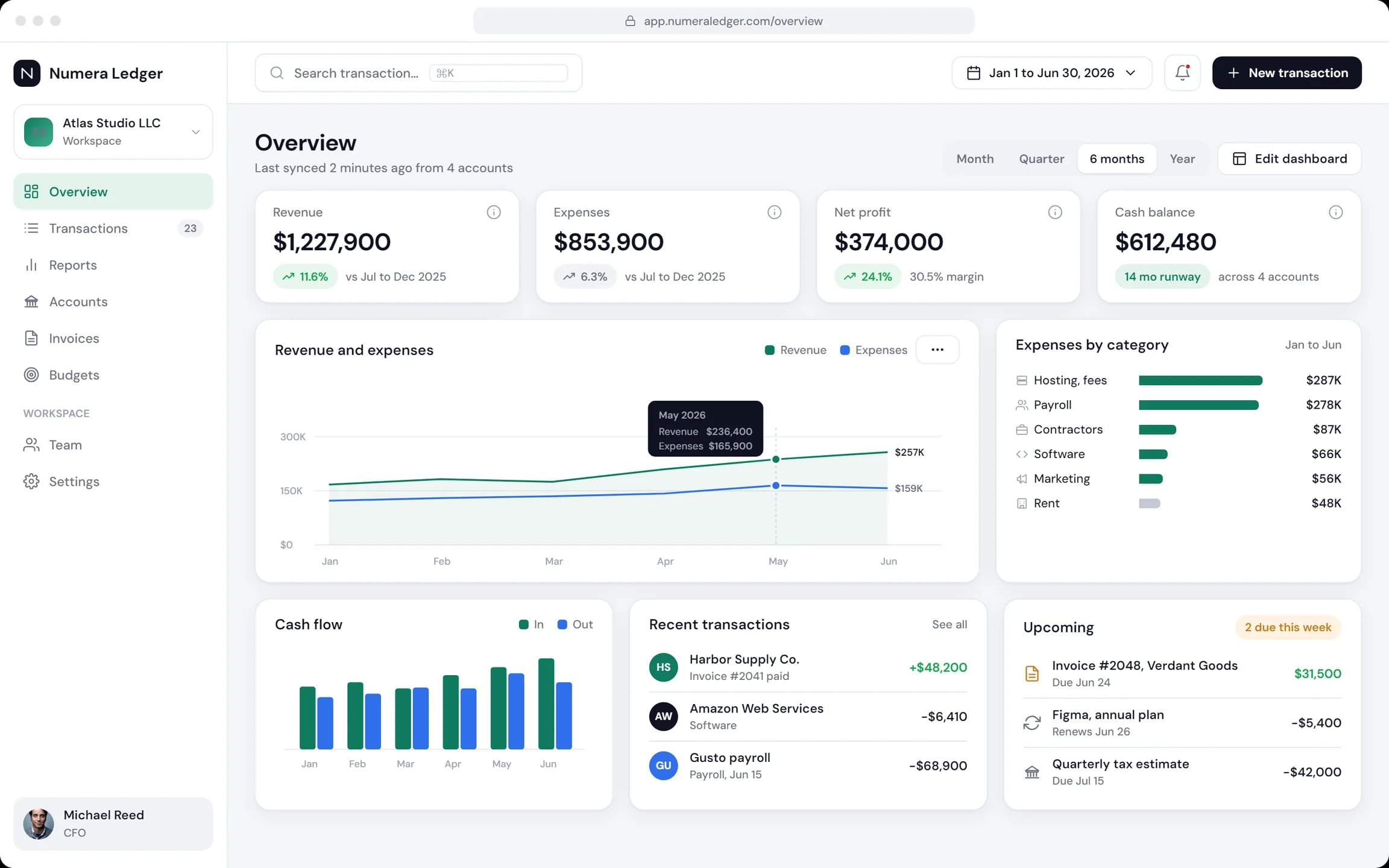
Overview
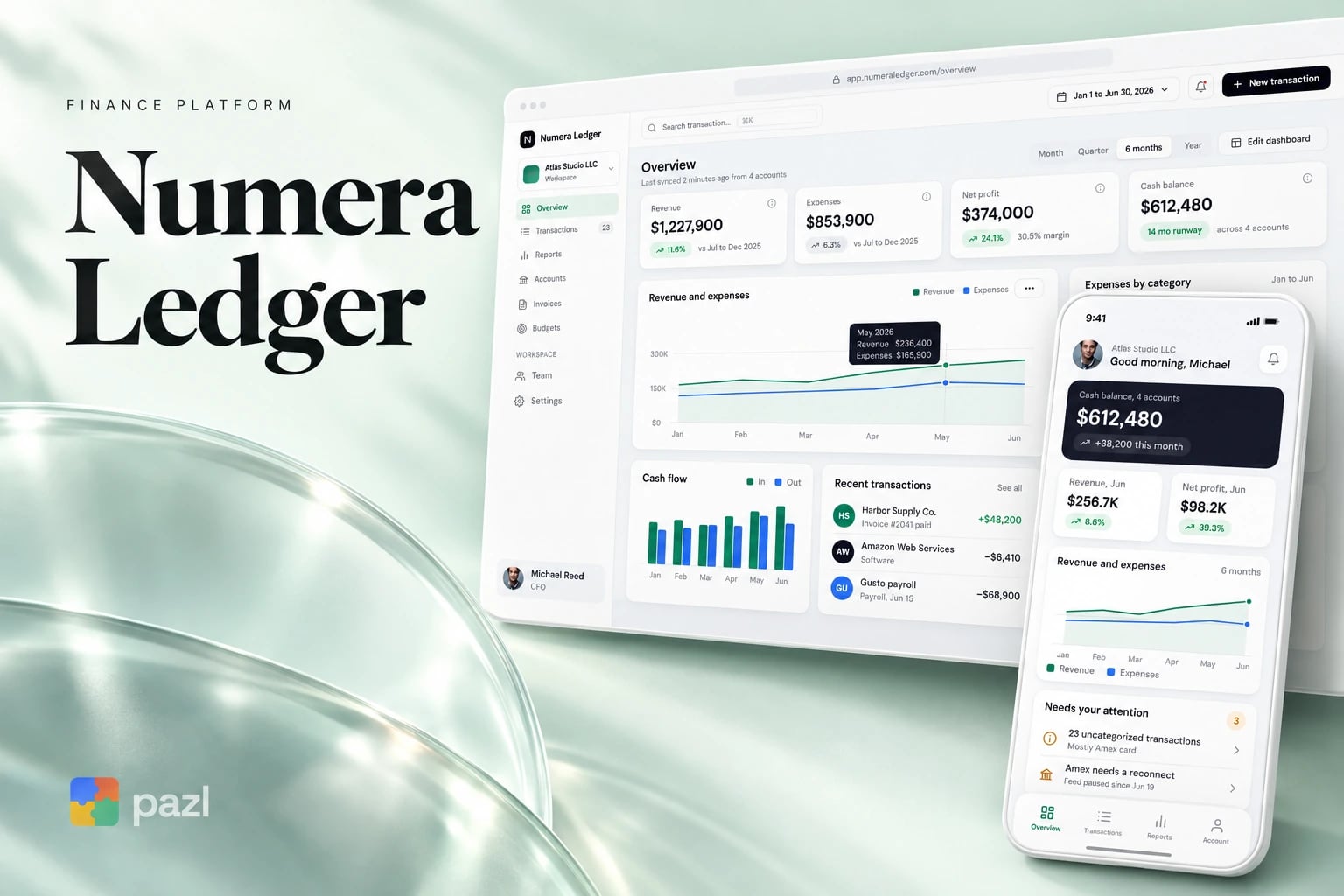
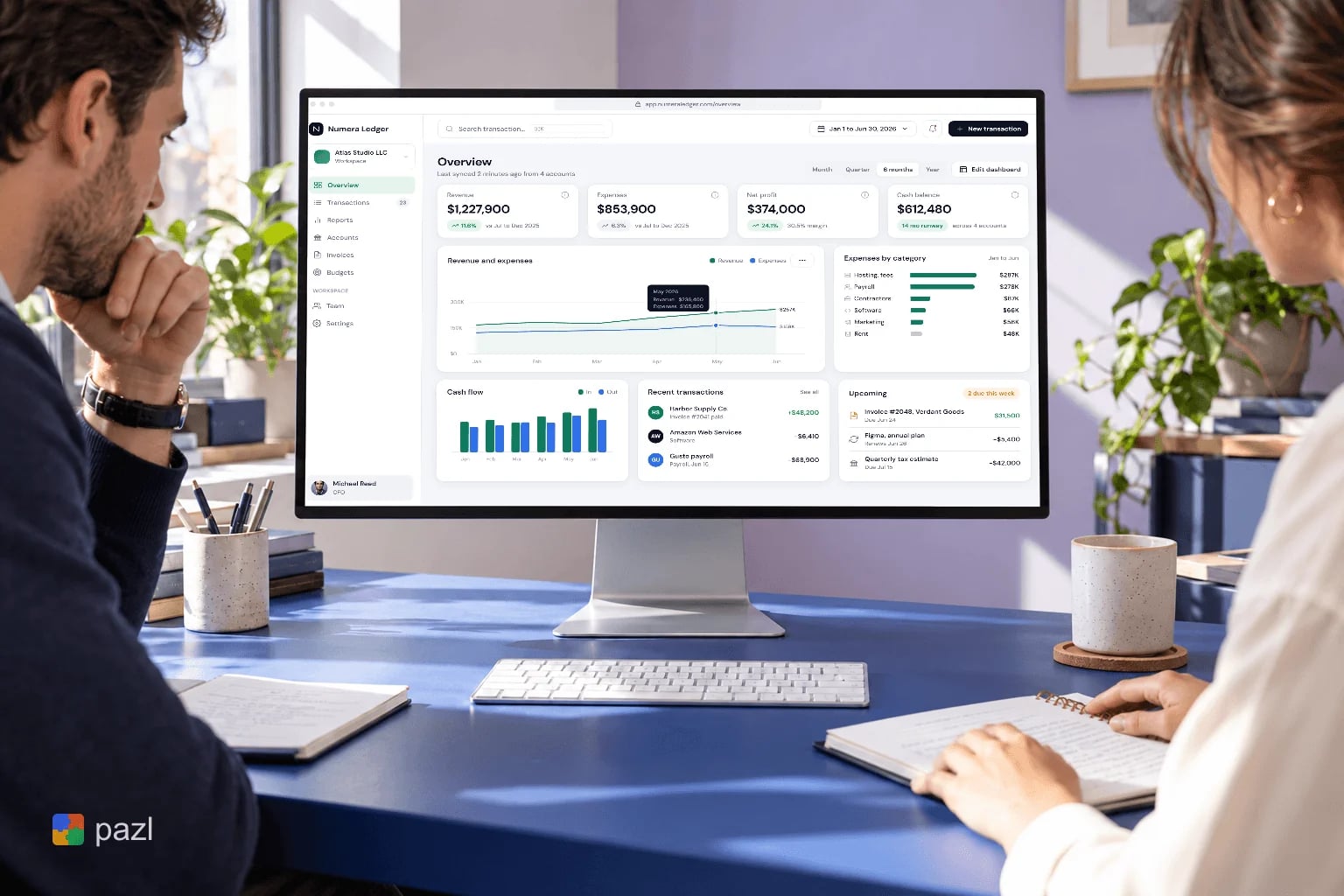
Revenue, expenses, profit and cash for the period, cash flow, recent transactions and upcoming bills.
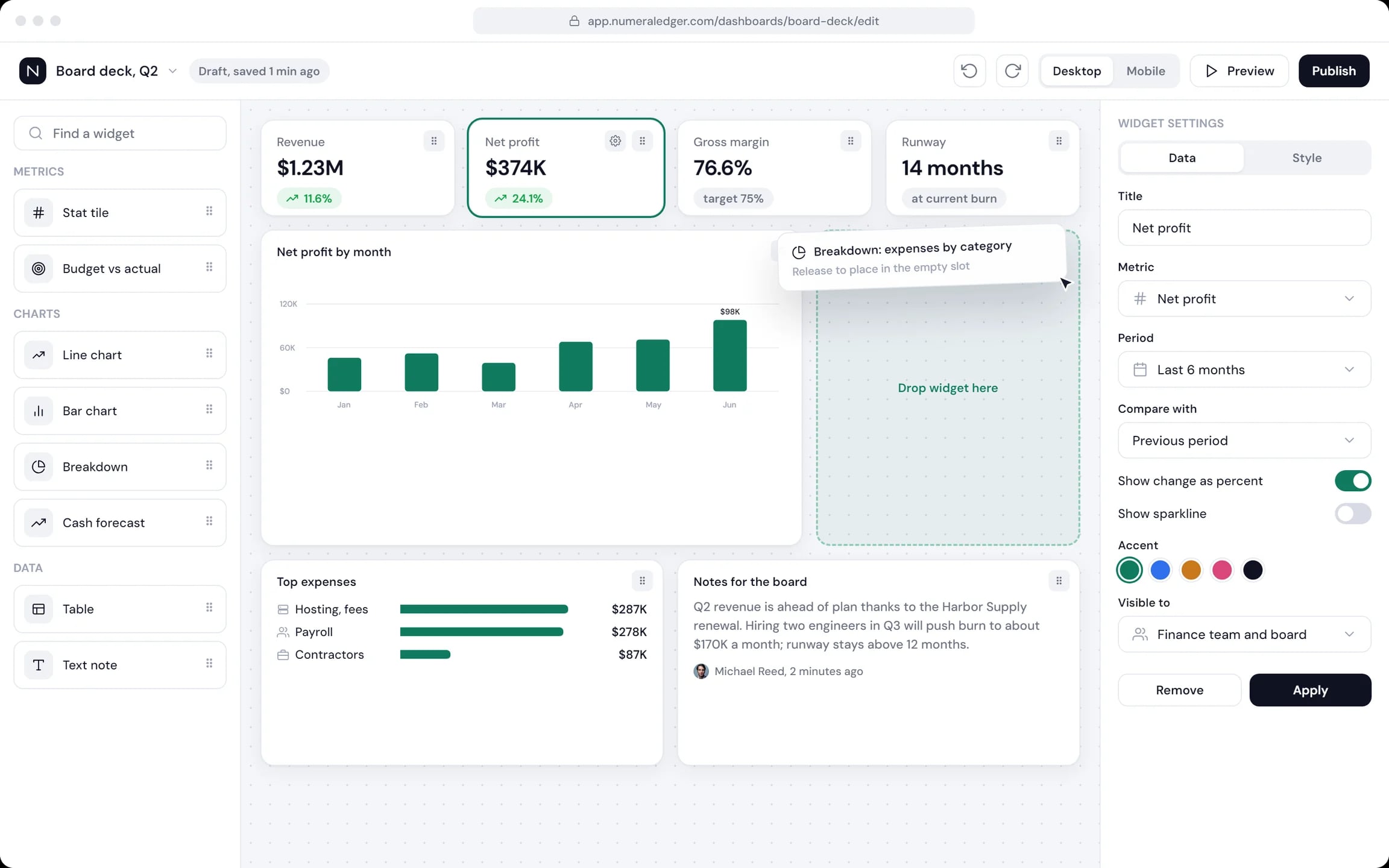
Dashboard builder
Stat tiles, budget against actual, charts, a cash forecast, tables and notes, dragged into a grid and shared as one view.
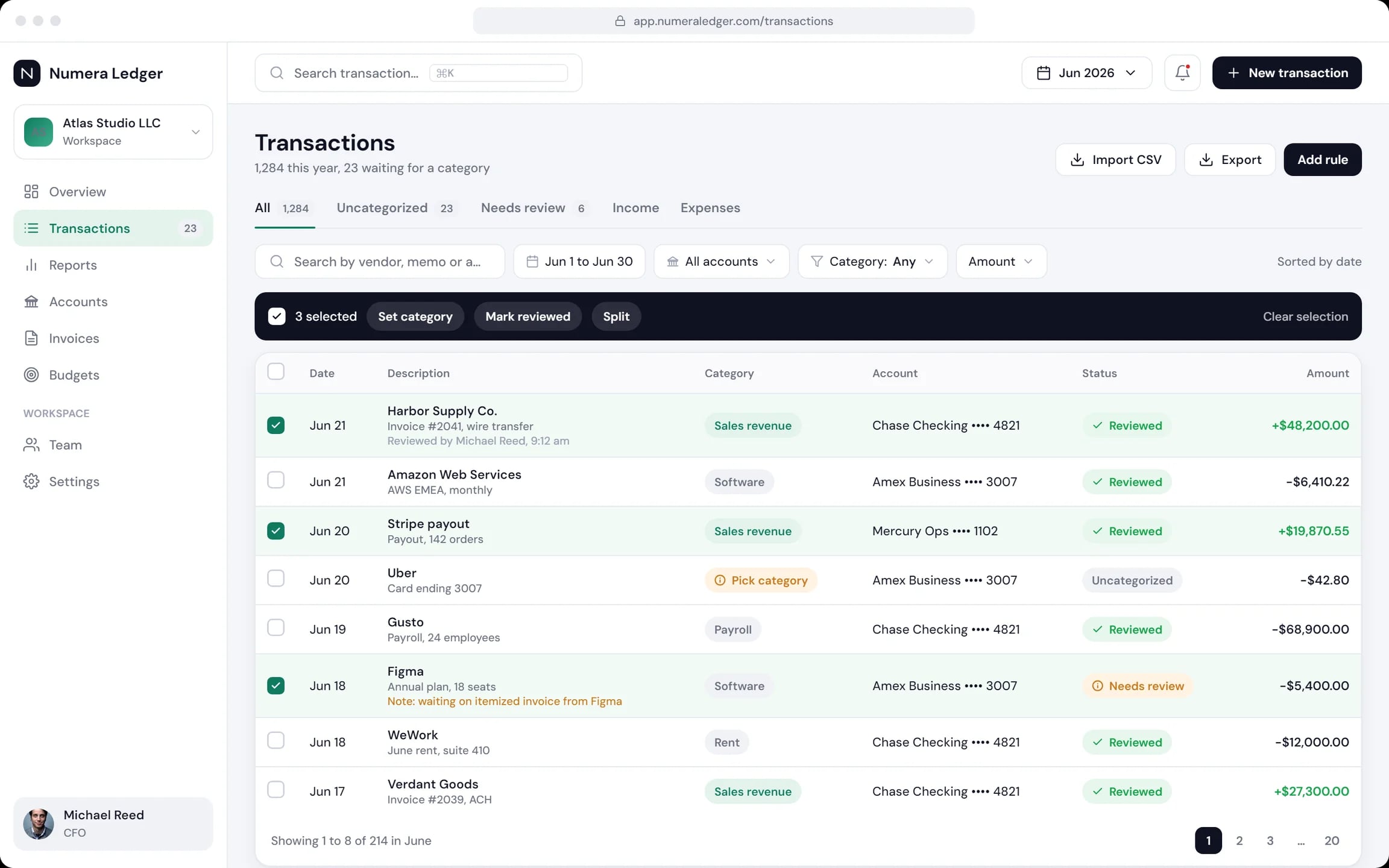
Transactions
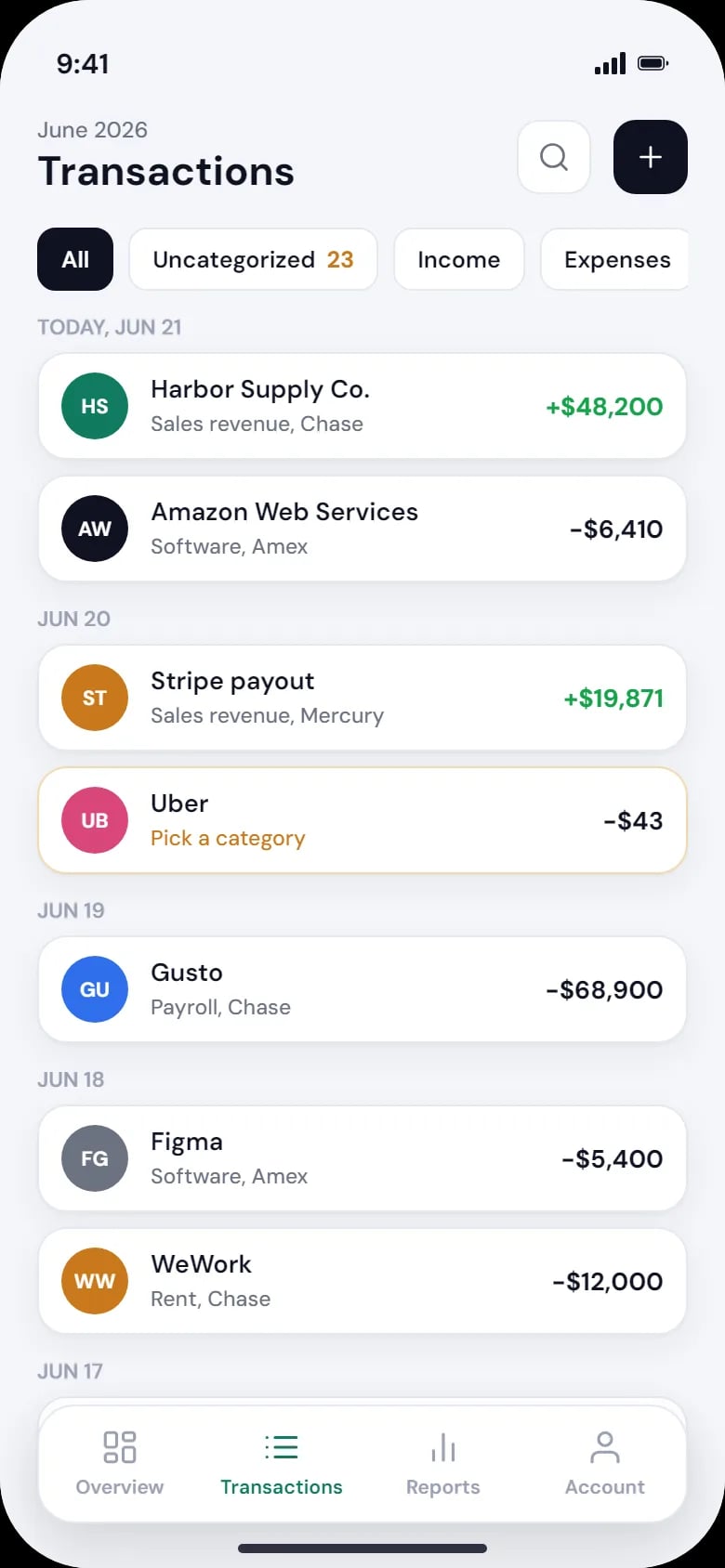
All feeds in one table, filtered by account and category, with bulk actions, splits, rules and CSV import.
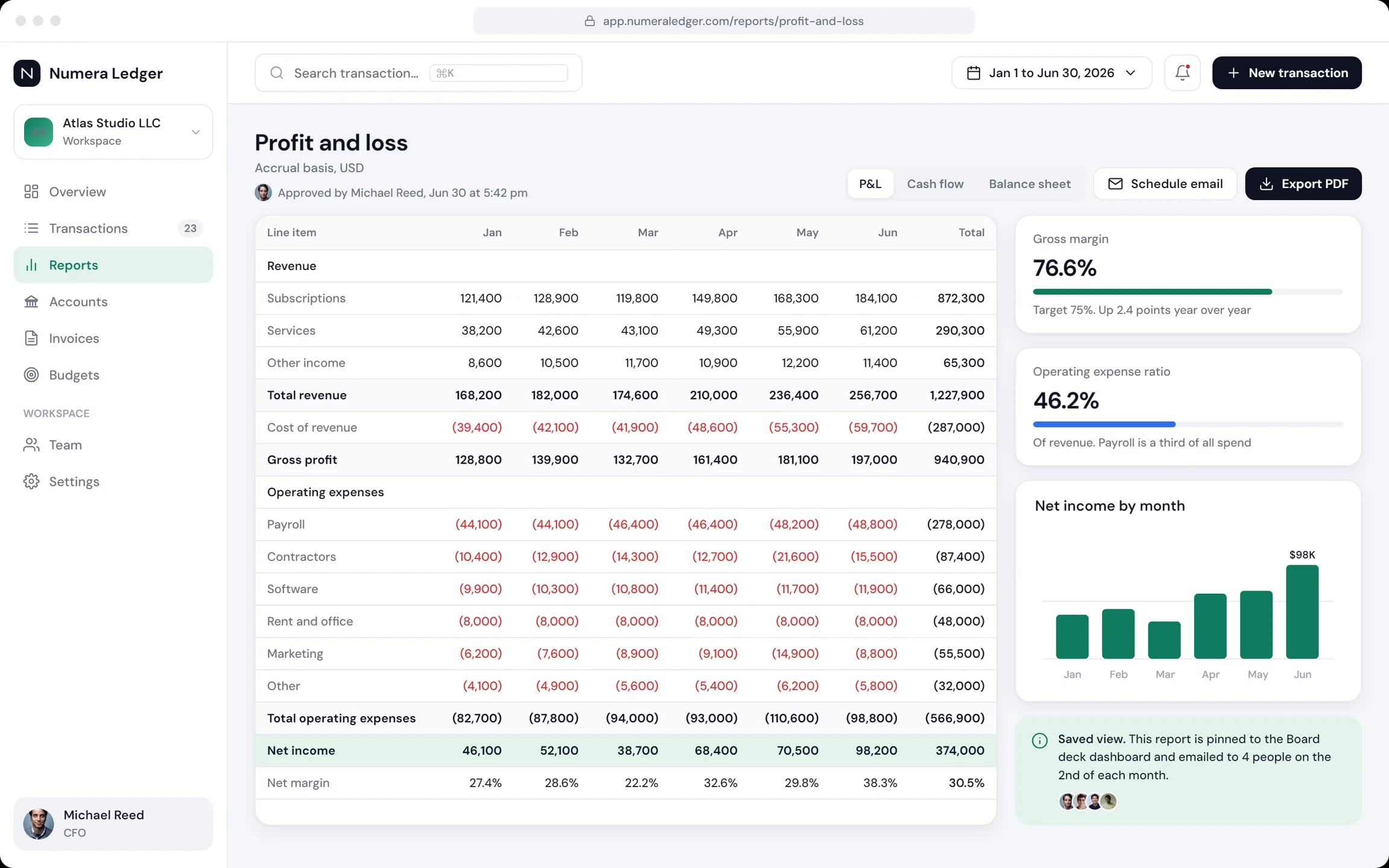
Profit and loss
Revenue and costs by month, gross margin against its target, approval and a scheduled email.
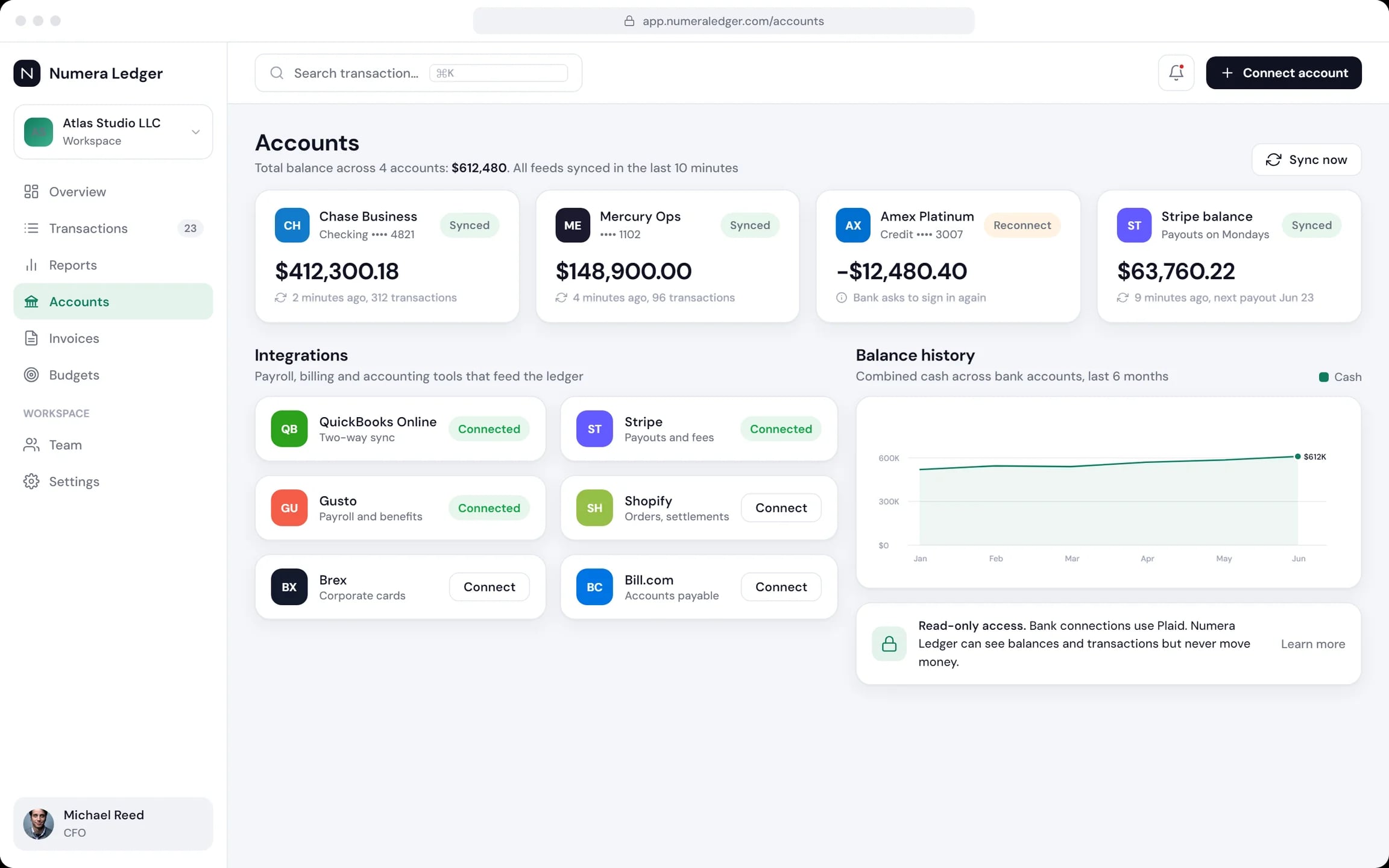
Accounts and integrations
Banks and cards with balances and sync status, plus payroll, payment and accounting tools. Bank access is read-only.
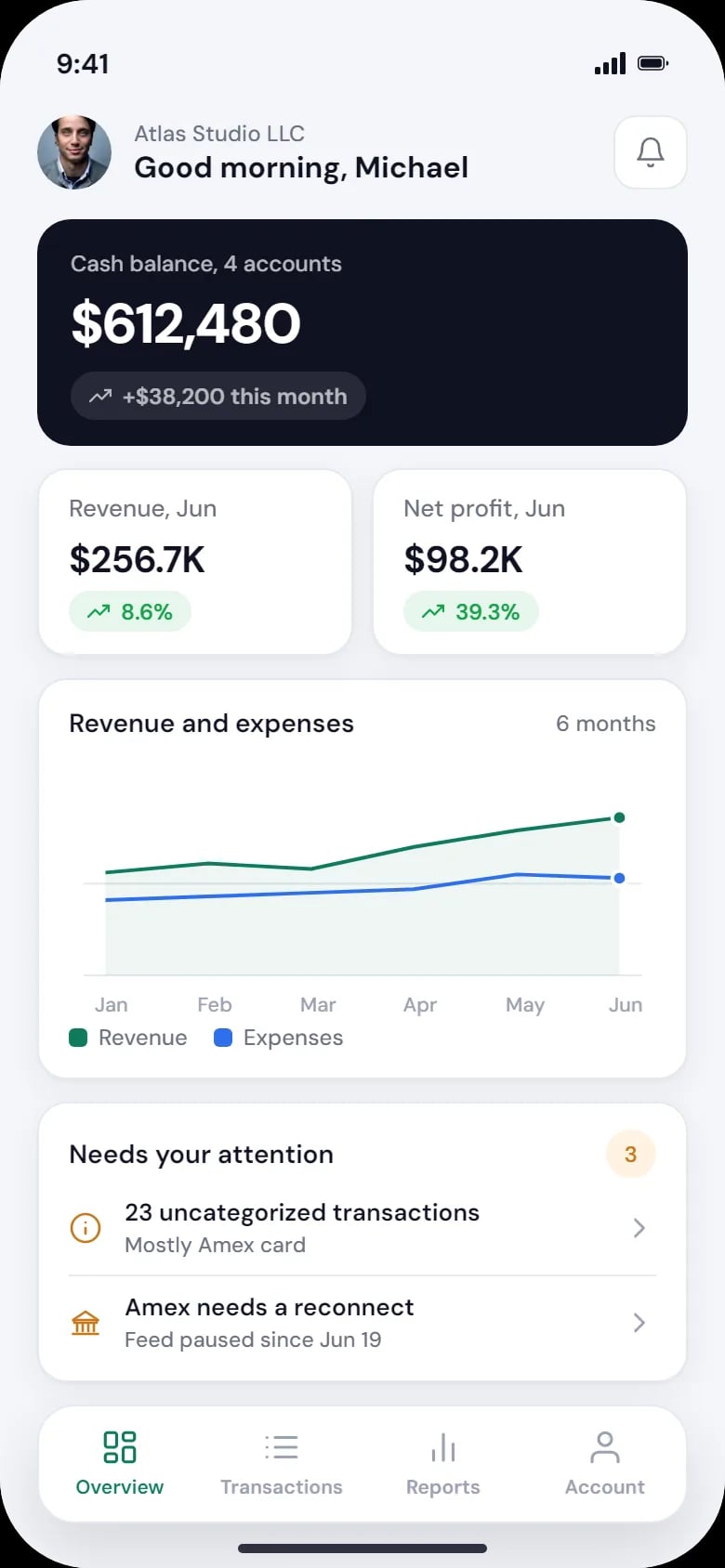
Phone view
Cash across accounts, this month’s revenue and profit, and the transactions still waiting for a category.
How the month closes in Numera Ledger
Connect
Link bank accounts, cards and payment tools. The feeds update every hour.
Sort
Rules put each transaction in its category; the rest wait in Uncategorized.
Report
The P&L builds from the sorted feeds, and the CFO reviews and approves it.
Share
The board dashboard shows the result, and the founder checks cash on a phone.
How we designed Numera Ledger
We followed one half-year close: a gross margin against its target, a cash check from a phone and a board deck built from widgets. Each screen answers one question about the company’s money. The screens are laid out in HTML and CSS, for desktop and phone.
One close, end to end
Sample feeds from four accounts, sorted, reported and shown to the board.
Arranged once, shared with the board
The dashboard is a grid of widgets the user picks, sets up and shares, with a desktop and a mobile preview.
Readable charts
Two colours for revenue and expenses, and a chart palette checked for colour-blind readability.
Desktop and phone screens
Landing, sign-in, overview, builder, transactions, P&L and accounts on desktop; overview and transactions on a phone.
A closer look at the screens
What Numera Ledger does
- Sorts bank feeds into categories by rules.
- Builds the P&L from the sorted feeds, ready for approval.
- Shows cash and what needs attention on a phone.
- Reads balances and transactions without being able to move money.
Questions about this project
Bank and card feeds, rules for categories, a P&L built from them, a dashboard people can arrange and a phone view for a quick check.