
Home Services App: Cleaning, Cooking, Repairs
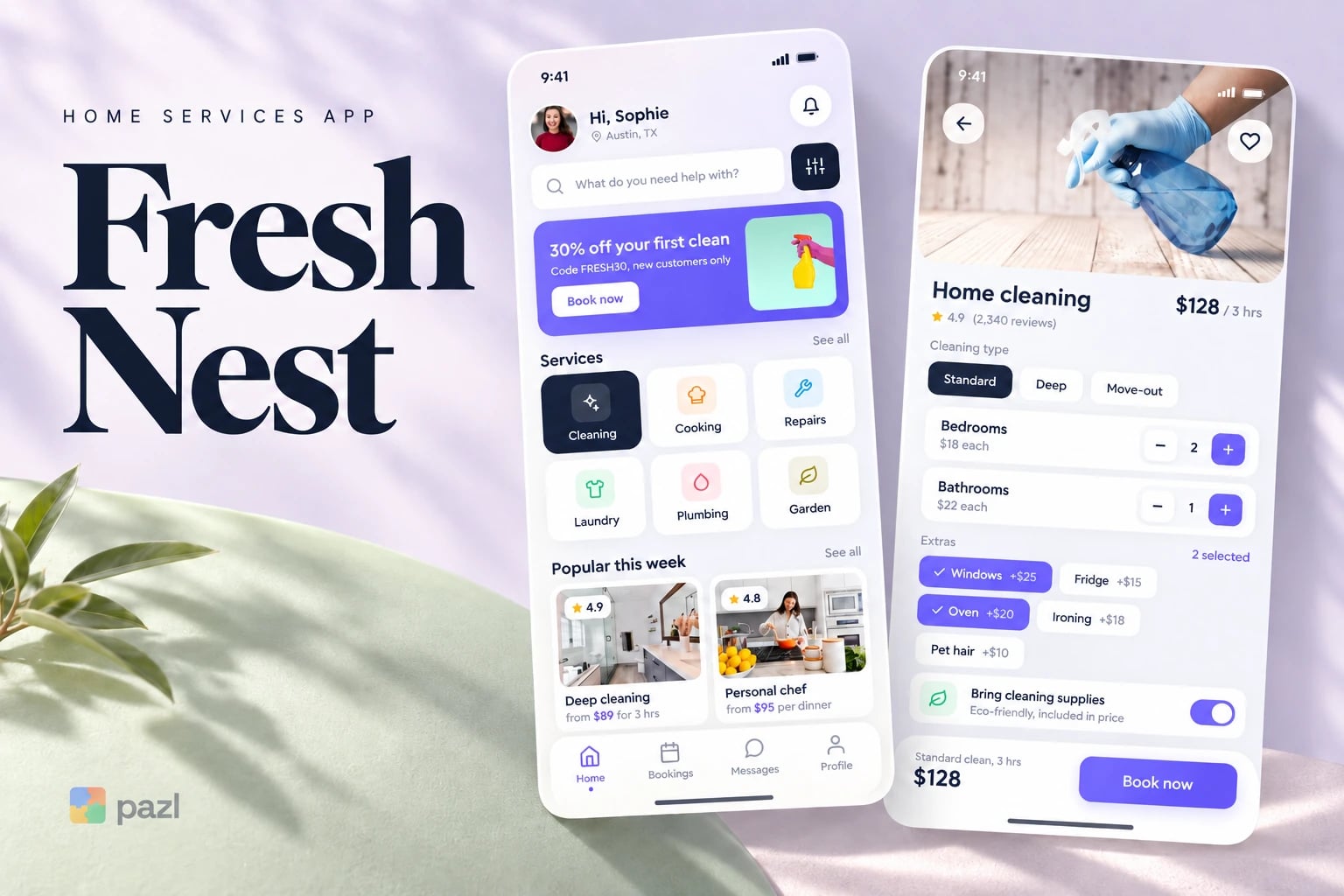
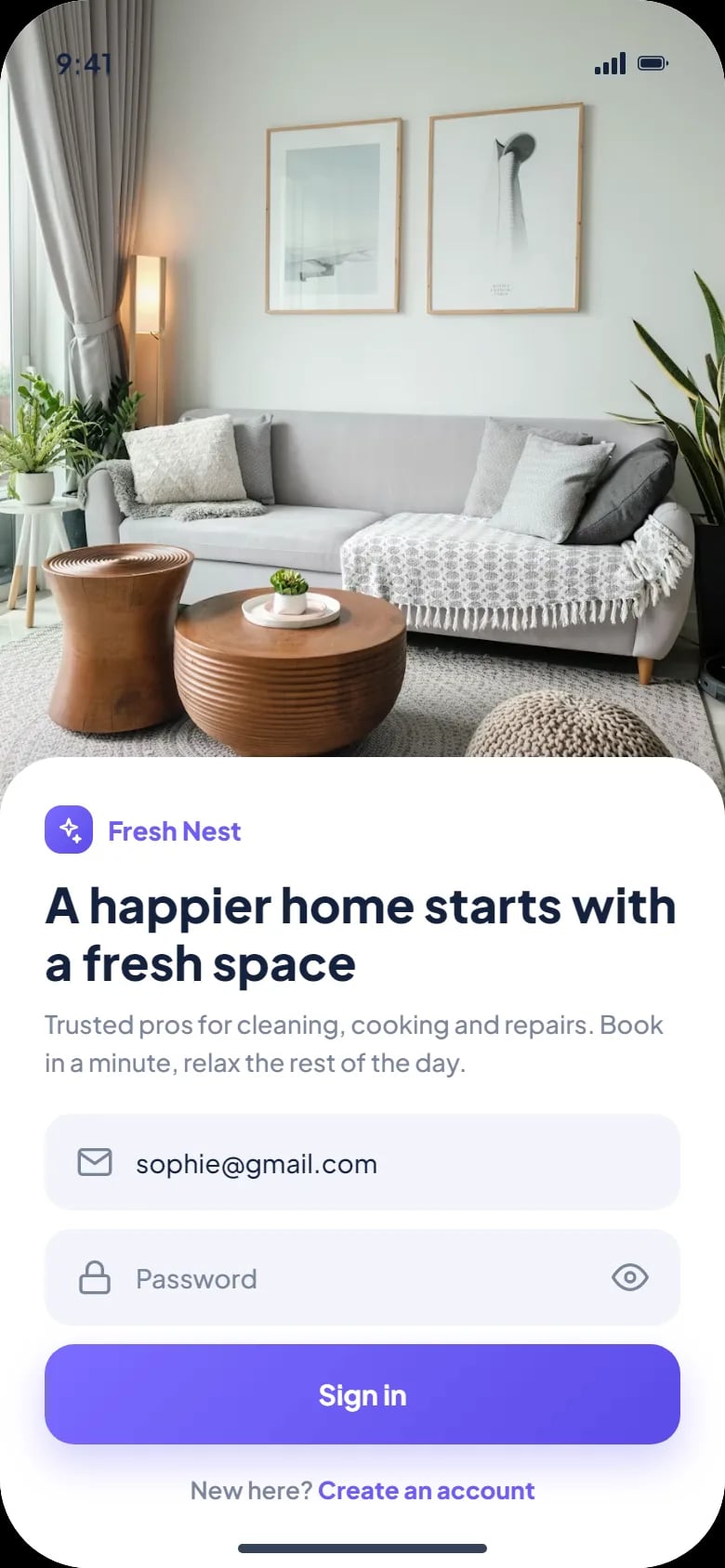
Fresh Nest is a home services app we designed: book cleaning, a personal chef or a repair in one place. The customer sets the details, sees the price, picks a time and pays in the app.
- Industry
- Home services
- Platforms
- Mobile app
- Our role
- UX and UI design
Who uses Fresh Nest
Busy households that want trusted pros at home and would rather book in a minute than call around. One app covers the weekly clean, a dinner at home and the leaking sink.
- Someone who books a weekly clean with the same cleaner at the same time.
- A family hosting a dinner for up to eight with a personal chef.
- A tenant with a leak under the sink who needs a handyman today.
Why one app for home services
Cleaning, cooking and repairs usually mean three providers, three chats and three ways to pay. Fresh Nest puts them behind one search and one way to book: choose the details, see the price, pick a time, pay.
- Show extras and their prices before the customer books.
- Give repairs an estimate and a clear cancellation rule.
- Make the weekly clean a single switch.
What we designed for Fresh Nest
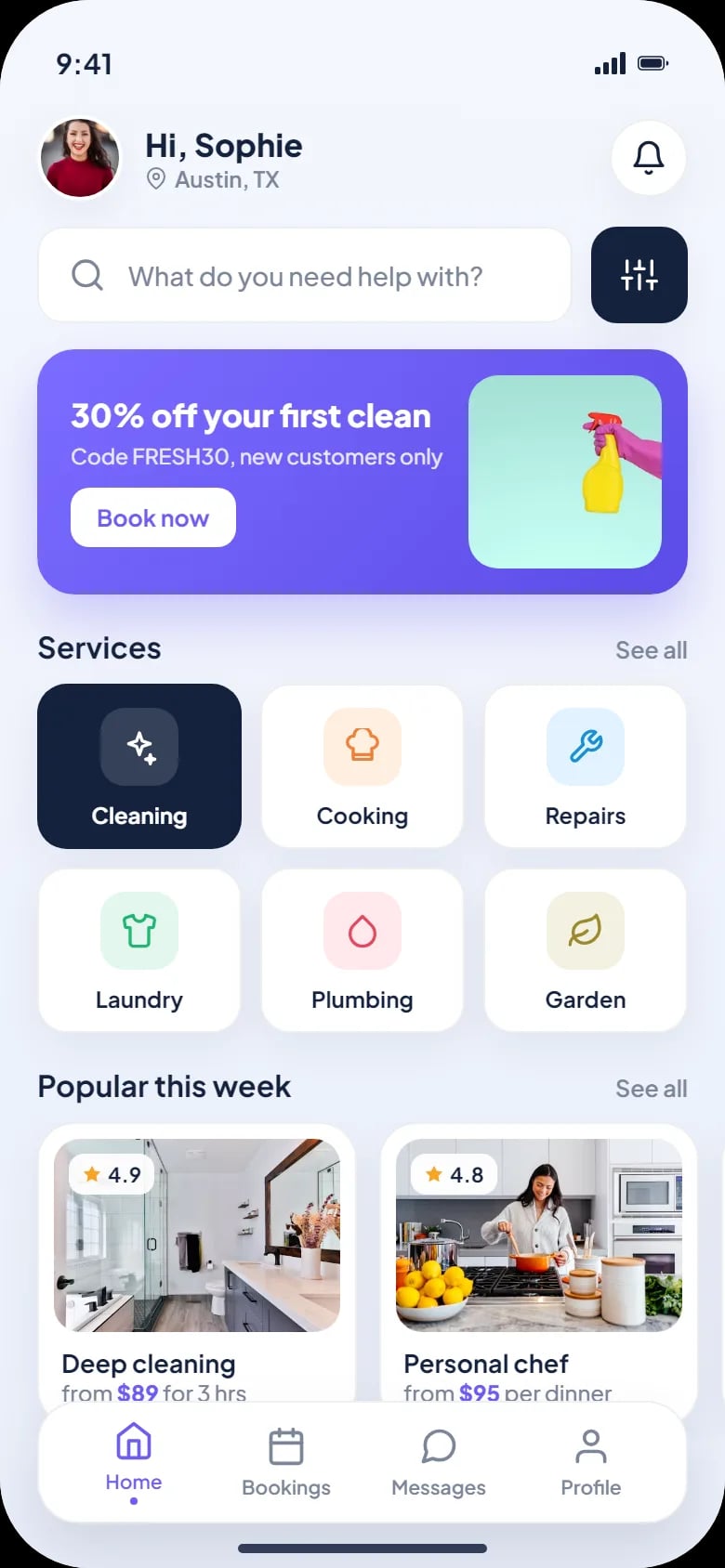
Every service on home
Search, six services from cleaning to garden, a first-clean offer and popular services with ratings and starting prices.
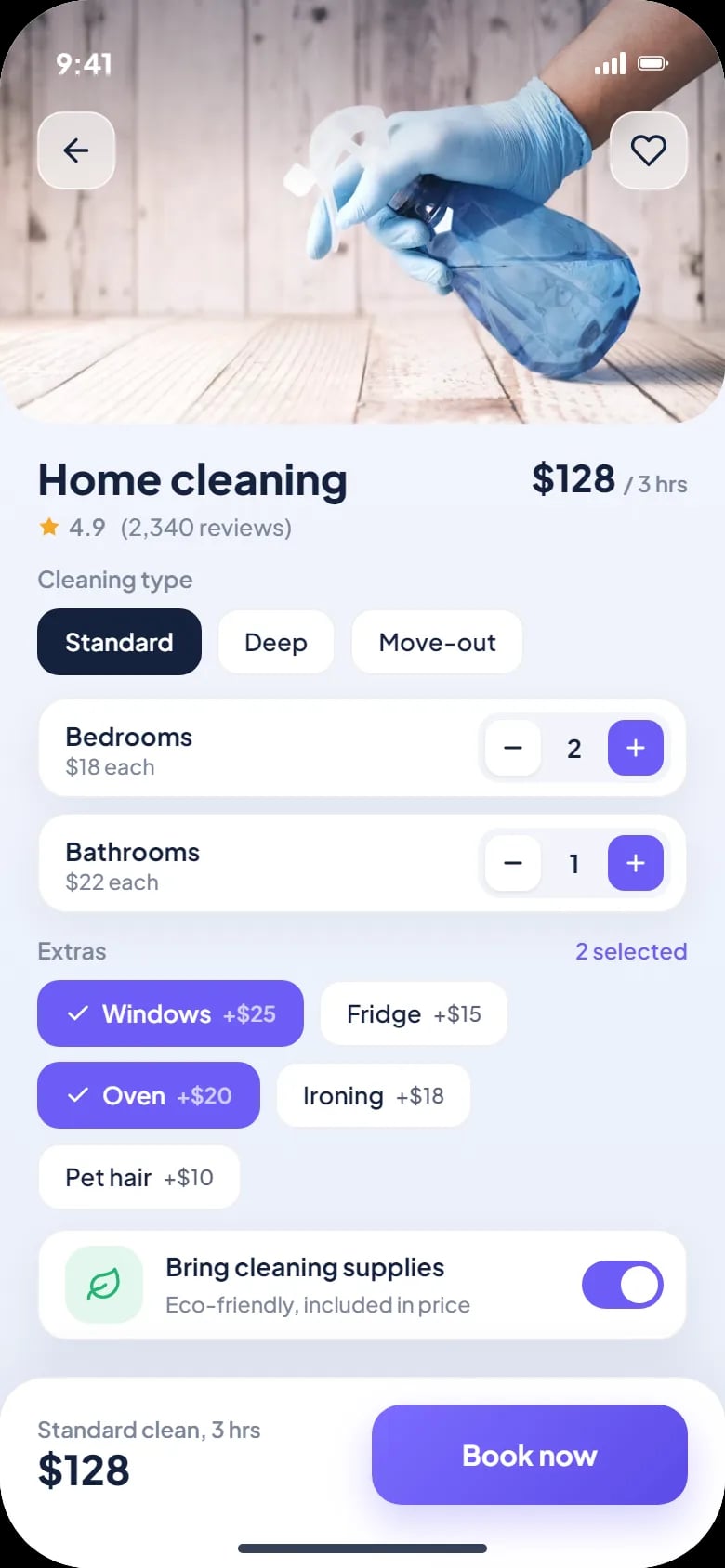
Cleaning by the room
Standard, deep or move-out; bedrooms and bathrooms priced each; extras like windows, oven or pet hair; supplies included.
A chef at home
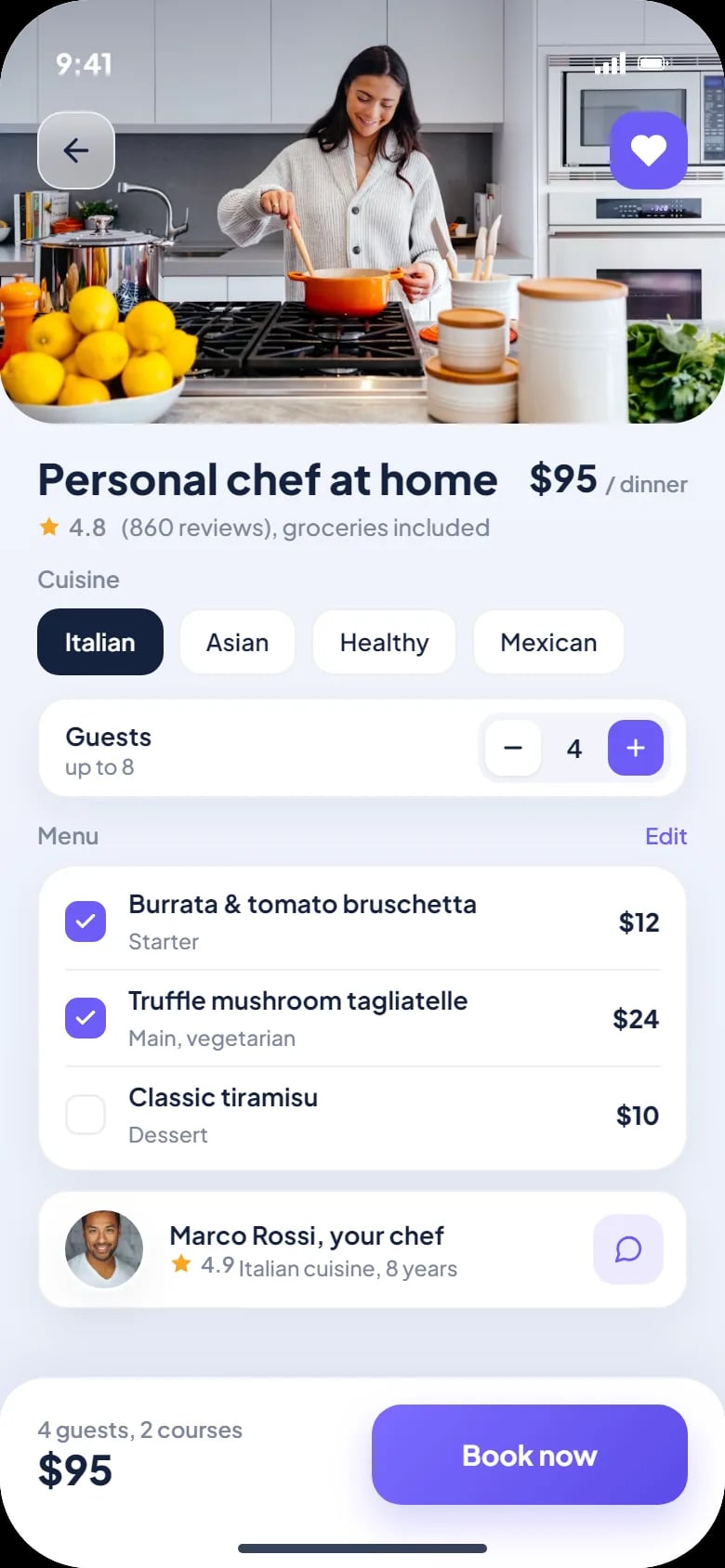
Cuisine, guests up to eight, a menu to edit course by course and the chef’s profile. Groceries are included.
Repairs with photos
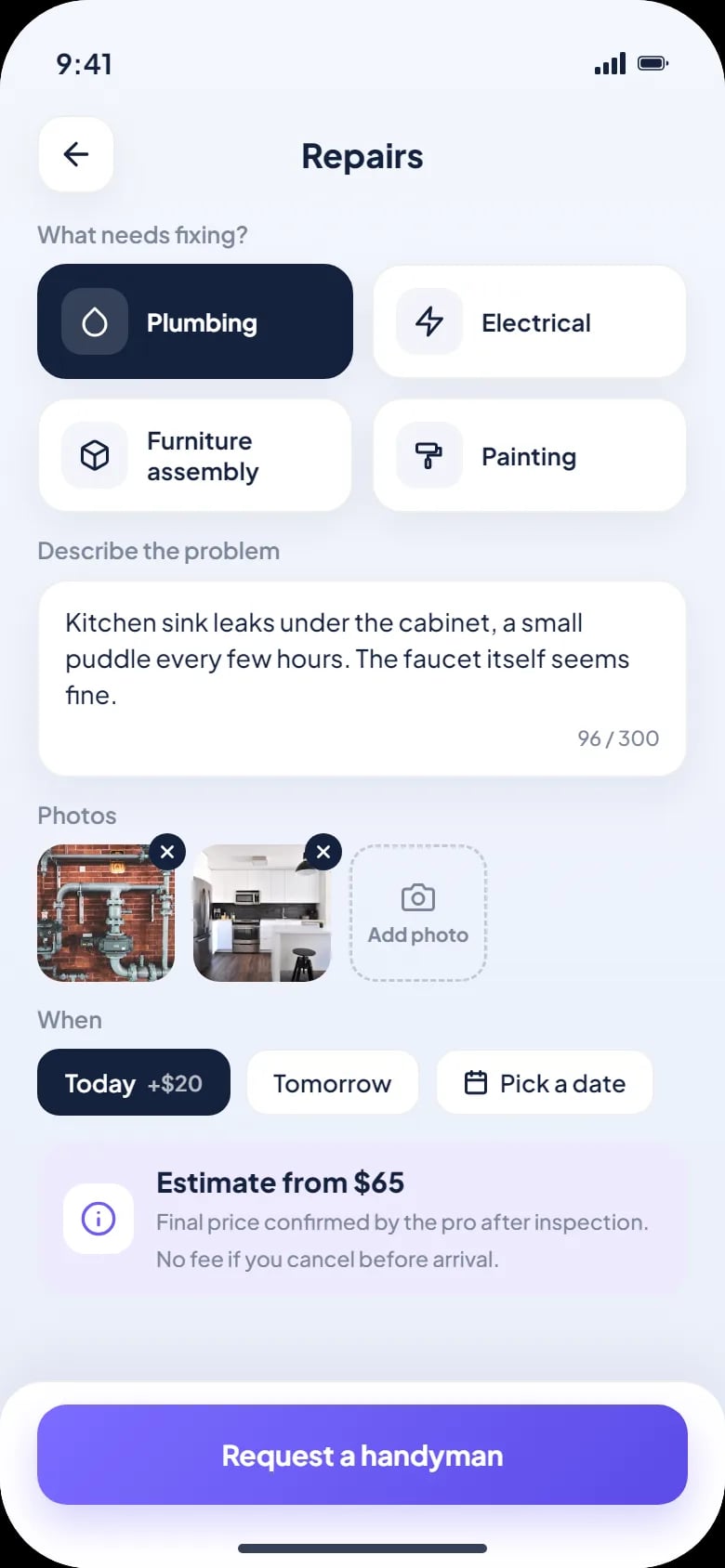
Pick the trade, describe the problem, add photos and choose today, tomorrow or a date, with an estimate up front.
Date, time and payment
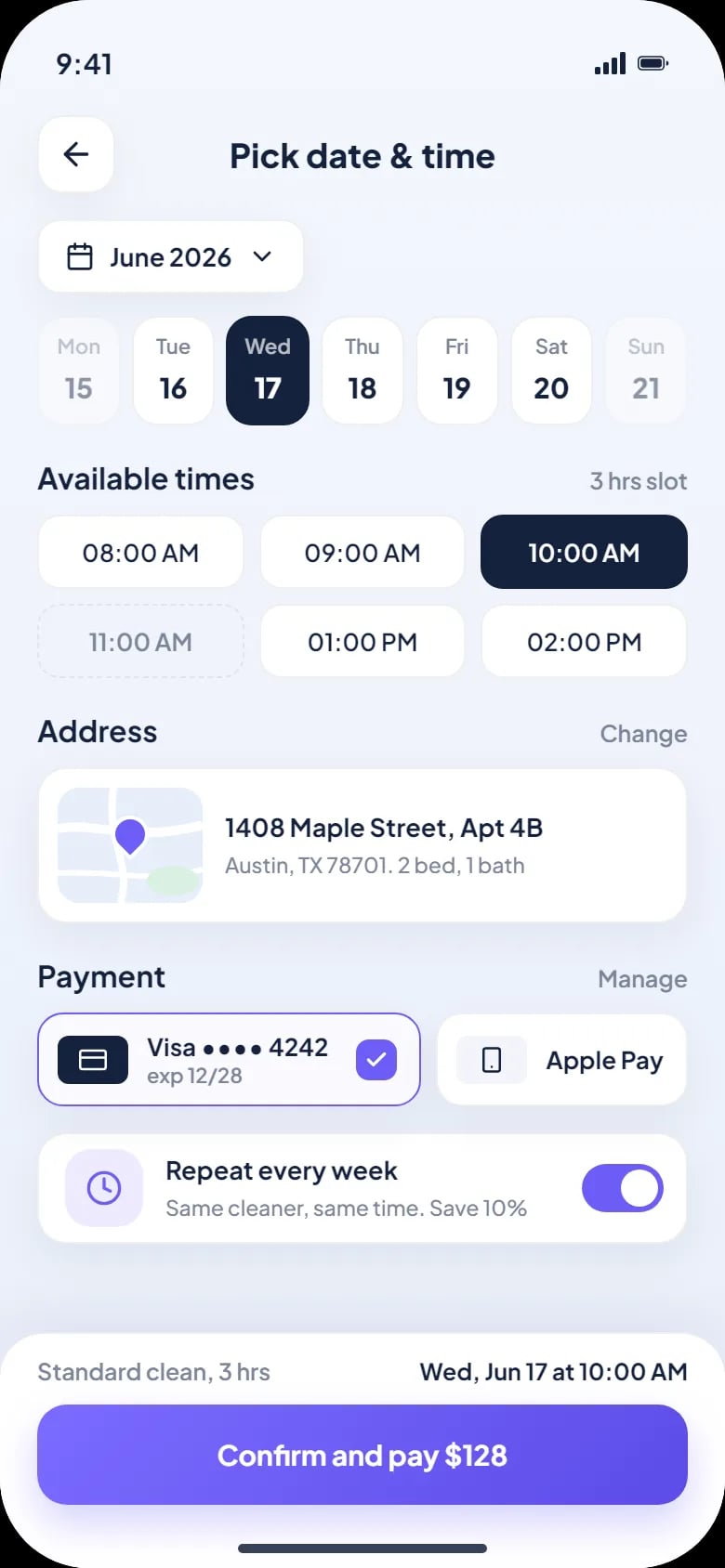
Three-hour slots by day, the saved address, card or Apple Pay, and a switch to repeat every week.
How a customer books a home cleaning
Pick a service
Tap Cleaning on the home screen.
Set the job
Choose the type, the rooms and the extras; the total shows by the Book now button.
Choose a slot
Pick a day and a three-hour slot; the address is already saved.
Confirm and pay
Pay by card or Apple Pay, and switch on a weekly repeat if needed.
How we designed the Fresh Nest app
Three different services share one booking pattern: set the details, see the price, then book. We designed six phone screens around that pattern and laid them out in HTML and CSS.
One pattern, three services
Cleaning and the chef end on Book now with the total; a repair ends on a request with an estimate.
Prices before the slot
Extras carry their price on the chip, so there are no surprises at the door.
Rules in plain words
Repairs say the pro confirms the final price after inspection, and cancelling before arrival costs nothing.
A bright, friendly look
A violet accent on soft lavender, rounded cards and real photos of homes, food and tools.
A closer look at the screens
What the Fresh Nest app does
- Puts cleaning, cooking and repairs in one app with one way to book.
- Shows extras and the total before the customer books.
- Lets a repair request carry photos and an estimate.
- Turns a weekly clean into one switch: same cleaner, same time.
- Takes payment by saved card or Apple Pay.
Questions about this project
The request carries photos and an estimate up front. The pro confirms the final price after inspection, and cancelling before arrival costs nothing.