Milepost: Run Club App
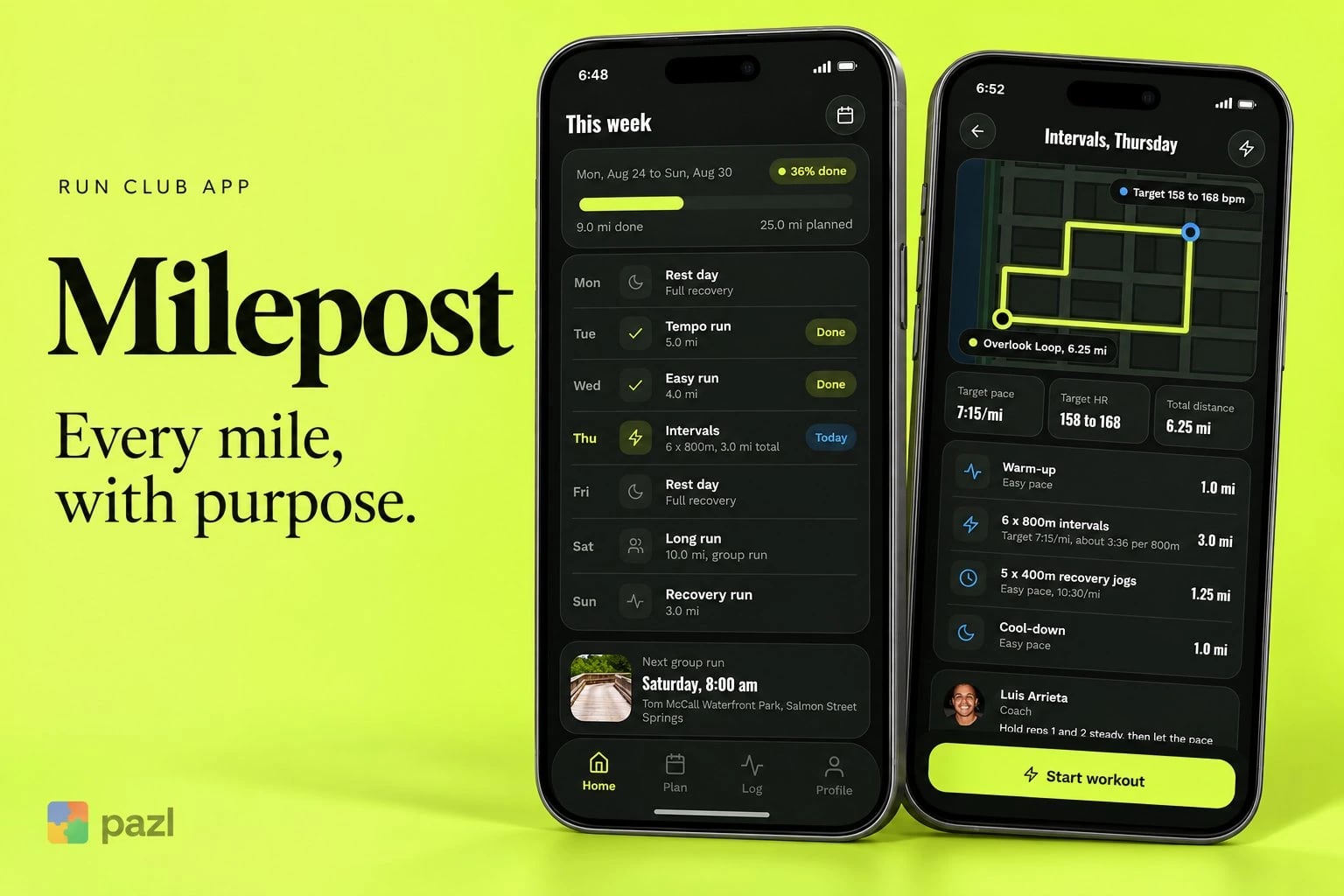
Milepost keeps a runner’s week, the coach’s notes and the Saturday group run in one place, so race day is the result of a plan, not a guess. It is a run club app concept we designed.
A fictional product exploration showing interface and interaction design. No live deployment or commercial results are implied.
- Project type
- Concept project
- Industry
- Running, sport
- Platform
- Mobile app
- Our role
- Product design, flows and UI
- Status
- Concept on Behance
Who the Milepost app is for
Club runners preparing for a race who are tired of piecing training together from a coach’s notes. The app is built around the week: each day shows what to run and why.
- Runners with a goal race and a weekly plan to follow.
- Club members who join the Saturday group run.
- Runners who want the coach’s note next to the workout it is about.
Training in pieces
Runners preparing for a race often piece their training together from a coach’s notes. Milepost keeps the week, the notes and the group run in one place, so each run has a reason and a target.
- Show each day what to run and why.
- Keep pace, heart rate and splits readable mid-run.
- Compare every run with the plan.
What the Milepost app does
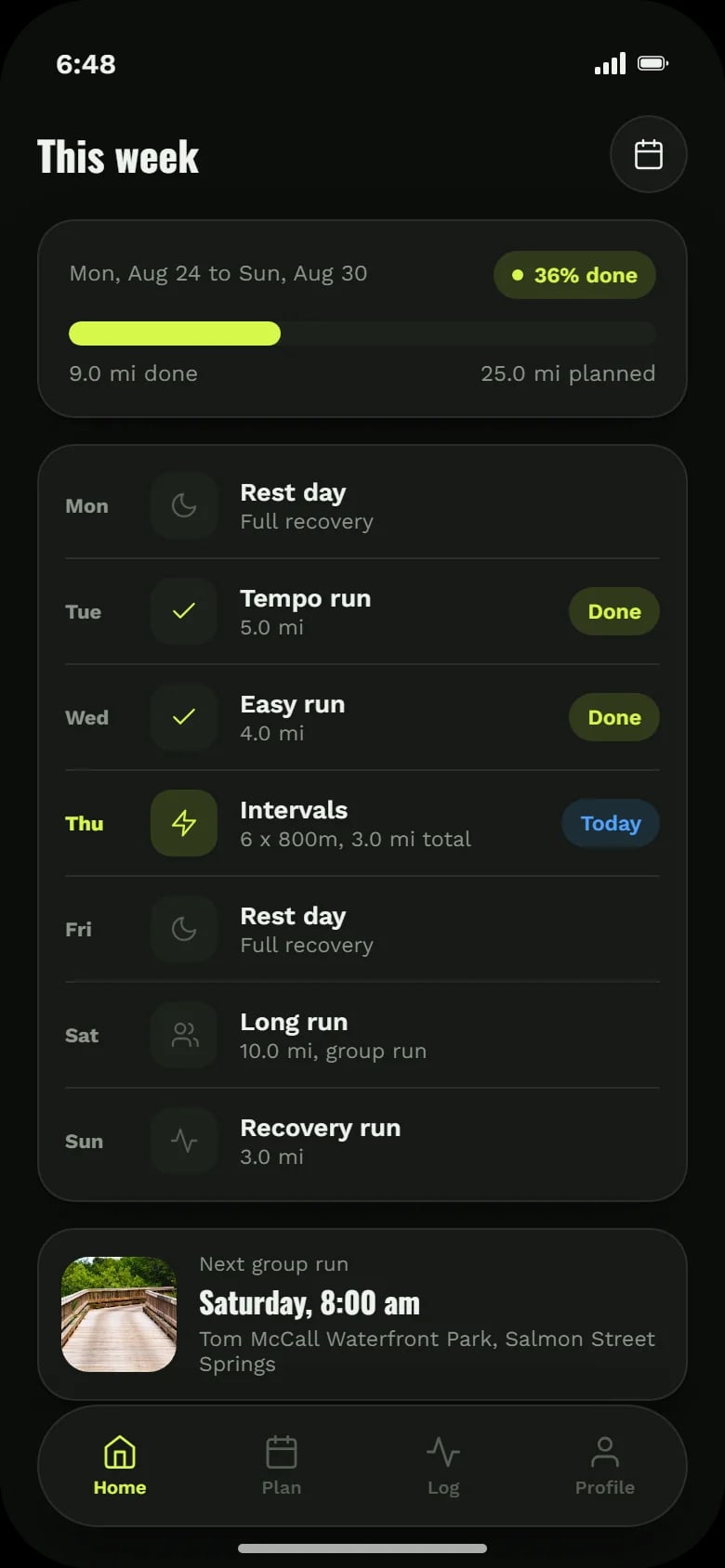
The week at a glance
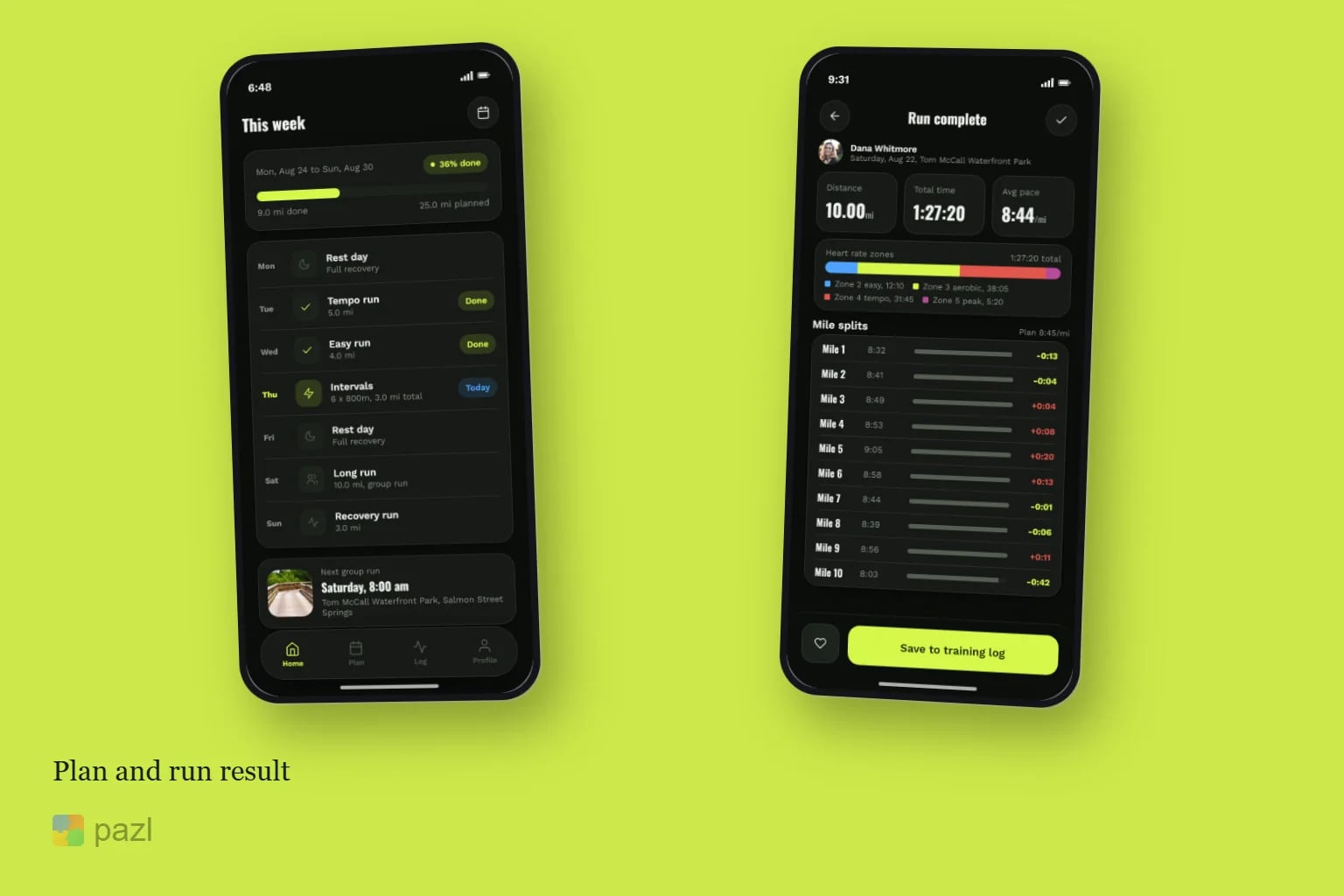
Seven days with the run, the distance and what is done, plus miles done against miles planned.
Workouts with targets
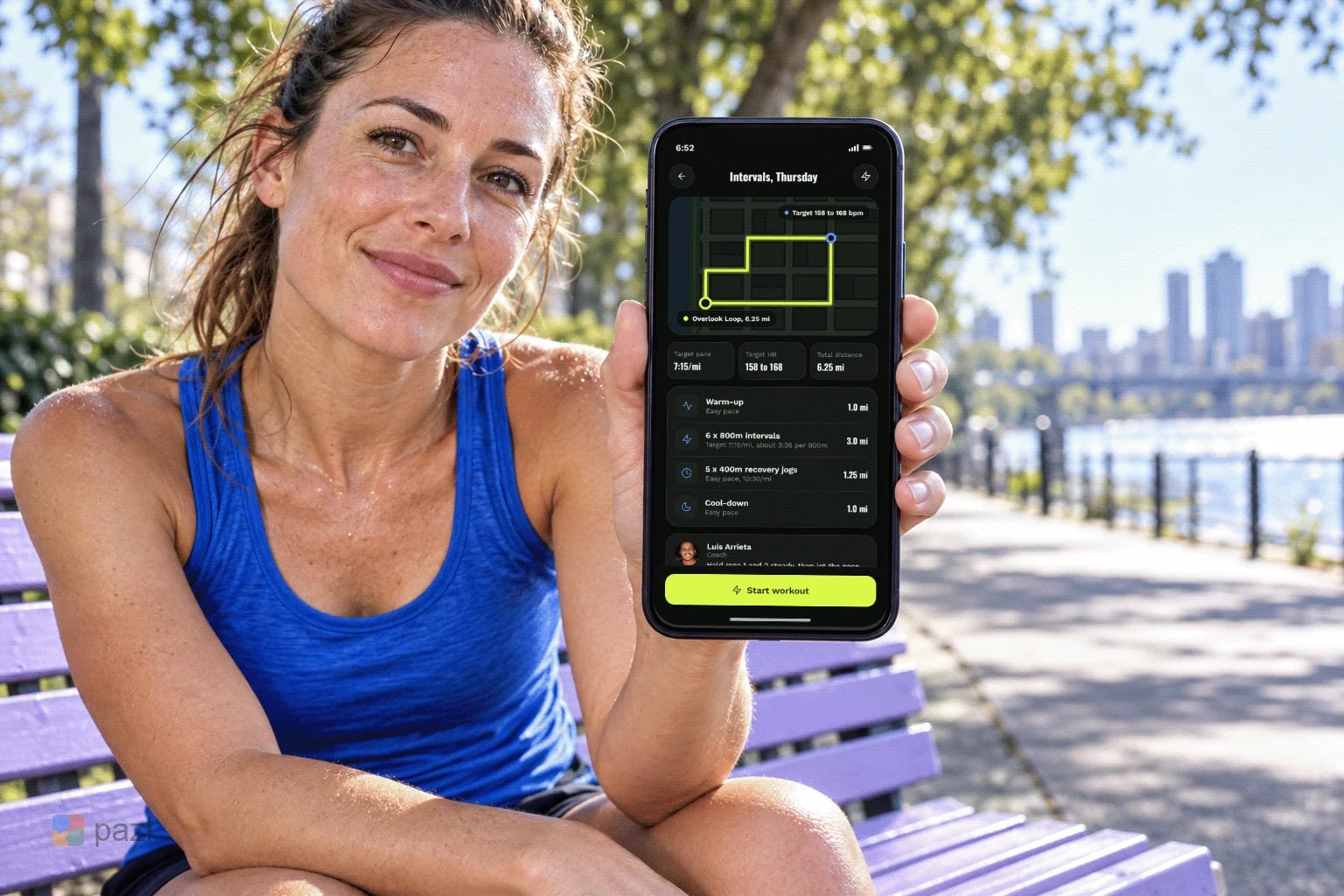
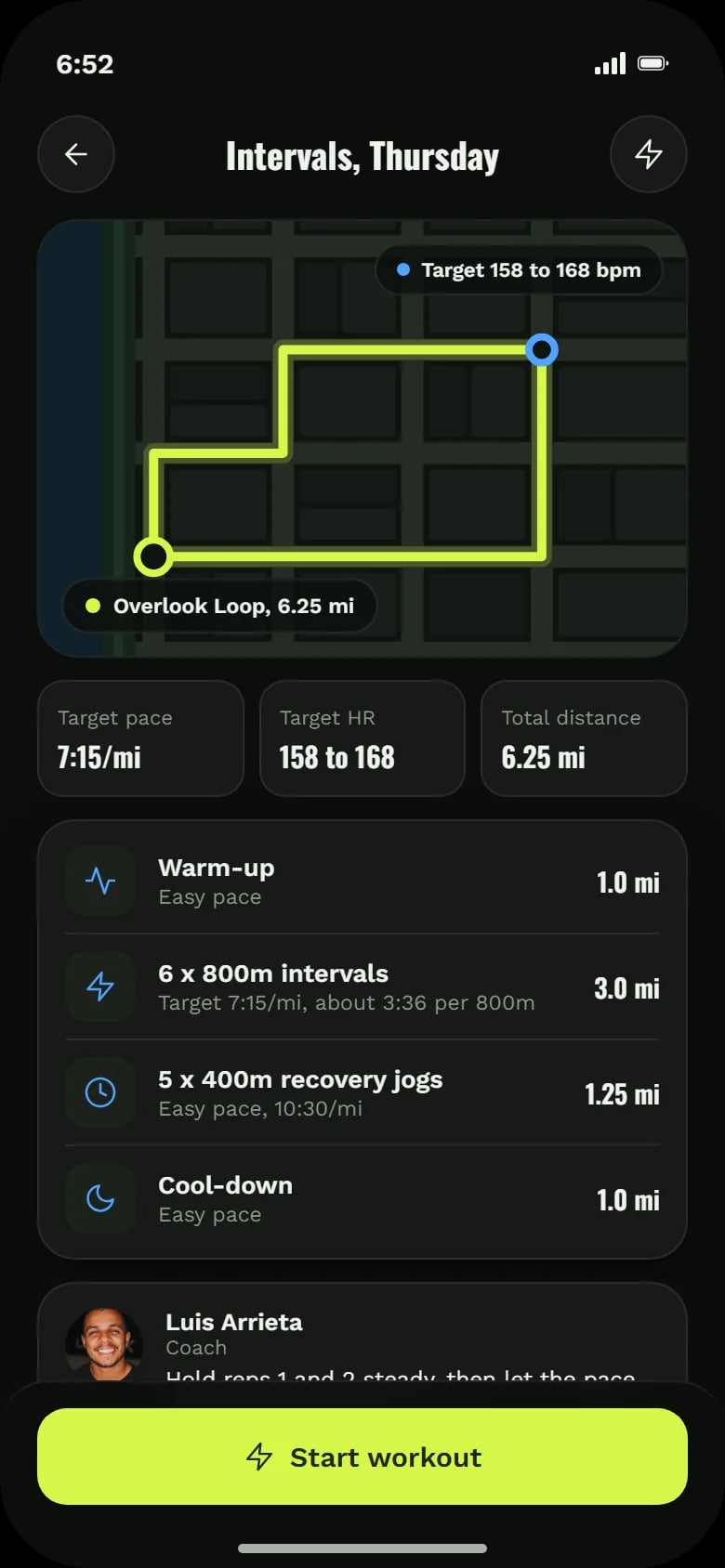
The route, target pace and heart rate, each block from warm-up to cool-down, and the coach’s note.
Every mile against the plan
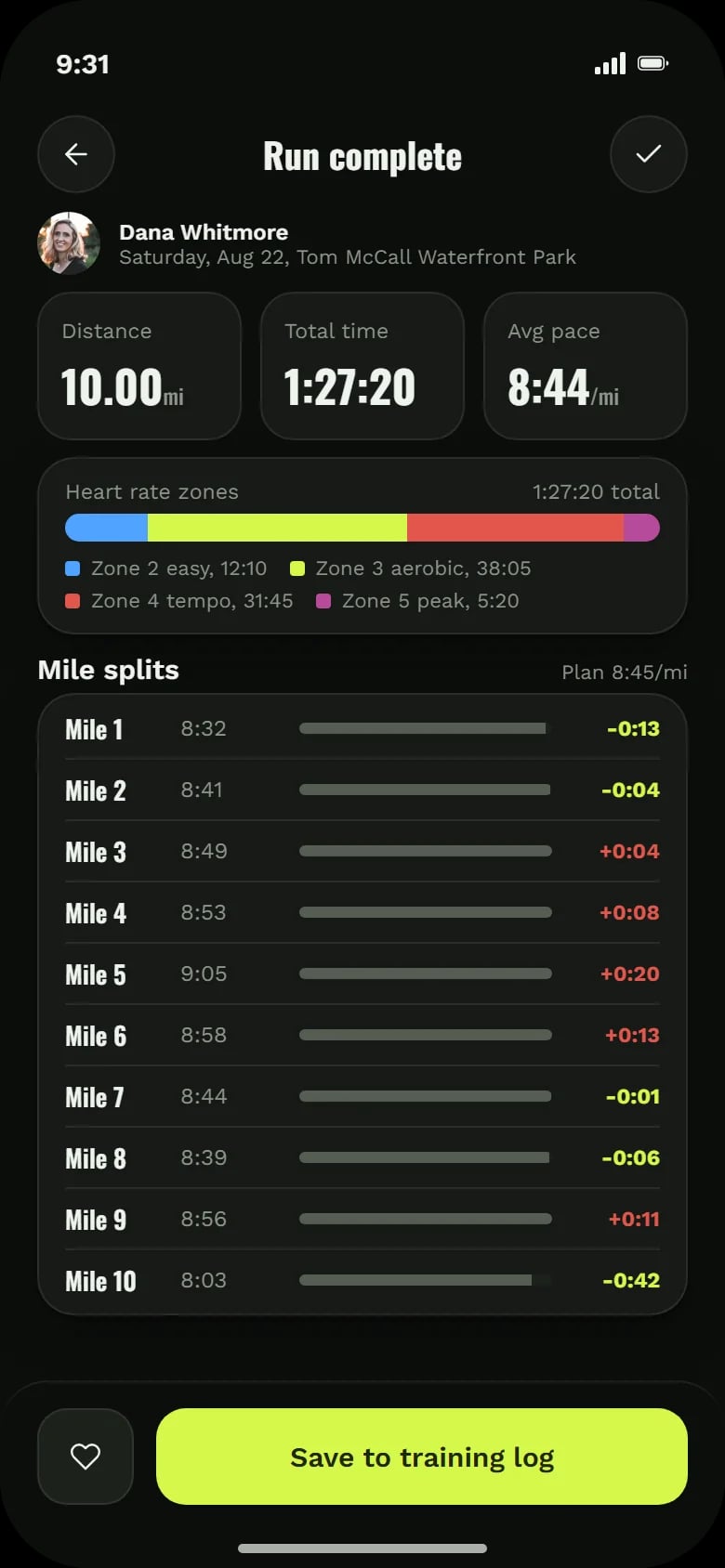
After the run: distance, time, average pace, heart rate zones and each mile’s split against the planned pace.
Group runs by pace
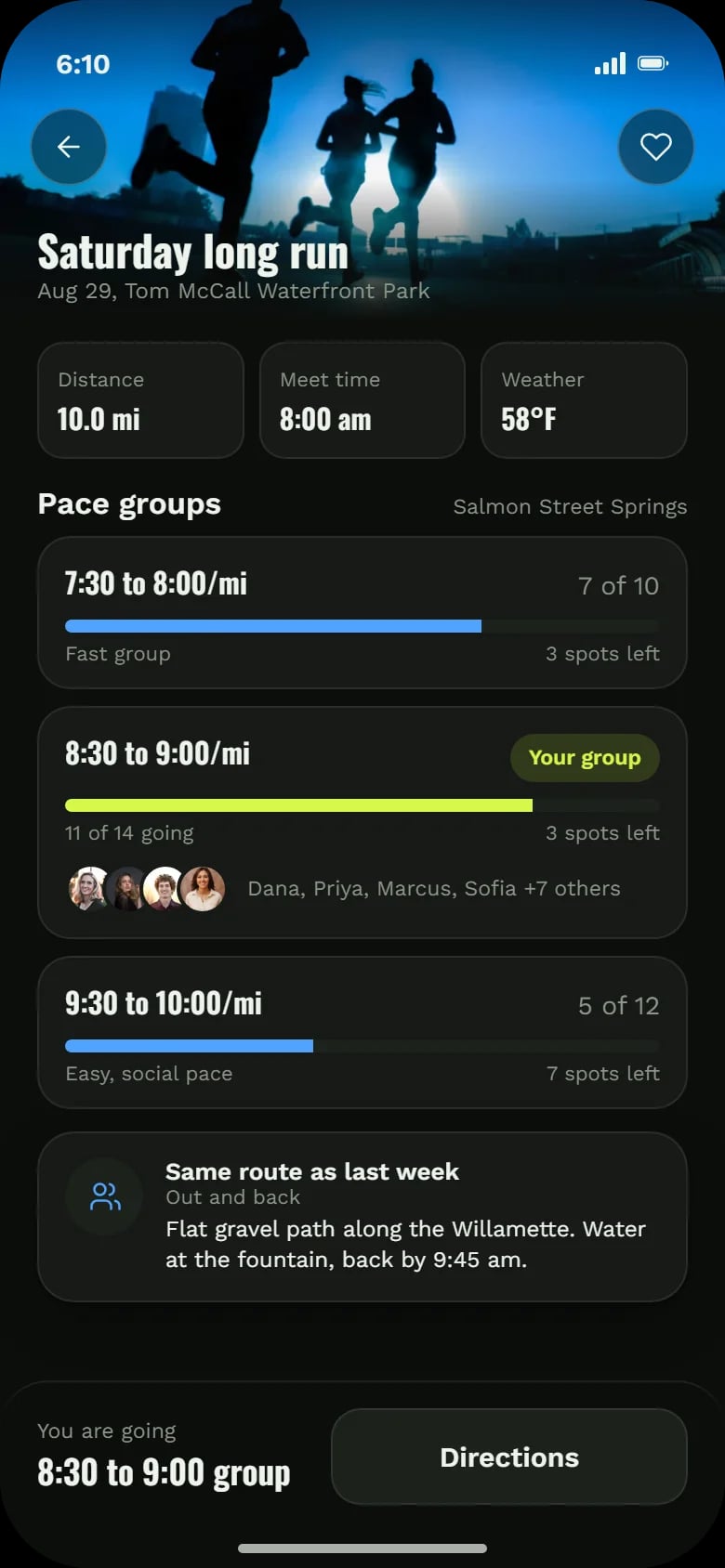
Pace groups for the Saturday long run, who is going, how many spots are left, and directions.
Race-day forecast
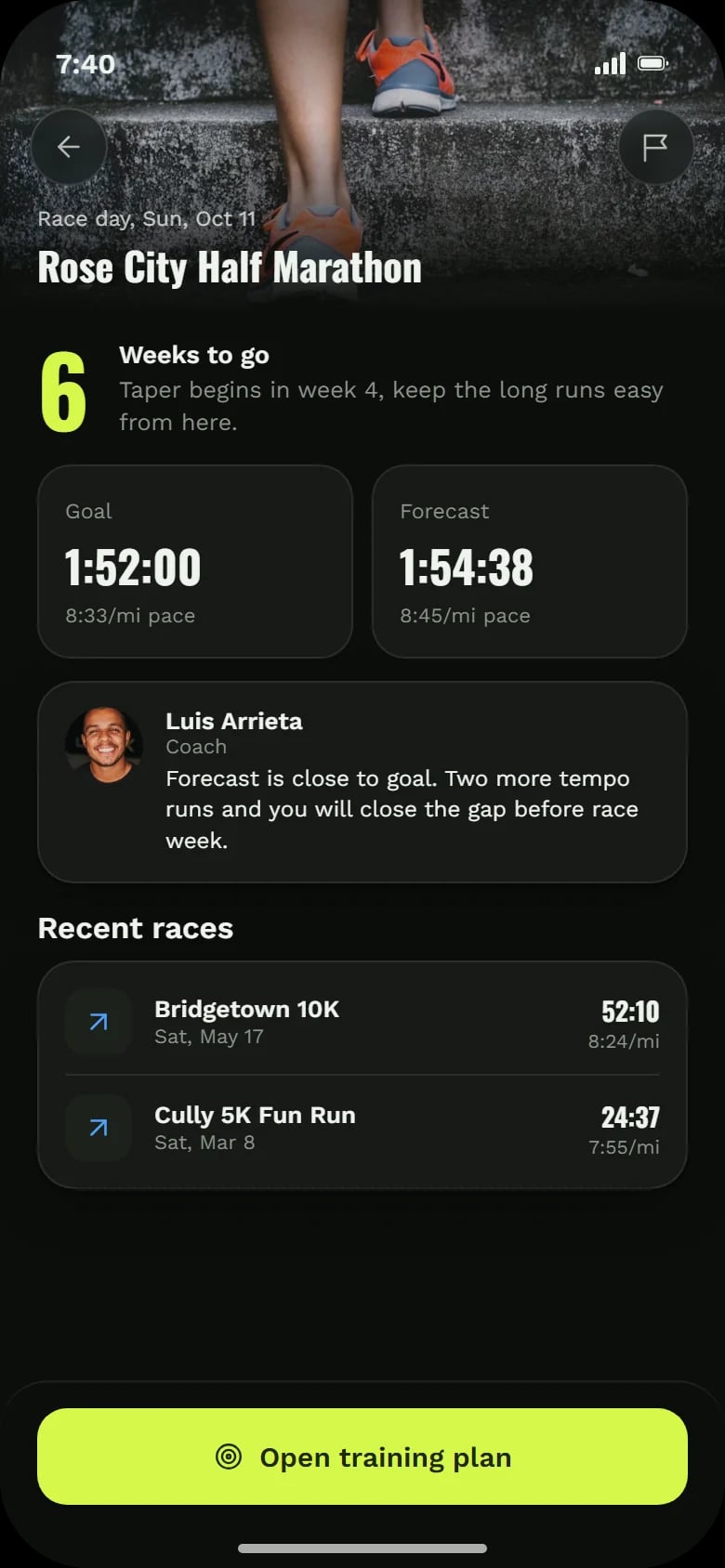
Weeks to go, the goal time next to the forecast, a coach’s note on closing the gap and recent races.
How a runner uses Milepost
Check the week
Open Home and see today’s run, with the next group run below.
Run the workout
Review the route and target pace, then press Start workout.
Compare with the plan
See splits and heart rate zones and save the run to the training log.
Join the group
Pick a pace group for Saturday and see who else is coming.
Head for race day
Follow the forecast against the goal as the race gets closer.
How we designed the Milepost concept
We built the app around one unit, the week, and around one moment, the glance during a run. The screens were built in HTML and CSS.
The week as home
Home, Plan, Log and Profile. Home is this week: every day, its run and its status.
Notes beside the work
The coach’s note sits right next to the workout or the race it is about.
Read at a glance
Black with a sharp lime accent and tall, condensed numerals, so pace, heart rate and splits stay in front.
Plan against result
Done against planned for the week, each mile against the planned pace, the forecast against the goal.
A closer look at the screens
What the concept shows
- A training week where each day says what to run and why.
- Workouts with clear targets for pace and heart rate.
- Every mile compared with the plan, so drift is easy to see.
- Group runs organised by pace, with spots and people in view.
- A race forecast that tells the runner how close the goal is.
Questions about this project
No. It is a concept project: a run club app we designed to show a training flow from the weekly plan to race day. There is no live app and no results to report.