Brickline: Renovation App
Brickline Remodeling is a concept app we designed for the clients of a kitchen and bathroom remodeler. The homeowner builds the estimate, picks materials and follows the job in one place.
A fictional product exploration showing interface and interaction design. No live deployment or commercial results are implied.
- Project type
- Concept project
- Industry
- Home renovation
- Platform
- Mobile app for clients
- Our role
- Product and interface design
- Scope
- Five screens
Who the renovation app is for
Homeowners remodeling a kitchen or a bathroom, and the company doing the work. The client sees the price and the progress; the crew keeps every decision on record.
- The homeowner, who picks a finish level and materials.
- The designer, who curates the material options.
- The site supervisor, who posts progress and answers in the chat.
A renovation estimate the client can follow
A remodel is a long row of decisions, each with a price. When the answers live with the office, every update means a phone call. Brickline puts the estimate, the materials, the payments and the progress in the client’s pocket.
- See a price range as soon as the room and finish level are set.
- Know what each upgrade adds to the price.
- Approve changes in writing, with the new total in front of you.
What the Brickline app includes
Room estimate
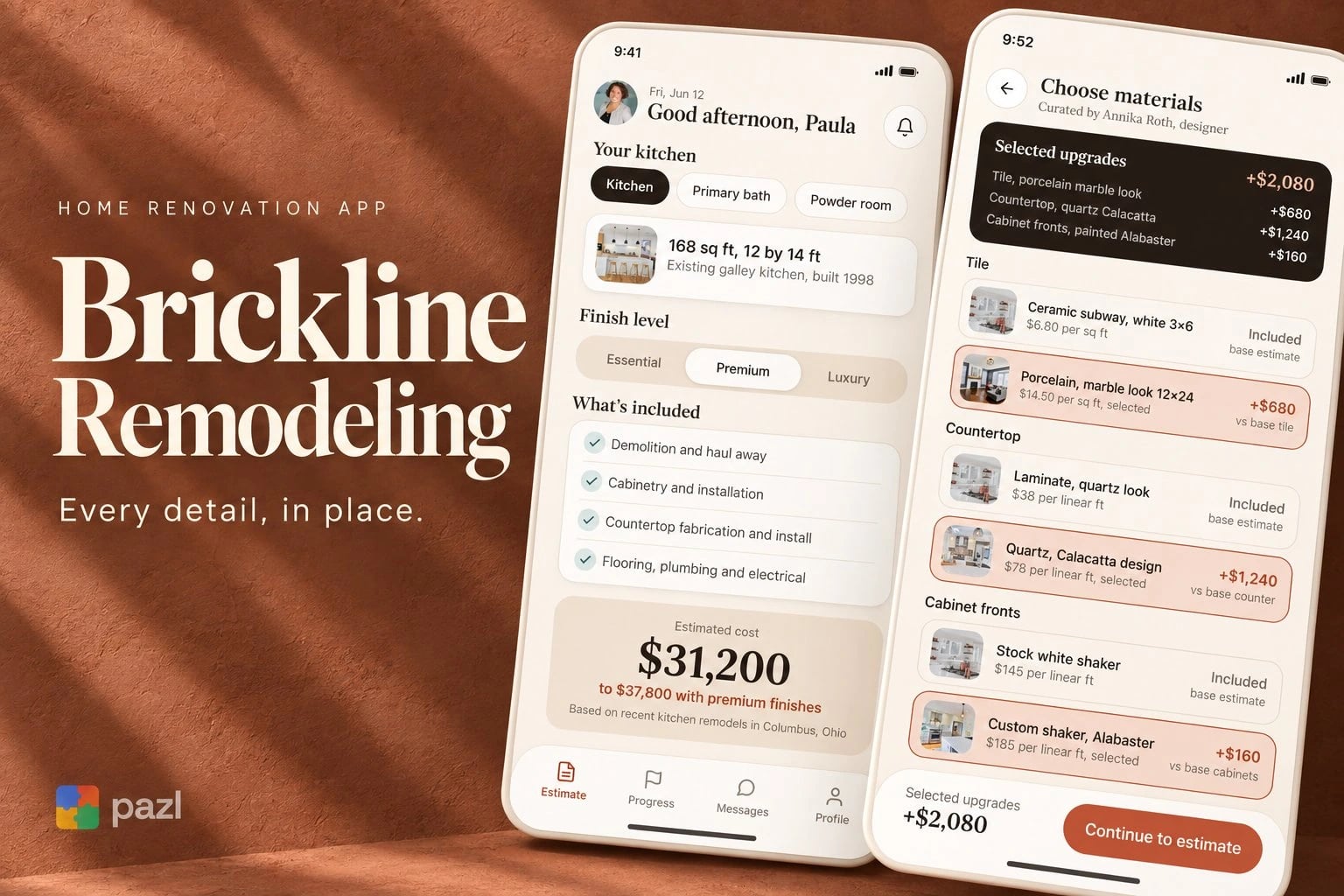
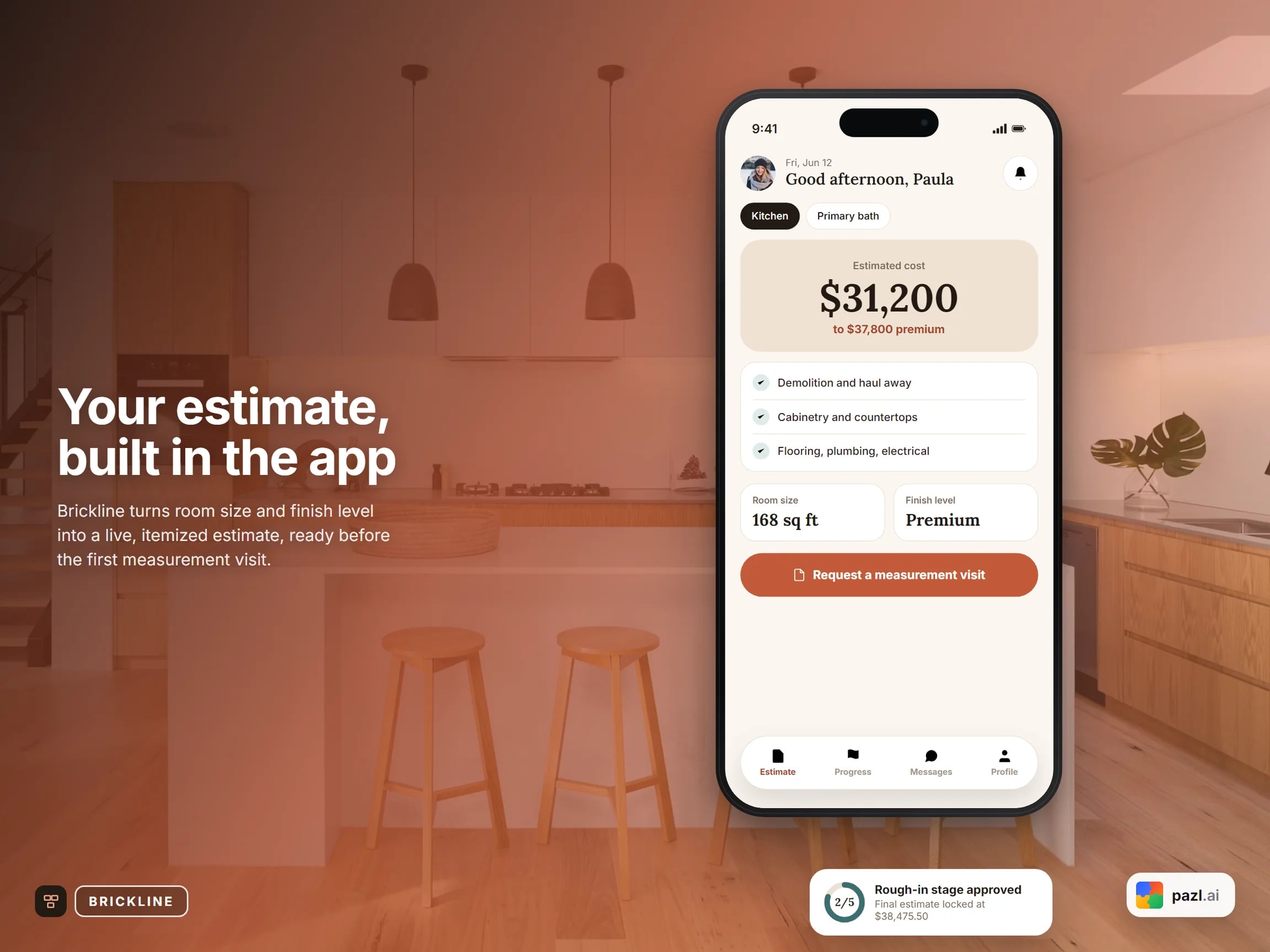
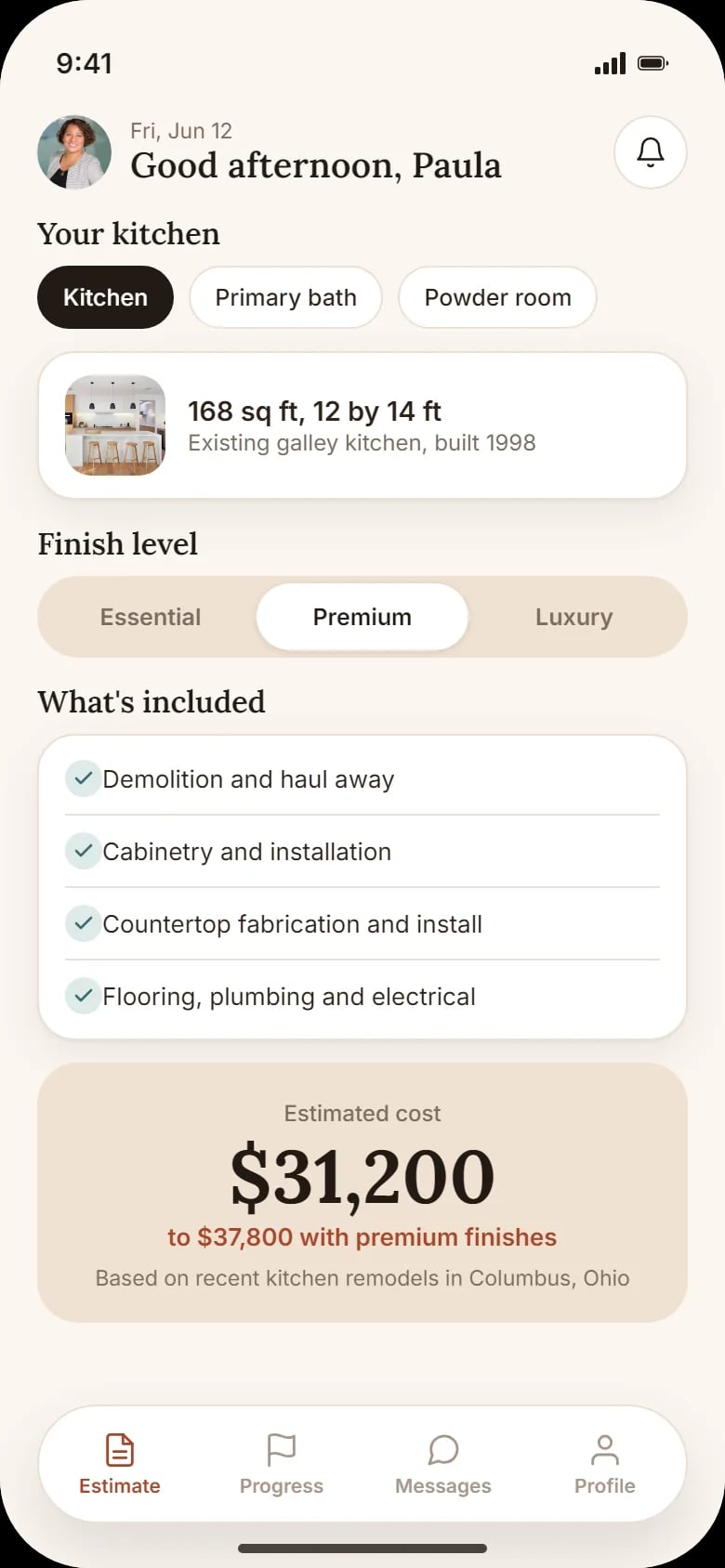
Room, size and finish level (Essential, Premium or Luxury), what is included and a price range.
Materials picker
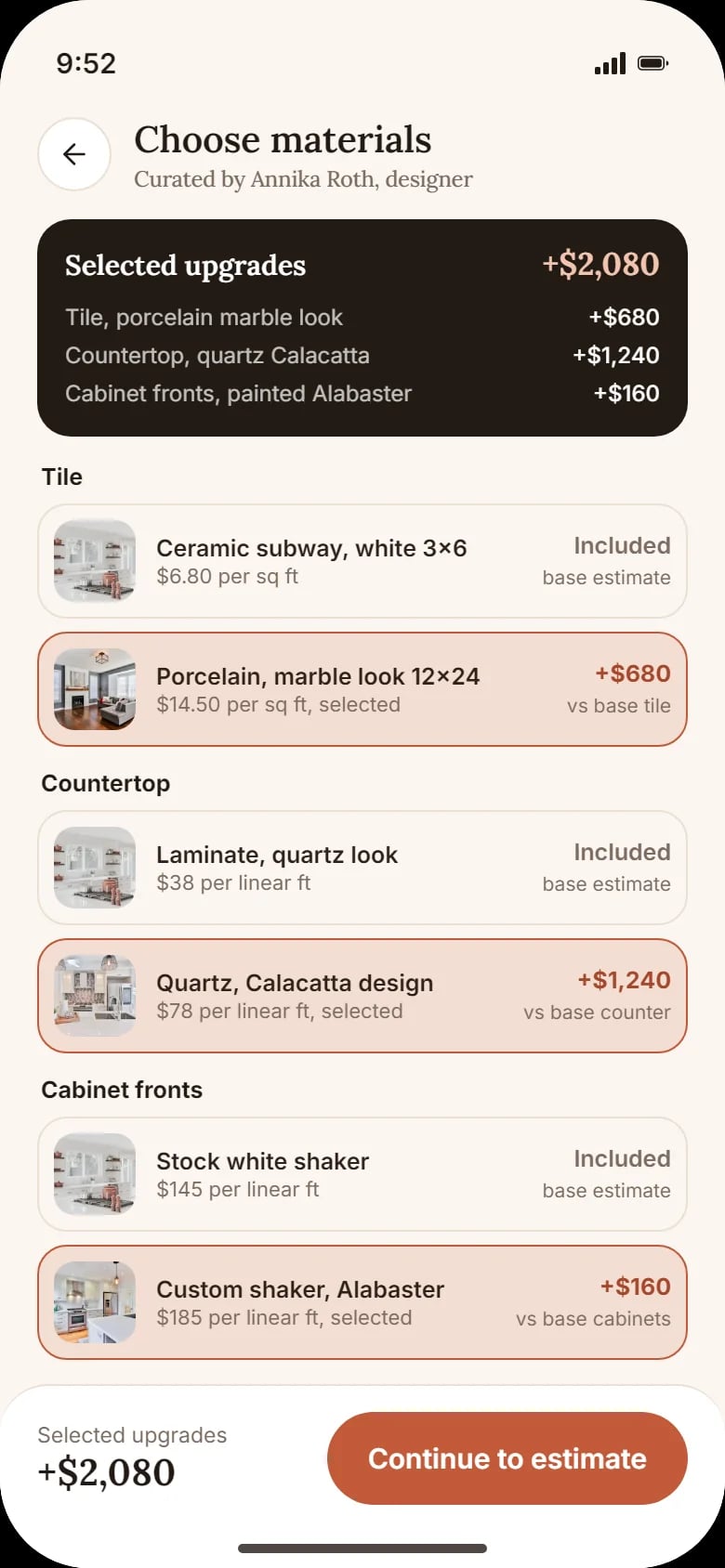
Tile, countertop and cabinet fronts, each priced per unit, with the difference against the base estimate.
Final estimate
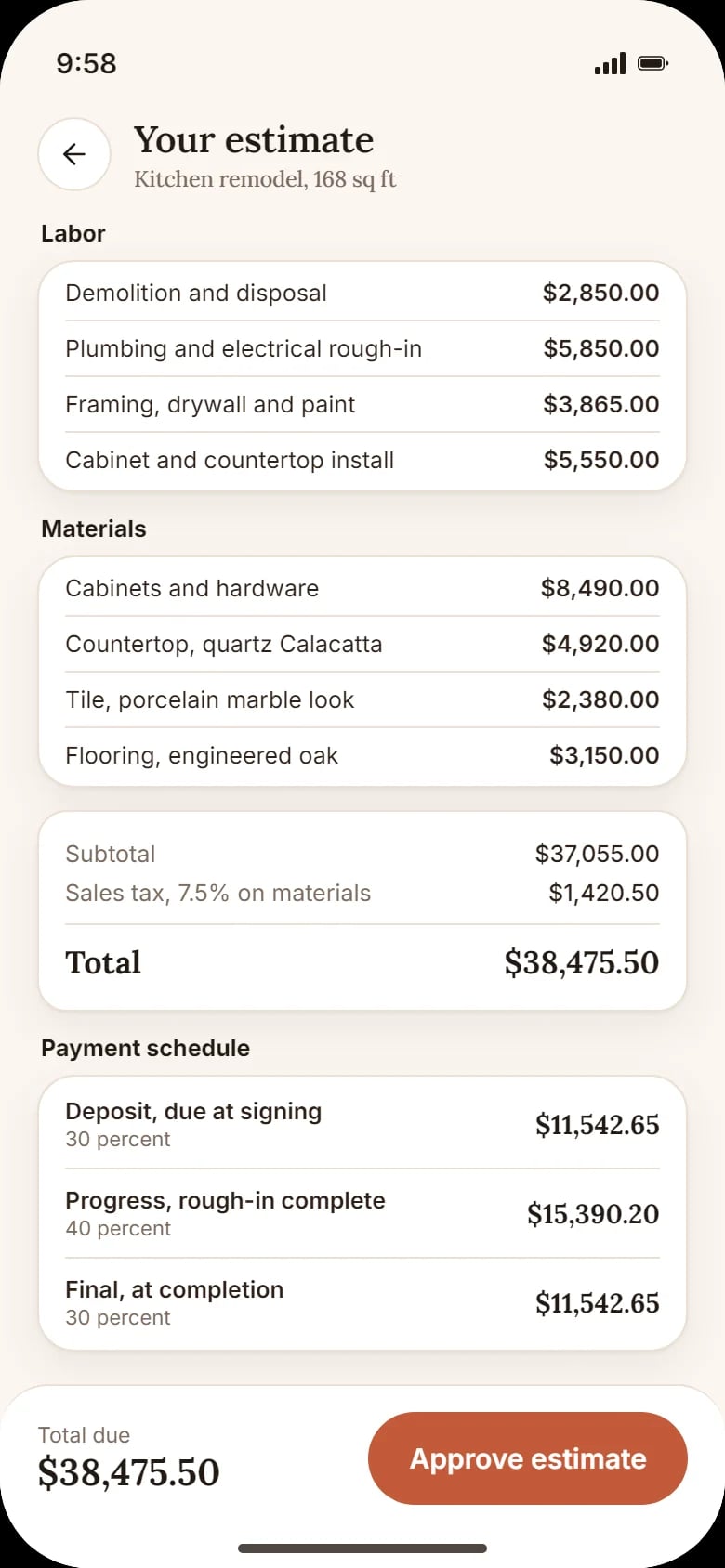
Labour and materials line by line, sales tax, the total and a payment schedule in three parts.
Job progress
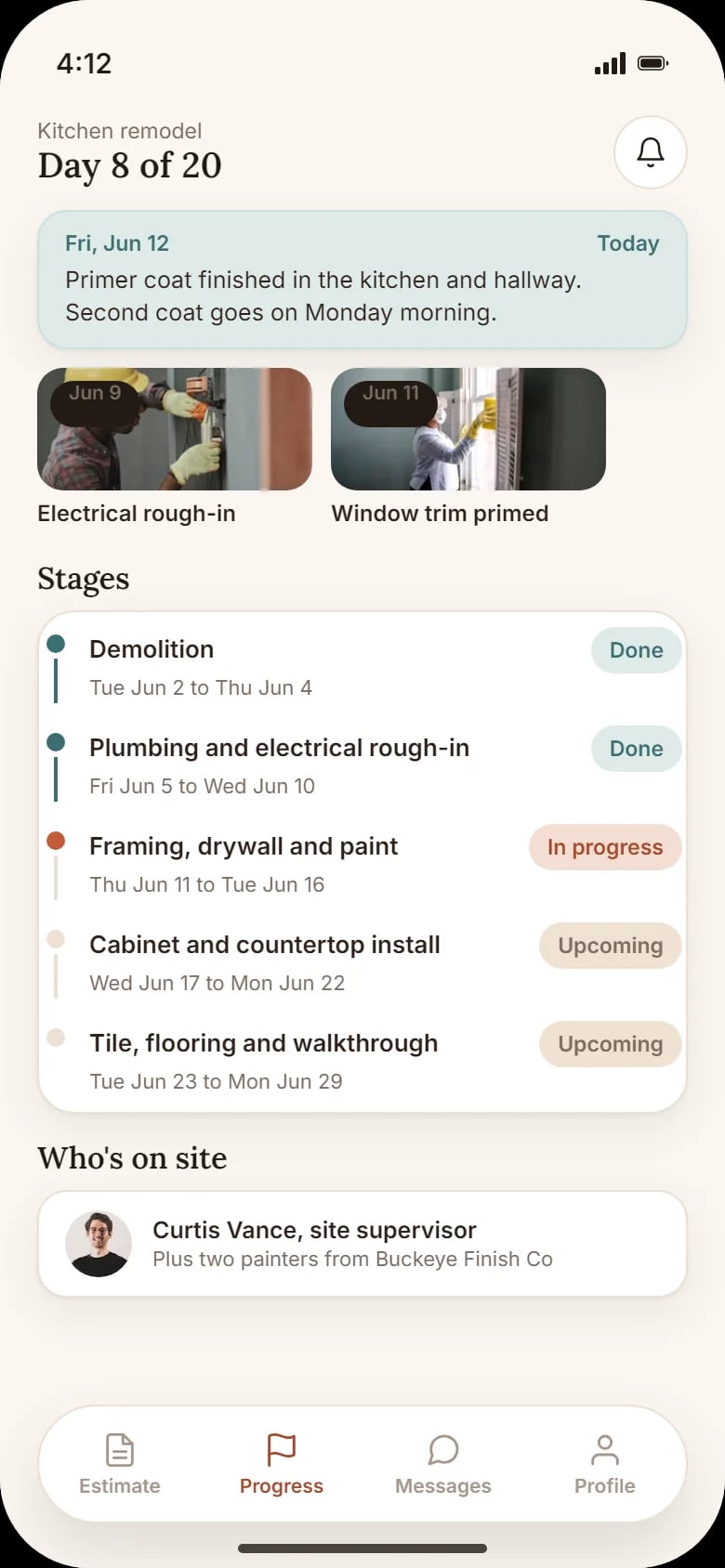
Stages with dates and status, today’s update, photos from the site and who is on site.
Messages and documents
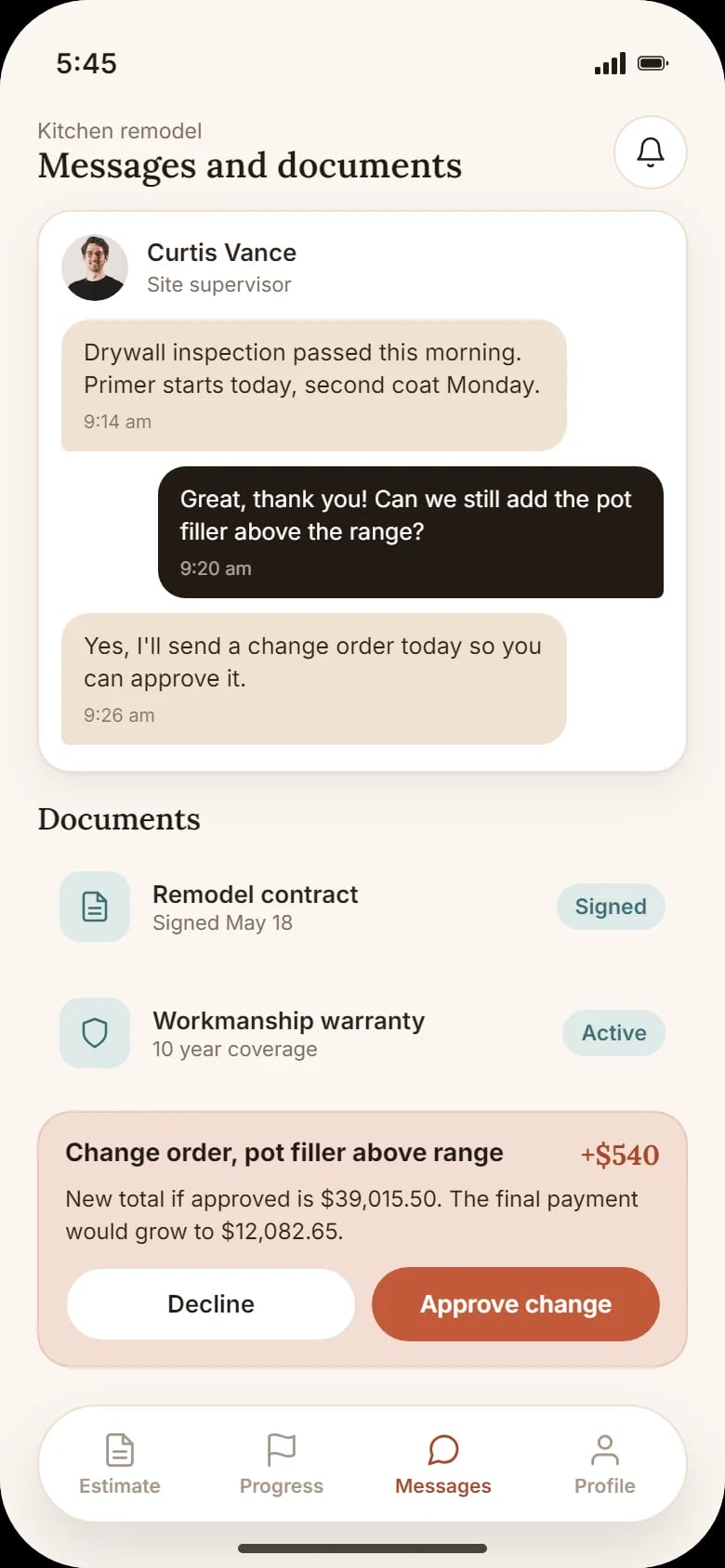
Chat with the site supervisor, the contract and the warranty, and change orders to approve or decline.
How a homeowner uses Brickline
Price the room
Pick the room and a finish level; the app shows what is included and a price range.
Choose materials
Swap tile, countertop and cabinet fronts and watch the upgrades add up.
Approve the estimate
Review every line, the tax and the payment schedule, then approve.
Follow the job
See each stage, today’s update and photos from the site.
Approve changes
Ask the supervisor in the chat; a change order shows the new total before you say yes.
How we designed the Brickline concept
The screens follow one example kitchen remodel from the first price to a change order in the middle of the job. All five share one project, so the materials chosen on one screen are the lines of the estimate on the next.
Money first
The estimate and the materials open the app: the price moves as the client chooses.
Every price explained
Each upgrade shows its cost against the base; the final estimate breaks labour and materials into lines.
A warm, calm look
Warm off-white background, terracotta for actions, Lora serif for headings and figures, Inter for the interface.
Decisions on record
The contract, the warranty and change orders sit next to the chat with the supervisor.
A closer look at the screens
What the concept shows
- A price range from the room size and the finish level.
- The cost of each upgrade, against the base estimate.
- A final estimate with tax and a three-part payment schedule.
- Job progress by stage, with photos from the site.
- Change orders approved in the app, with the new total.
Questions about this project
No. Brickline is a concept: an example remodeler with an invented client and prices, designed to show how an app for renovation clients could work.