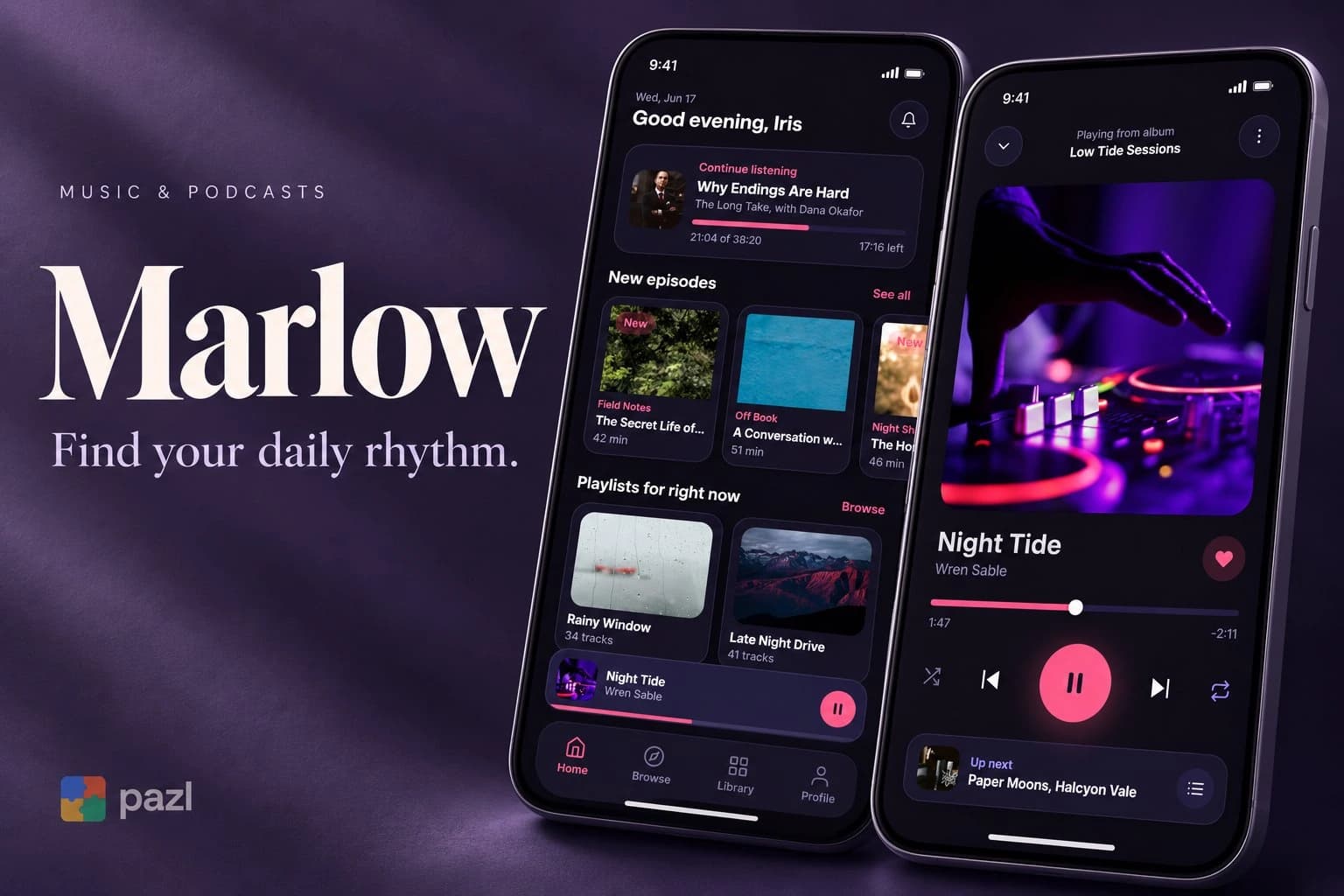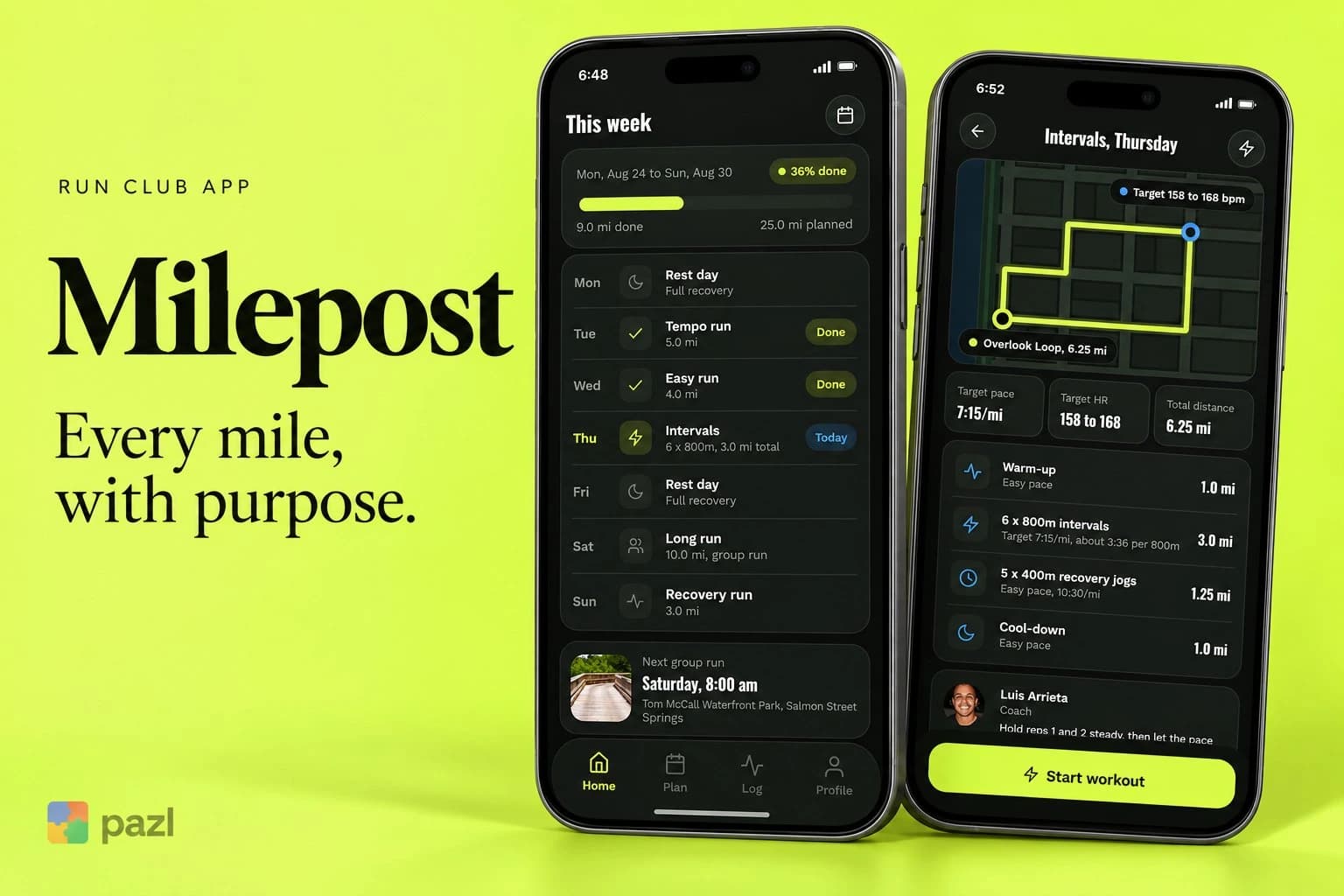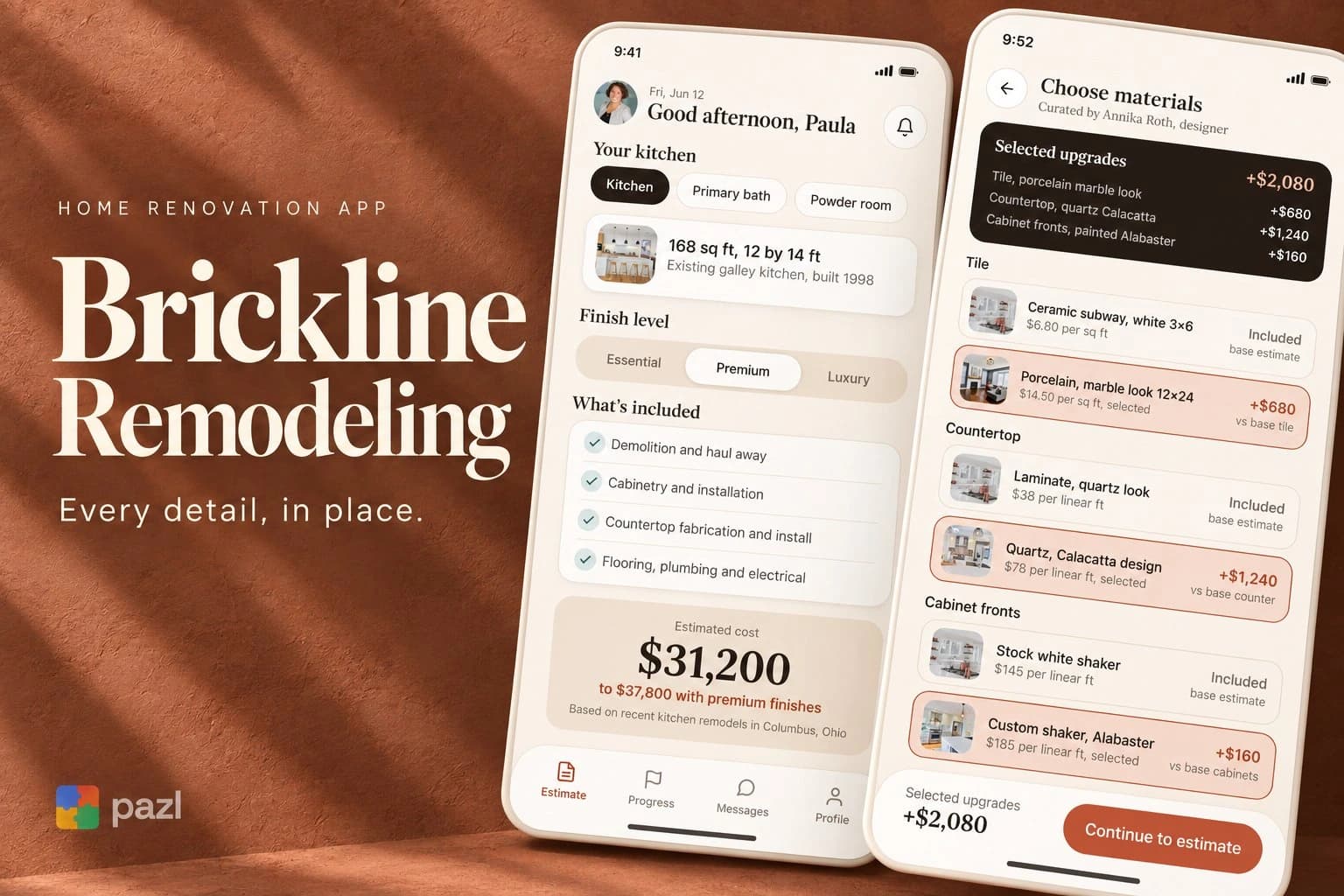
The Lantern Room
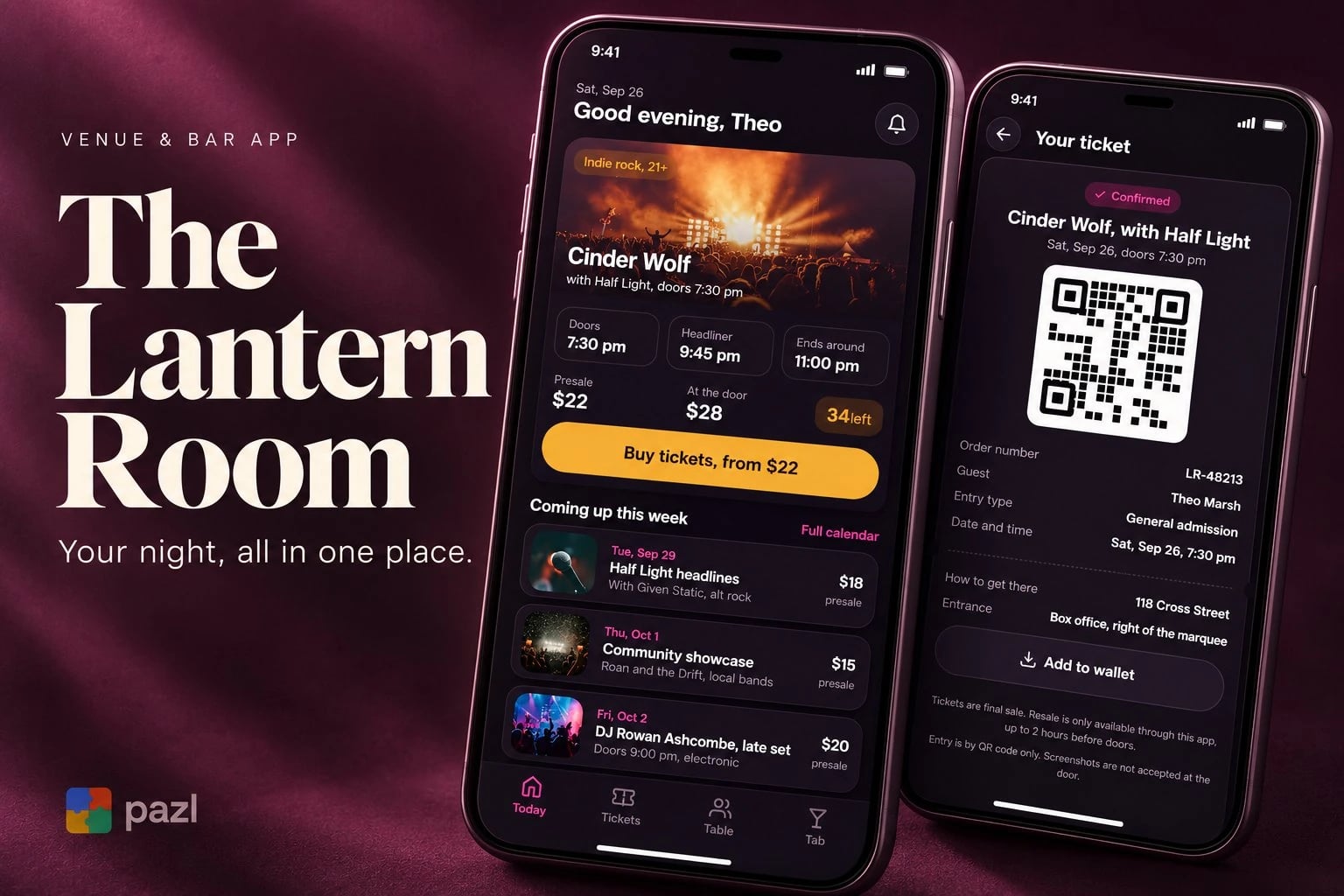
The Lantern Room puts a whole night out in one app: the ticket, the table and the bar tab. It is a concept we designed: a companion for one music venue and bar, not a ticketing marketplace.
A fictional product exploration showing interface and interaction design. No live deployment or commercial results are implied.
- Project type
- Concept project
- Industry
- Music venue and bar
- Platform
- Mobile app
- Our role
- Product design, flows and UI
- Status
- Concept on Behance
Who The Lantern Room app is for
Regulars of a music venue and bar who are tired of juggling a box office link, a phone call for a table and a card left behind the bar.
- Guests who buy a ticket for tonight’s show.
- Groups who want a table near the stage.
- Regulars who run a tab and come back through the season.
Three errands for one night out
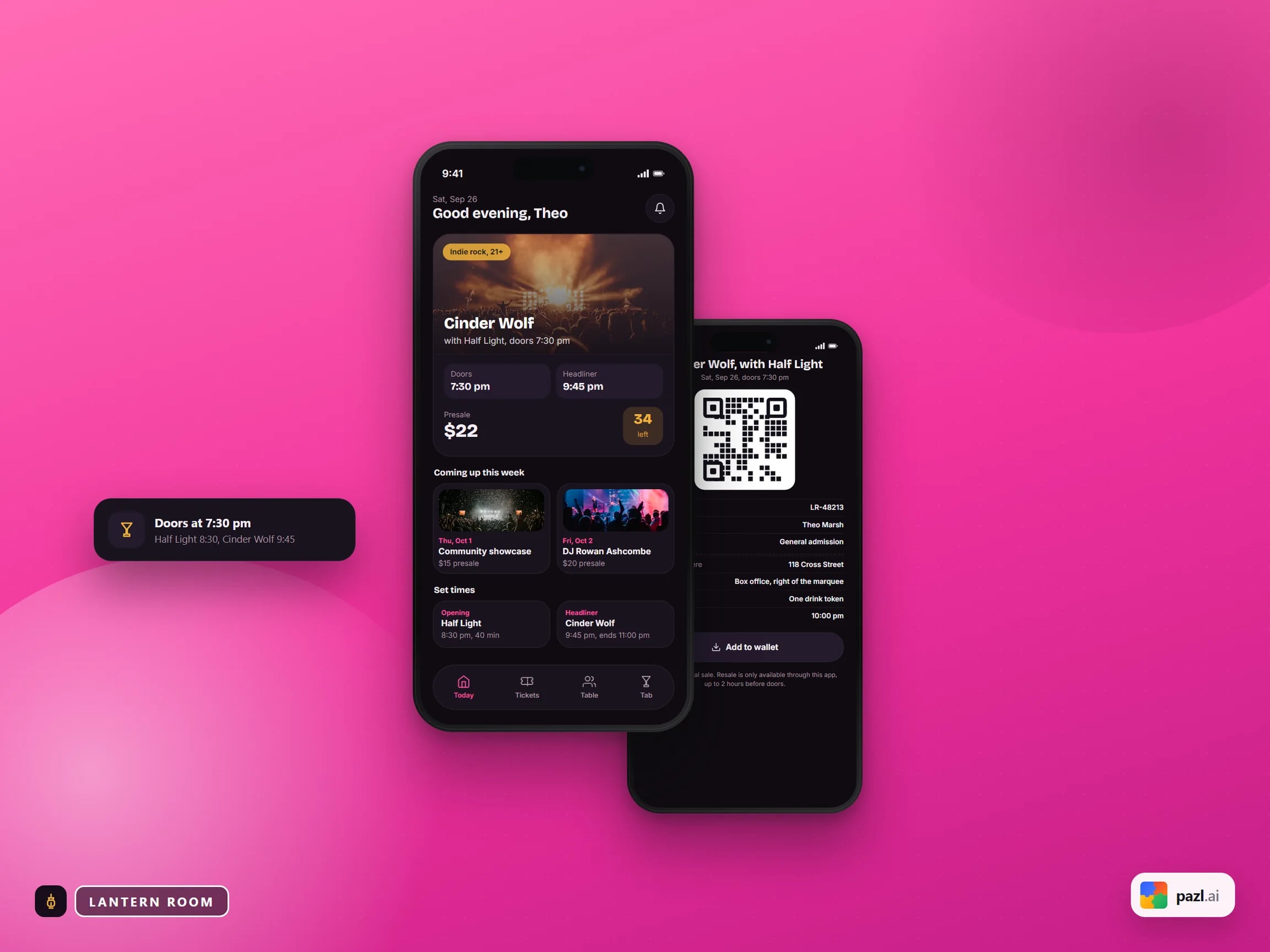
A box office link for the ticket, a phone call for the table, a card left behind the bar. The app keeps all three in four tabs: Today, Tickets, Table and Tab.
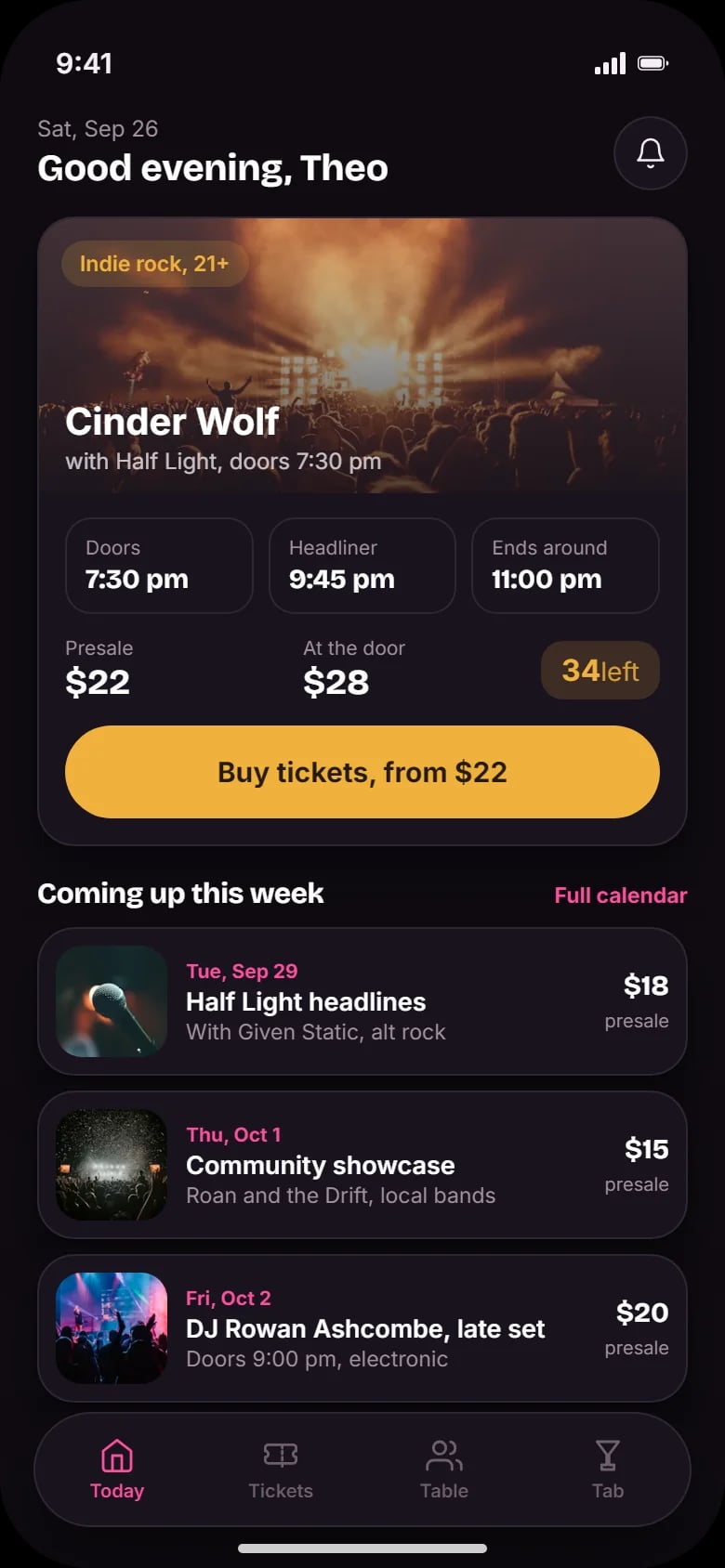
- Put tonight’s show, set times and tickets left first.
- Stay readable in a dim room.
What The Lantern Room app does
Tonight first
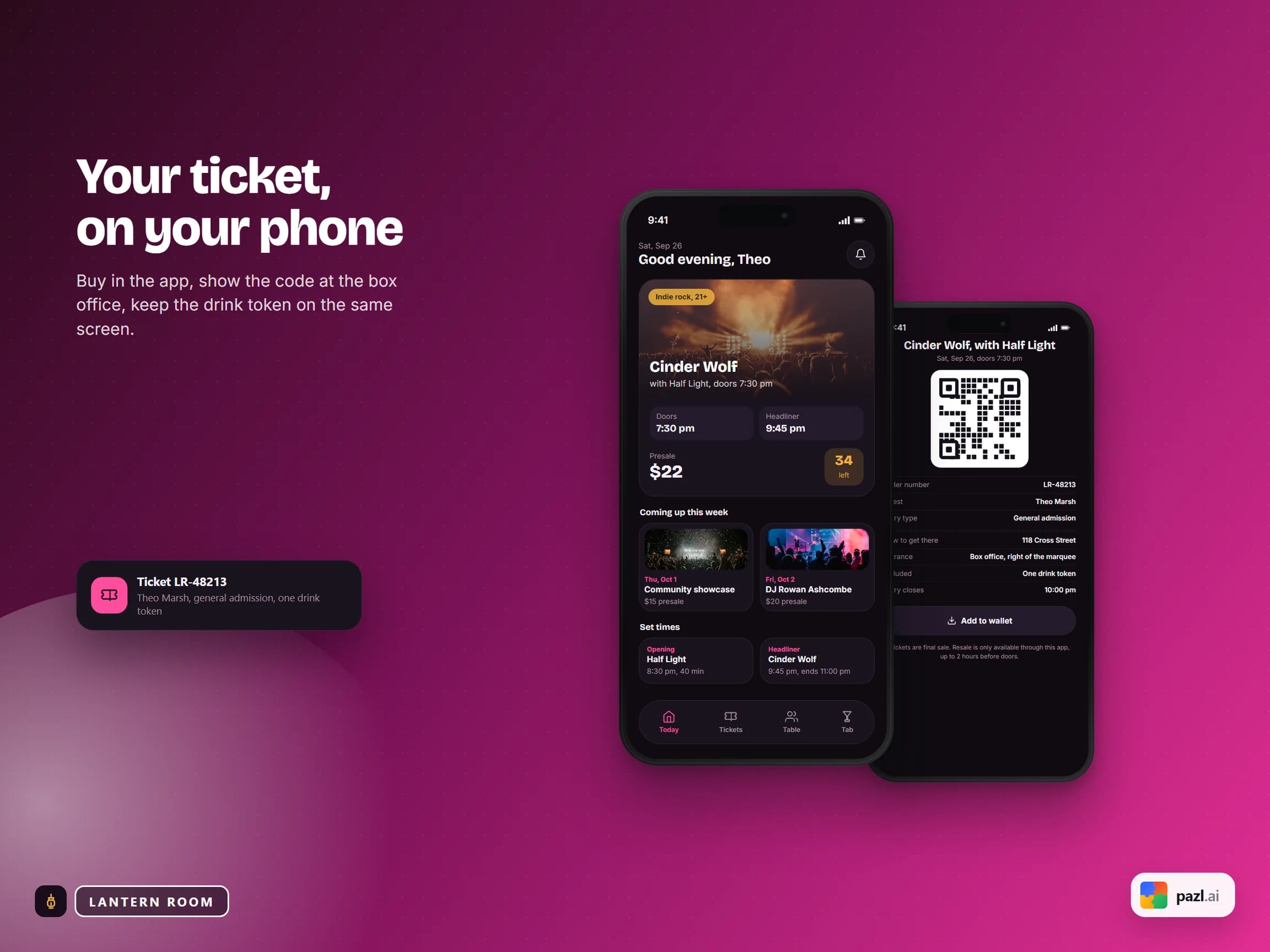
The show, its times, presale and door prices and tickets left, with the week’s calendar below.
The event page
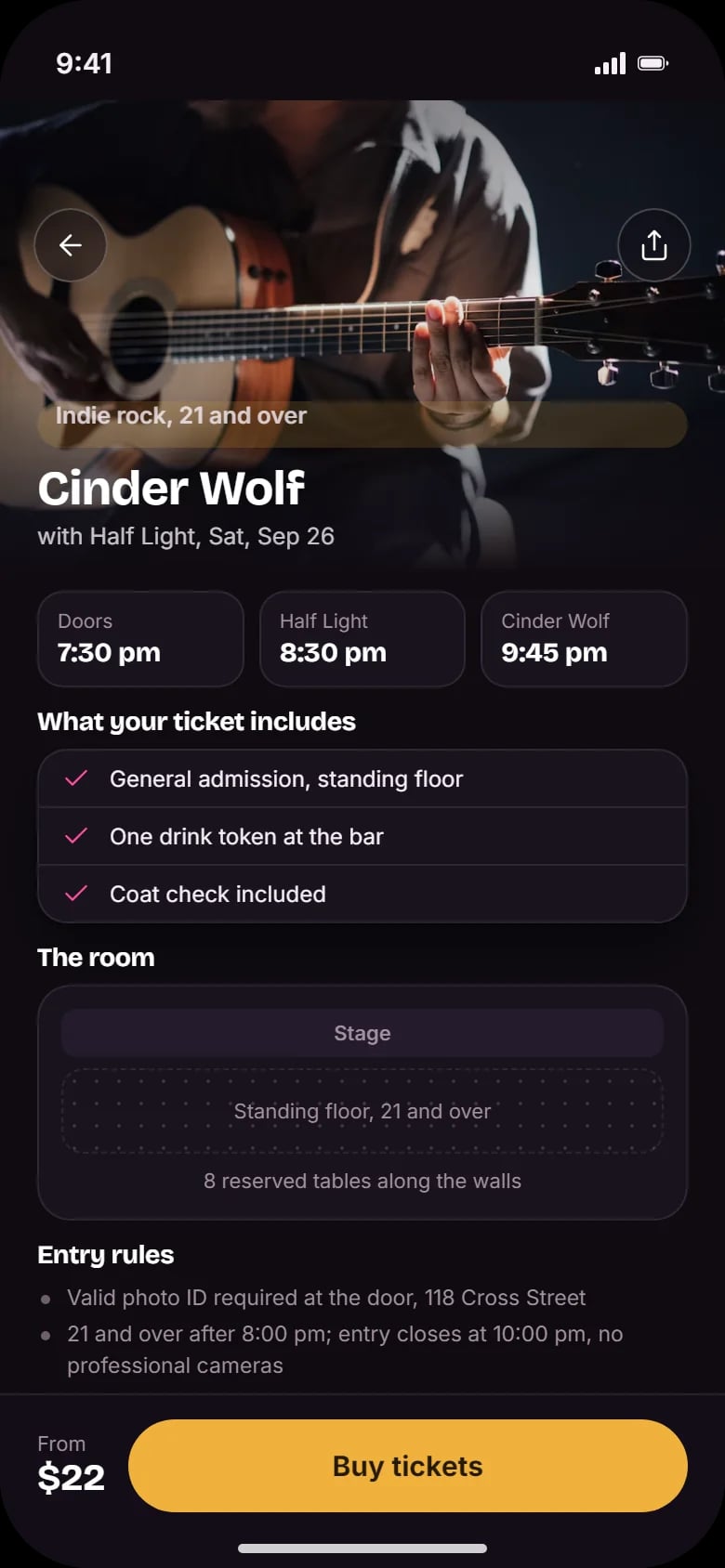
What the ticket includes, a map of the room with the standing floor and tables, and the entry rules.
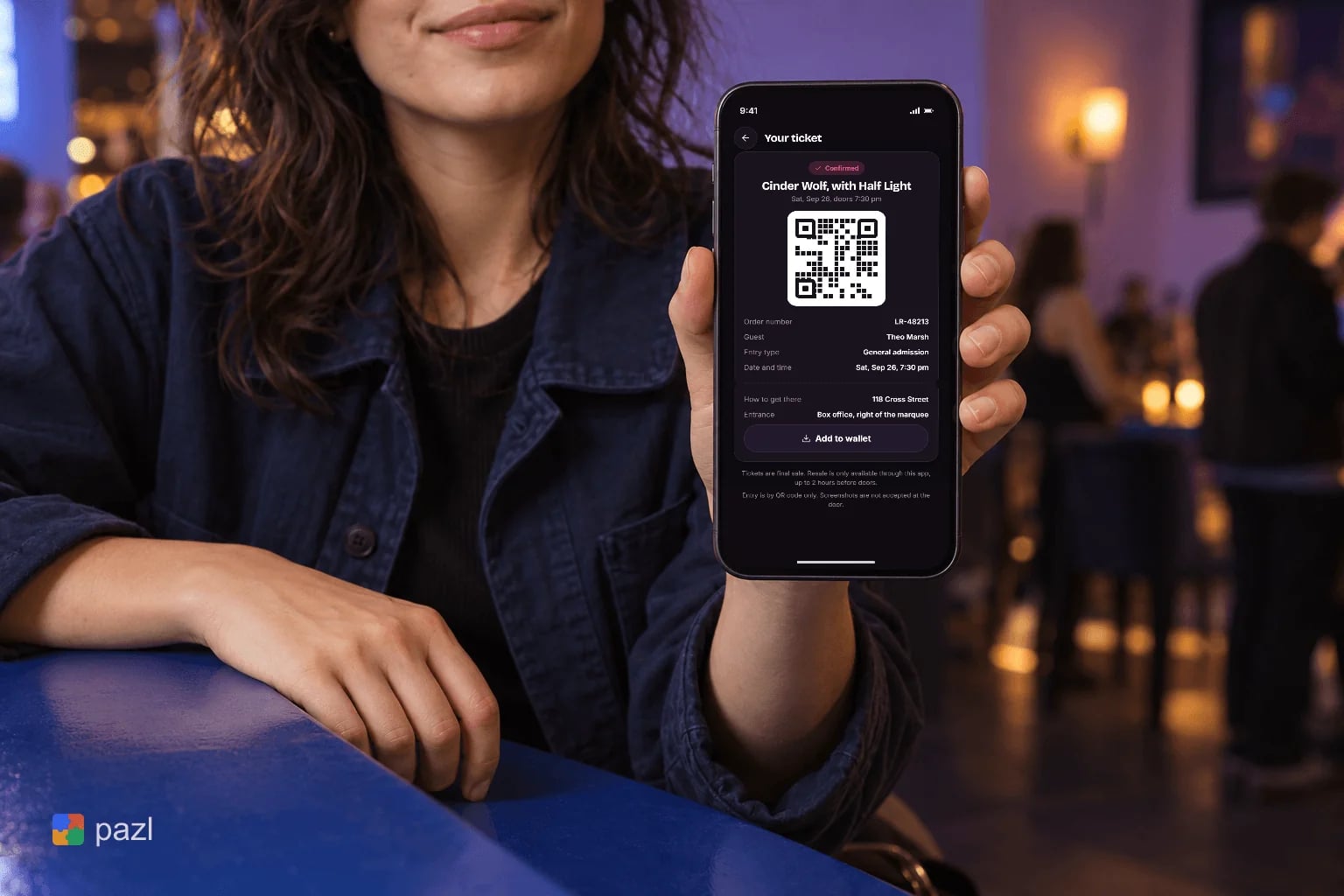
A ticket with a QR code
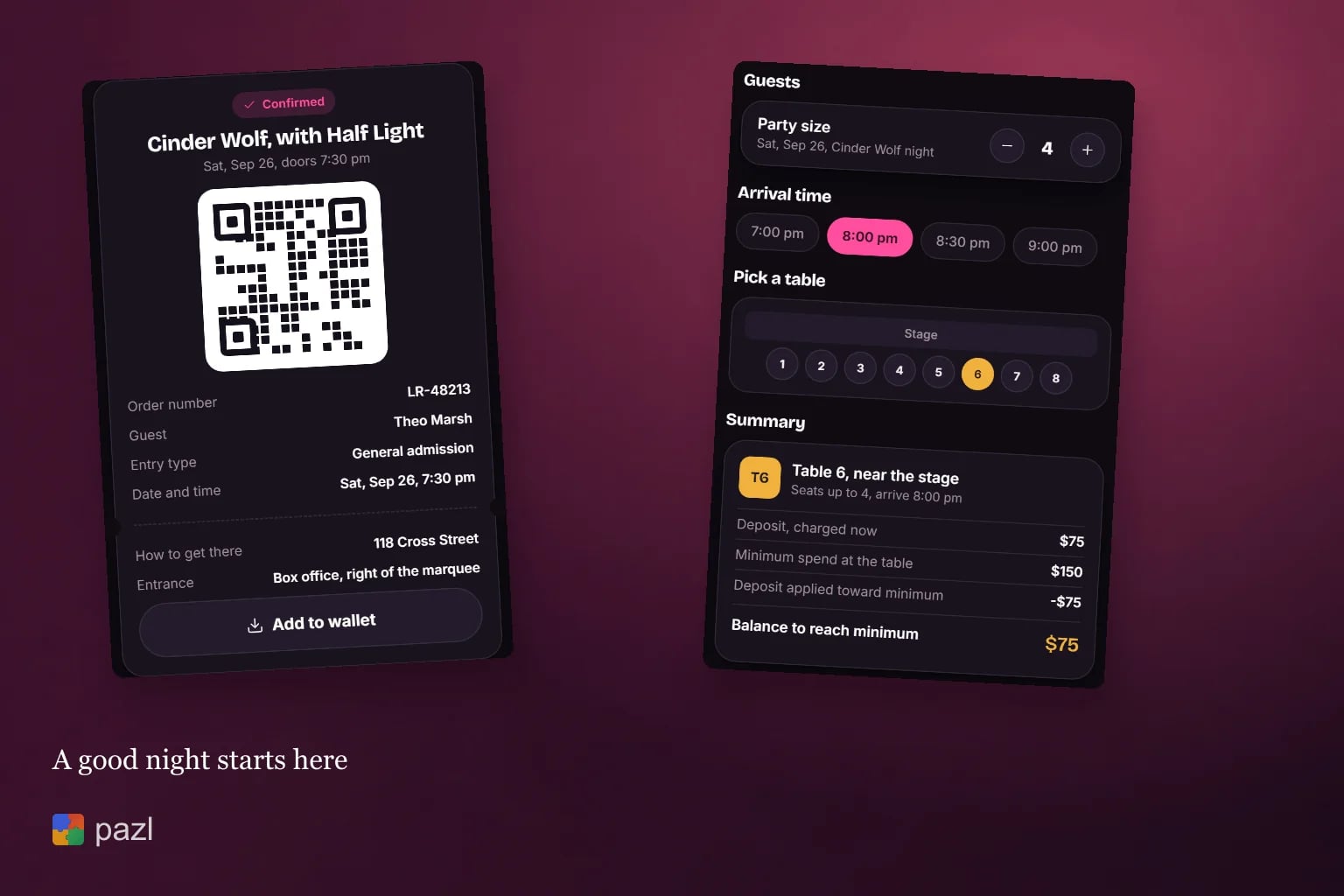
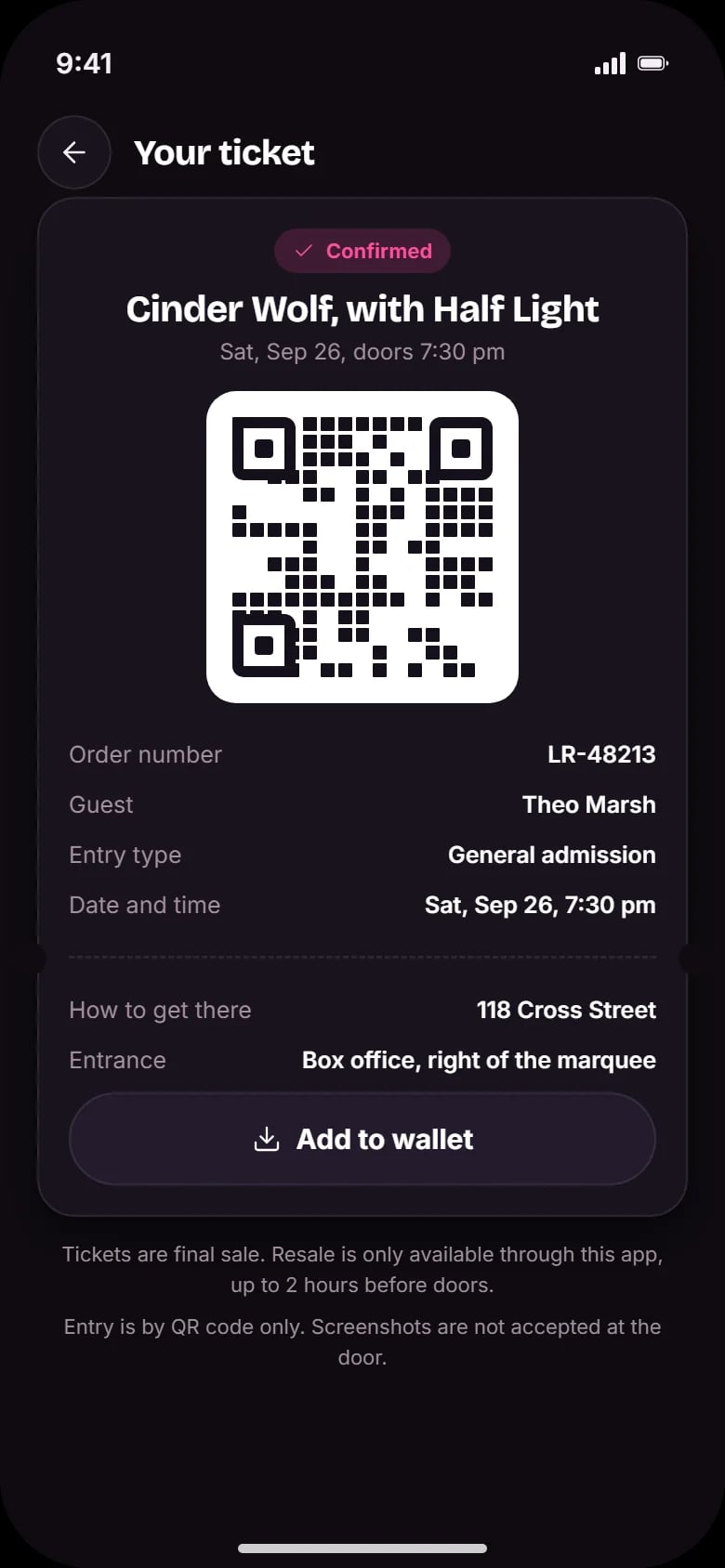
Show the code at the box office and keep the drink token on the same screen.
Table booking
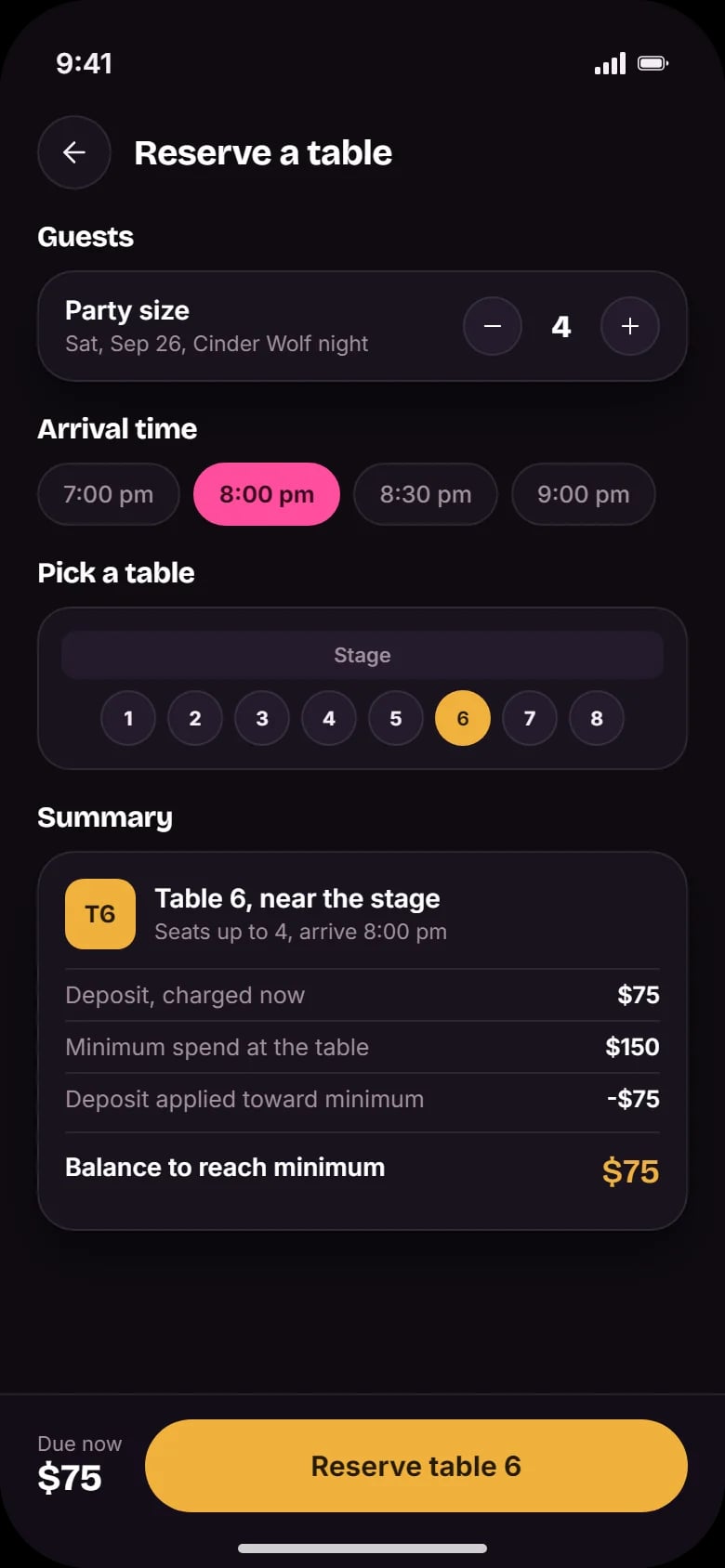
Party size, arrival time and a table picked by number, with the stage marked. The deposit counts toward the minimum spend.
The bar tab
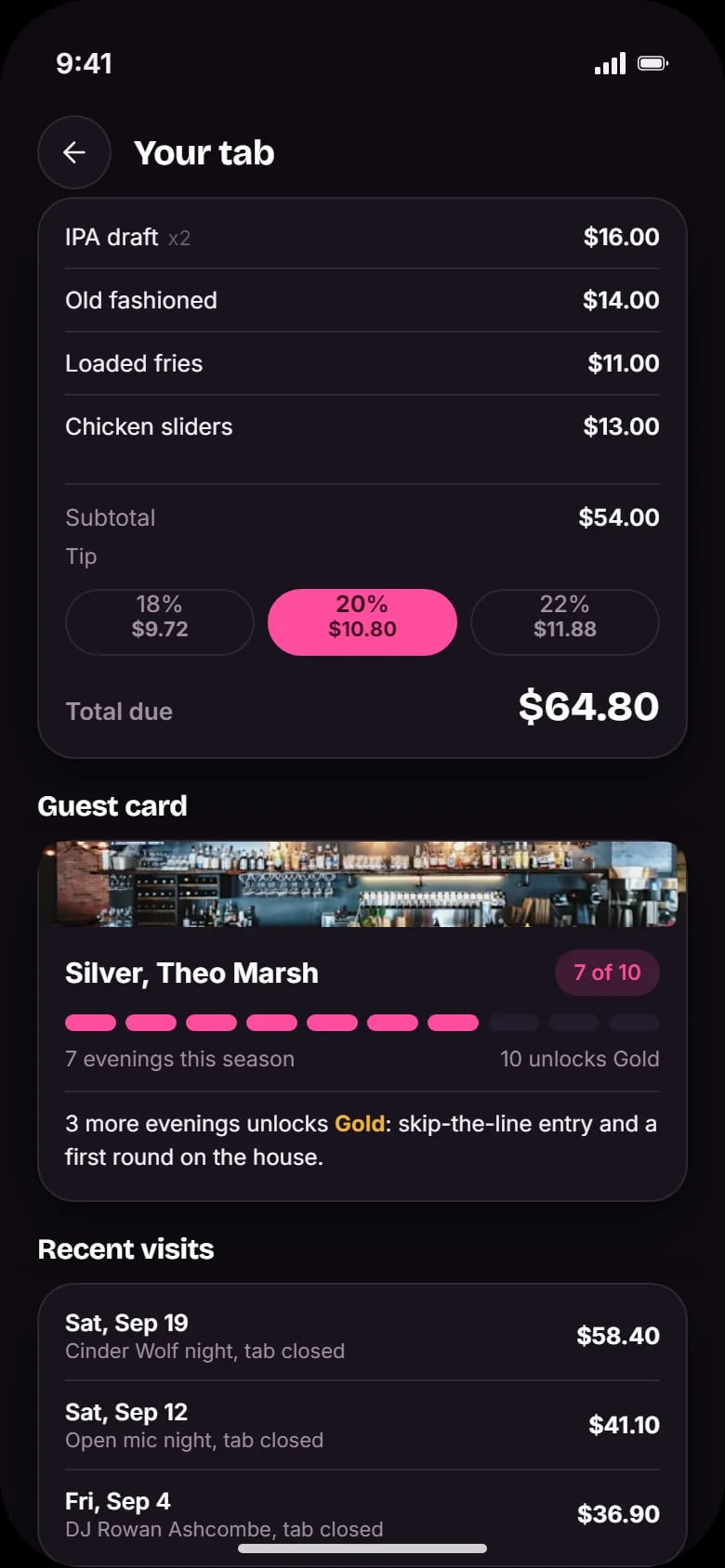
The bill, three tip options and the total in large type, nothing to sign. A guest card counts the season’s evenings.
How a night out works in the app
See tonight
The home screen opens on today’s show, set times and tickets left.
Buy a ticket
Check what it includes and the entry rules, then buy.
Book a table
Choose the party size, the time and a table, and pay the deposit.
Show the code
Show the QR code at the box office.
Close the tab
Pick a tip and close the tab in one tap.
How we designed The Lantern Room concept
We designed for the night itself: a dim room, and the QR code, the table number and the running total one tap away. The screens were built in HTML and CSS.
One venue, four tabs
Today, Tickets, Table and Tab follow the night from the first look to the last drink.
Dark with warm accents
Dark screens with amber and pink accents stay readable in a dim room.
Clear money
Deposit, minimum spend, balance, tip and total are on the screen before anyone pays.
Rules up front
Entry rules sit on the event page; the final-sale and resale terms sit under the ticket.
A closer look at the screens
What the concept shows
- A ticket, a table and a tab in one app for one venue.
- Tonight’s show and tickets left as the first thing a guest sees.
- A table deposit that counts toward the minimum, clear before booking.
- A tab closed in one tap, with the tip chosen on screen.
Questions about this project
No. It is a concept project: a companion app for a music venue and bar, designed to show tickets, tables and the tab in one place. There is no live app and no results to report.