AI Invoice Processing for Restaurants
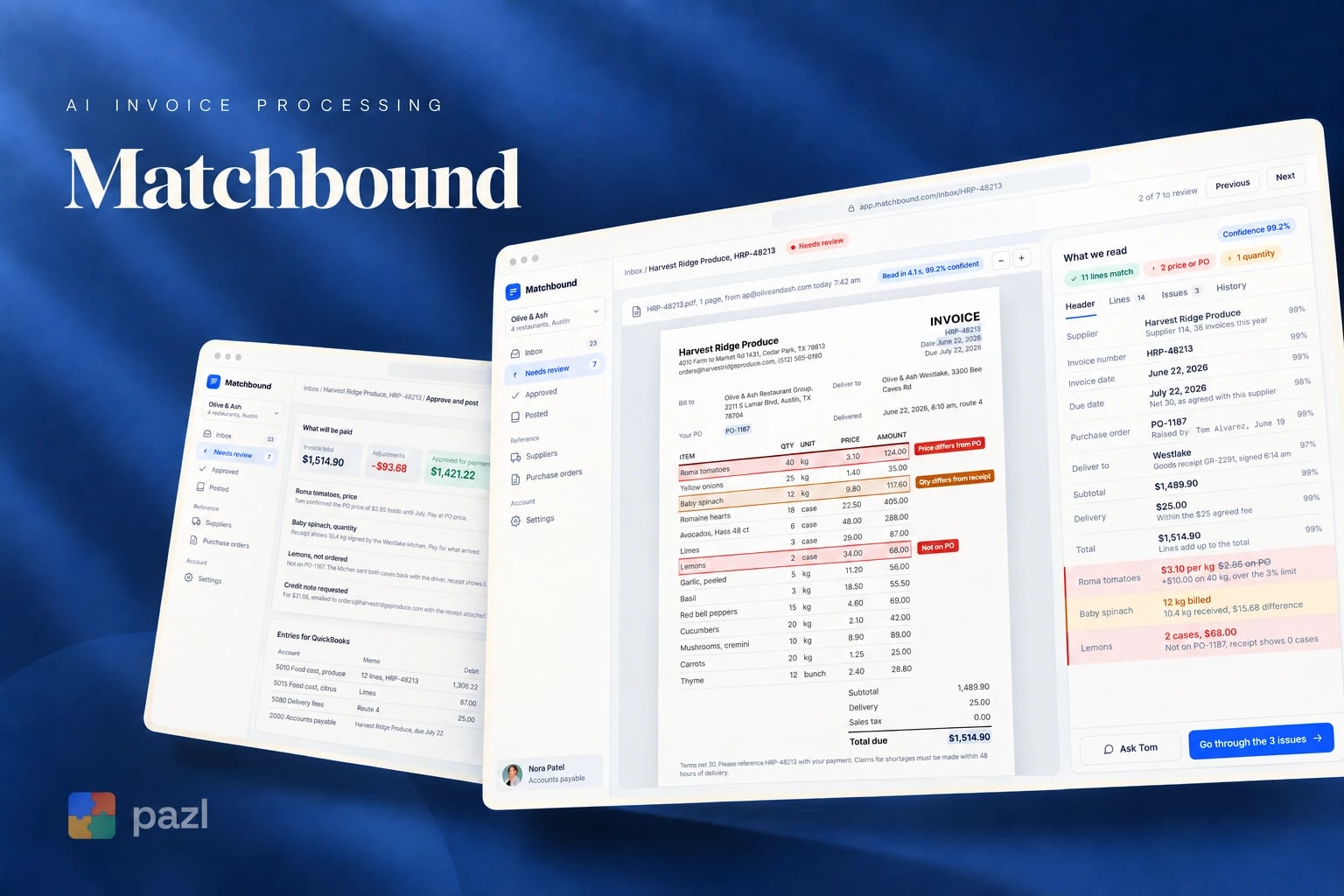
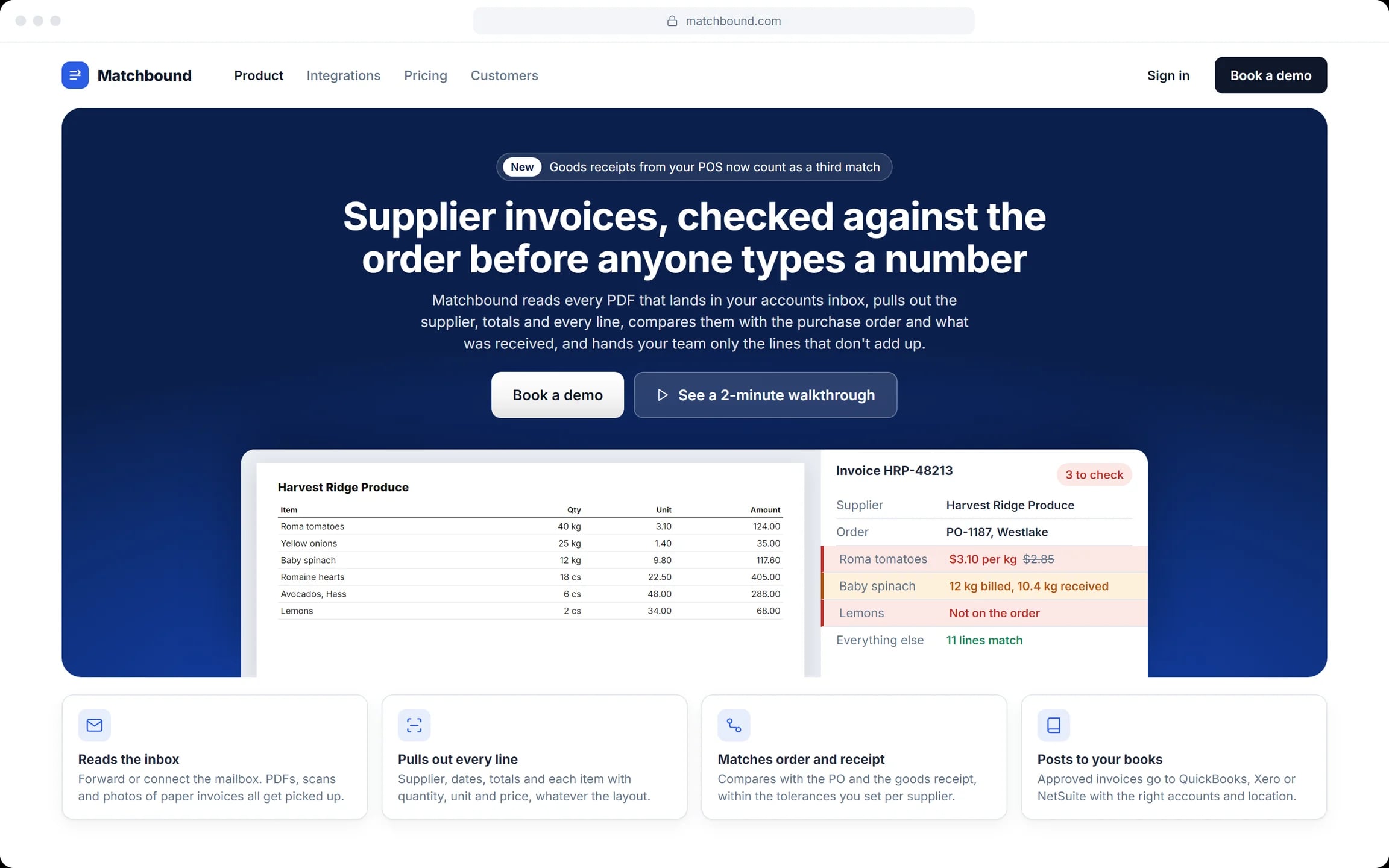
Matchbound is an AI invoice tool we designed for restaurant groups that pay many suppliers. It reads every invoice in the accounts inbox, checks each line against the order and the delivery, and leaves people only the lines that don’t add up.
- Industry
- Hospitality, accounts payable
- Platform
- Web app
- Our role
- Product and UI design
- Posts to
- QuickBooks, Xero, NetSuite
Who Matchbound is for
Accounts payable teams in restaurant groups with several locations and dozens of suppliers, where invoices arrive every week as PDFs, scans and photos.
- The AP clerk who keys in invoices and chases the differences.
- The approver who signs off bills above a set amount.
- Kitchen teams who receive deliveries and photograph paper invoices.
Why invoices need checking before you pay
The cost is not the typing. It is the invoice that bills tomatoes at the old price, the short delivery nobody noticed and the lemons that were never ordered.
- A price above the one agreed on the order.
- A quantity billed that never arrived.
- An item that was never on the order.
What we designed for Matchbound
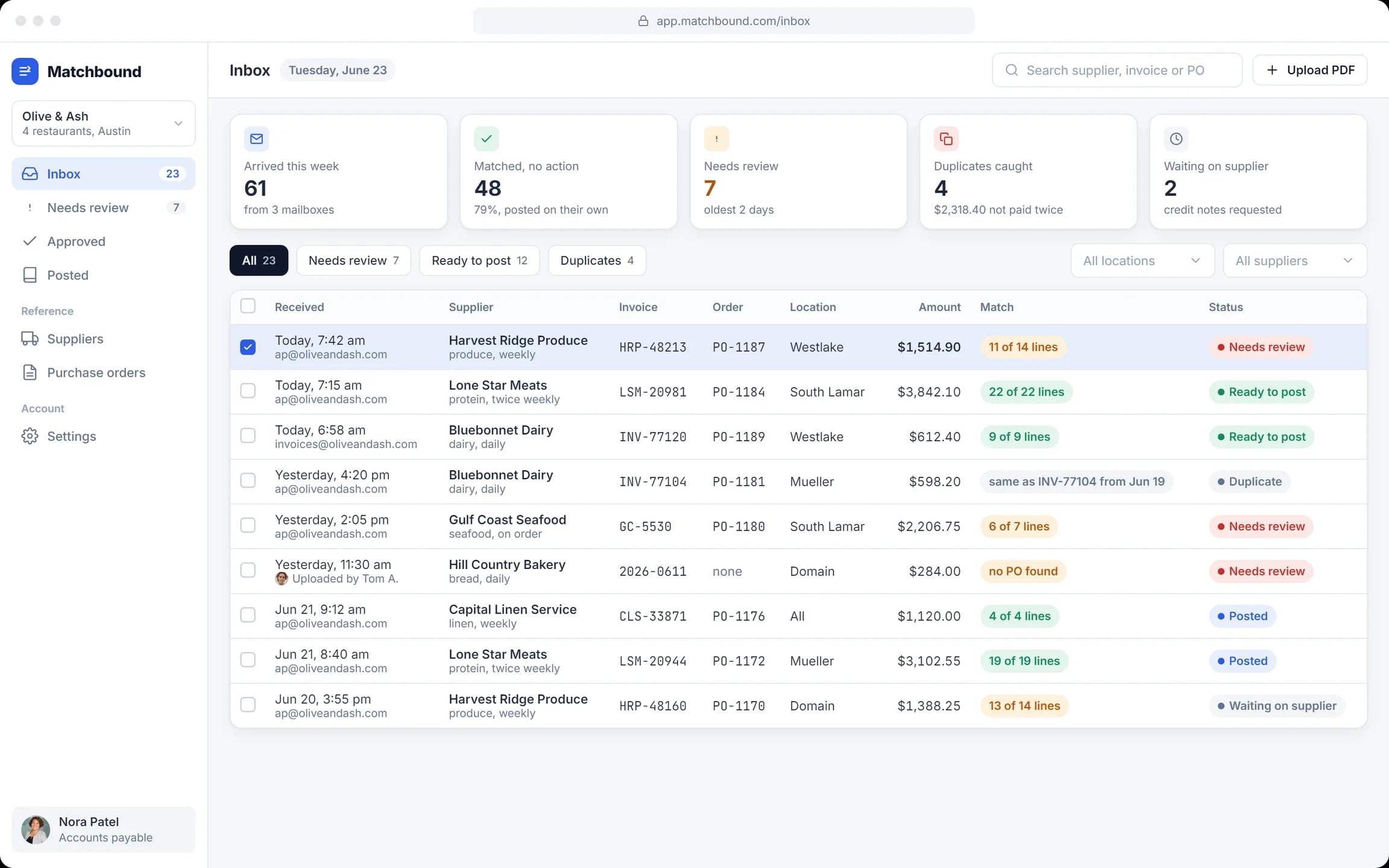
An inbox that reads itself
Invoices from mailboxes, a forwarding address and kitchen photos. The queue shows what matched, what needs review and what is a duplicate.
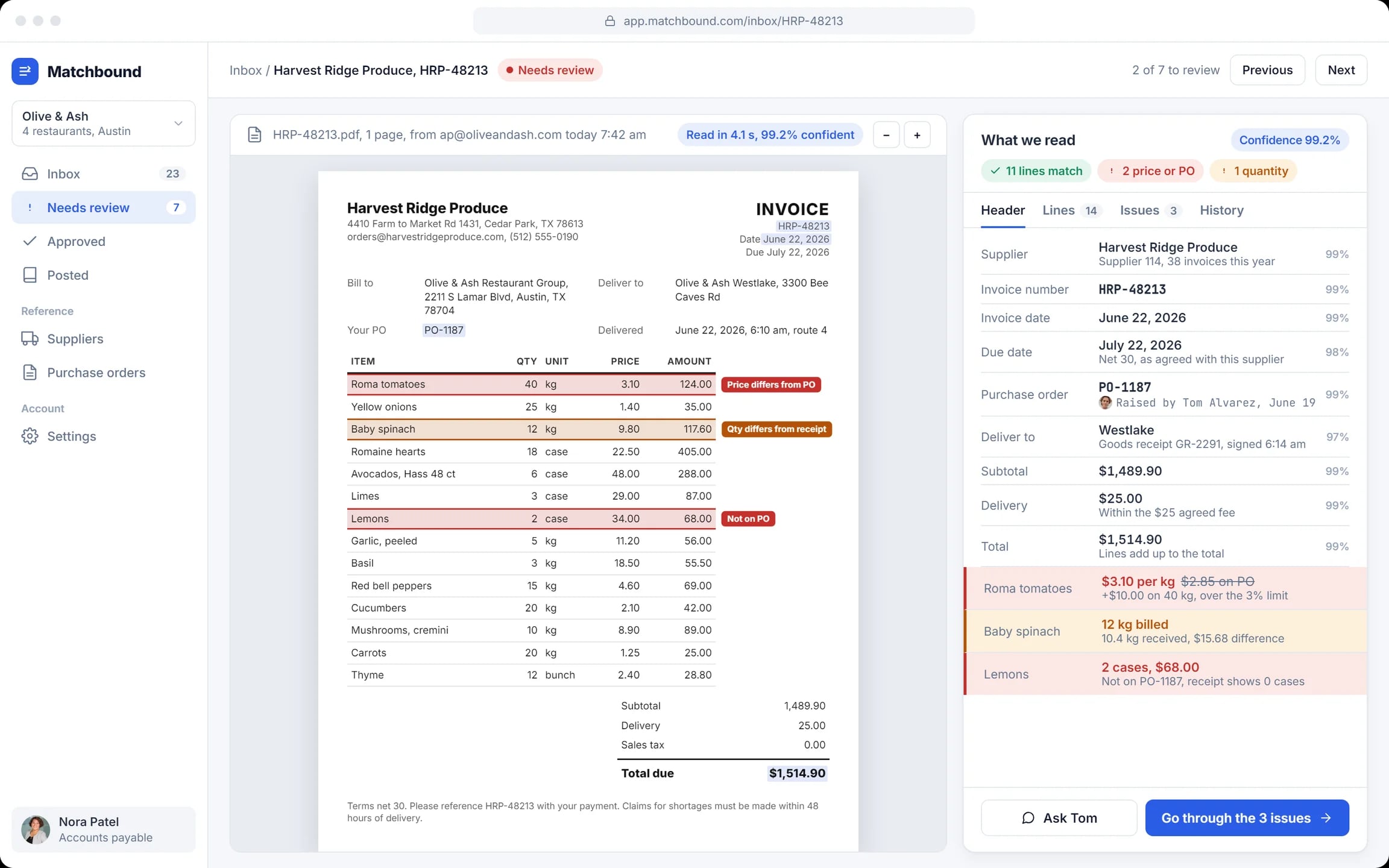
Review with confidence marks
The PDF on the left, the fields the AI read on the right, each with how sure the model is.
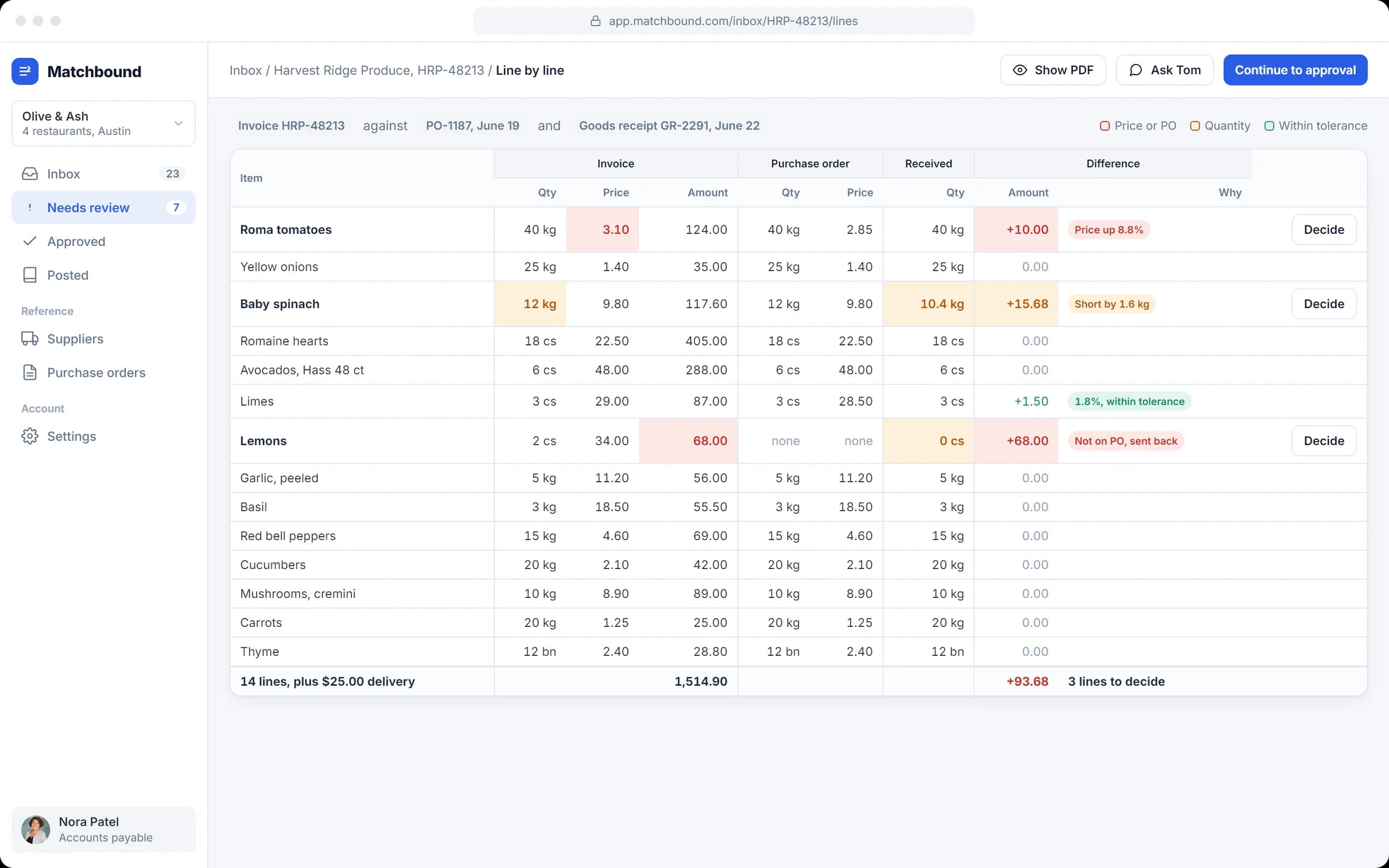
Line by line
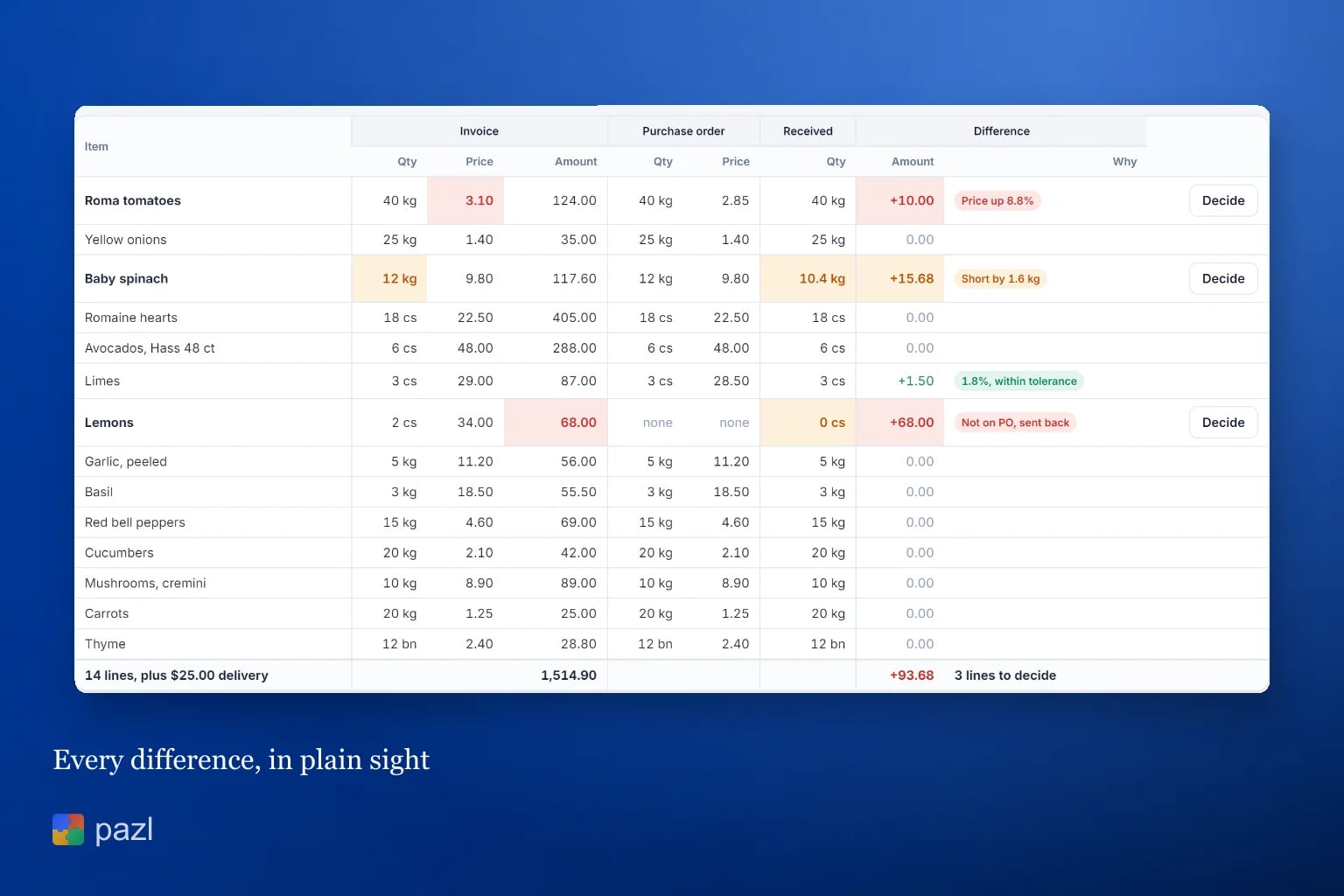
Invoice, purchase order and goods receipt side by side. Gaps in price, quantity and order are highlighted with a reason.
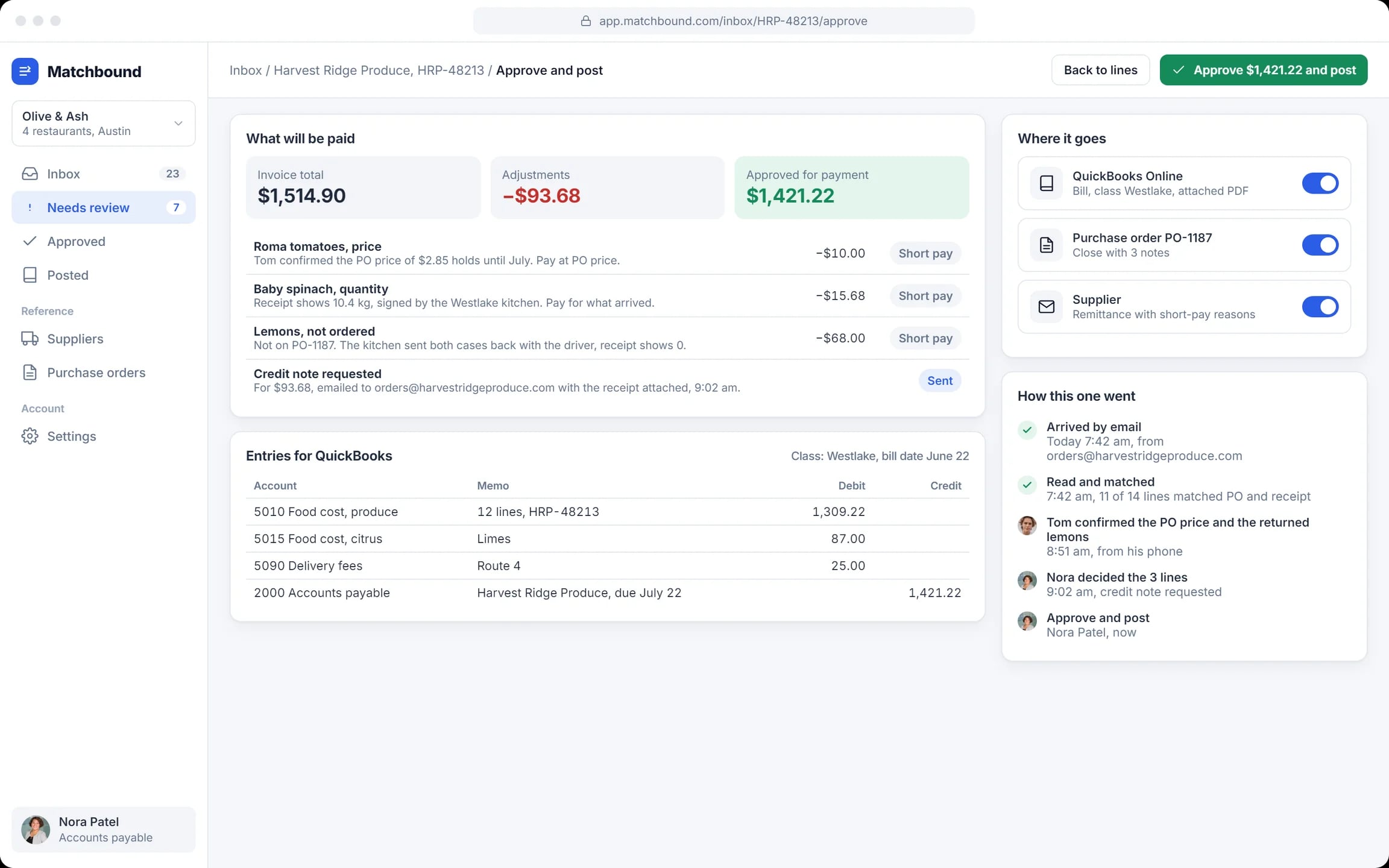
Approve and post
The amount to pay, short-pay lines, a credit note request and QuickBooks entries with the accounts filled in.
Ask the buyer
A question on price or quantity goes by text to the person who raised the order.
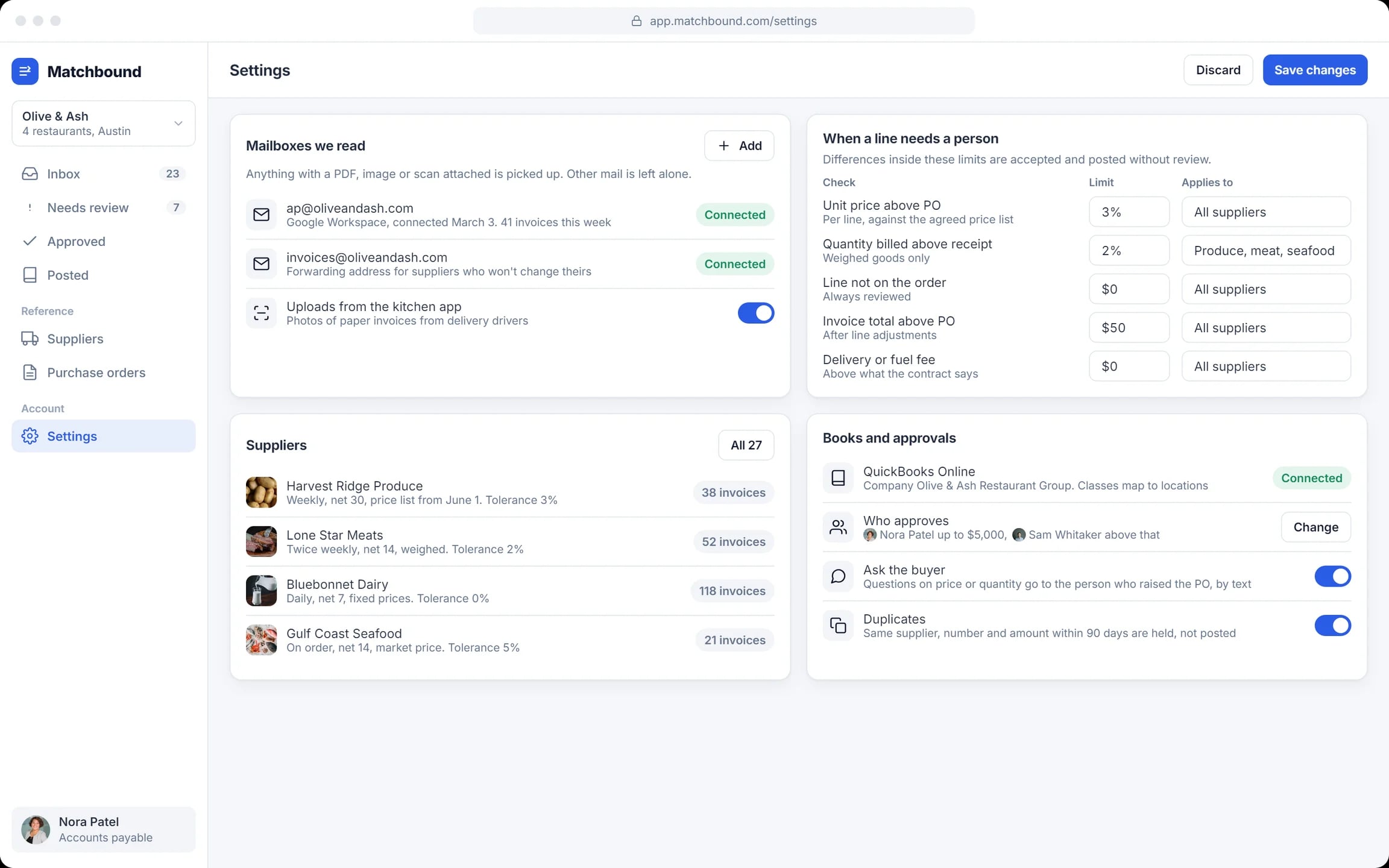
Rules, not code
Mailboxes, tolerances, approval limits and duplicate holds are settings.
How an invoice goes from email to an approved bill
Arrives
A supplier emails a PDF. Matchbound reads the lines and the totals.
Matches
Each line meets the order and the receipt. Clean invoices post on their own.
Flags
Differences above tolerance go to a person, with an amount and a reason.
Approves
The clerk decides the flagged lines and posts the bill; the supplier gets the reasons.
How we designed Matchbound
We followed one produce invoice from the morning email to an approved bill, and designed each screen around the decision it asks for. The screens are laid out in HTML and CSS.
One invoice, end to end
A sample invoice with three classic problems: a price rise, a short delivery, an item not ordered.
Exceptions first
The inbox puts the invoices that need a person on top.
Show the arithmetic
Every difference carries its amount and reason, so the total to pay is never a guess.
Six screens
Landing, inbox, review, line by line, approval and settings.
A closer look at the screens
What Matchbound does
- Matches every line three ways: invoice, purchase order, goods receipt.
- Names and prices each difference, and lets small ones pass within set tolerances.
- Holds duplicates instead of paying twice.
- Posts approved bills to the books and sends the supplier the short-pay reasons.
Questions about this project
Comparing each invoice line with the purchase order and the goods receipt, so a wrong price, a short delivery or an unordered item is caught before payment.