
Premium Real Estate Platform
Harbor Atelier is a boutique real estate brand in Miami and New York, and we designed its platform. Buyers search a short list of apartments on a map and book a viewing online; partner agents get each request in their own desk.
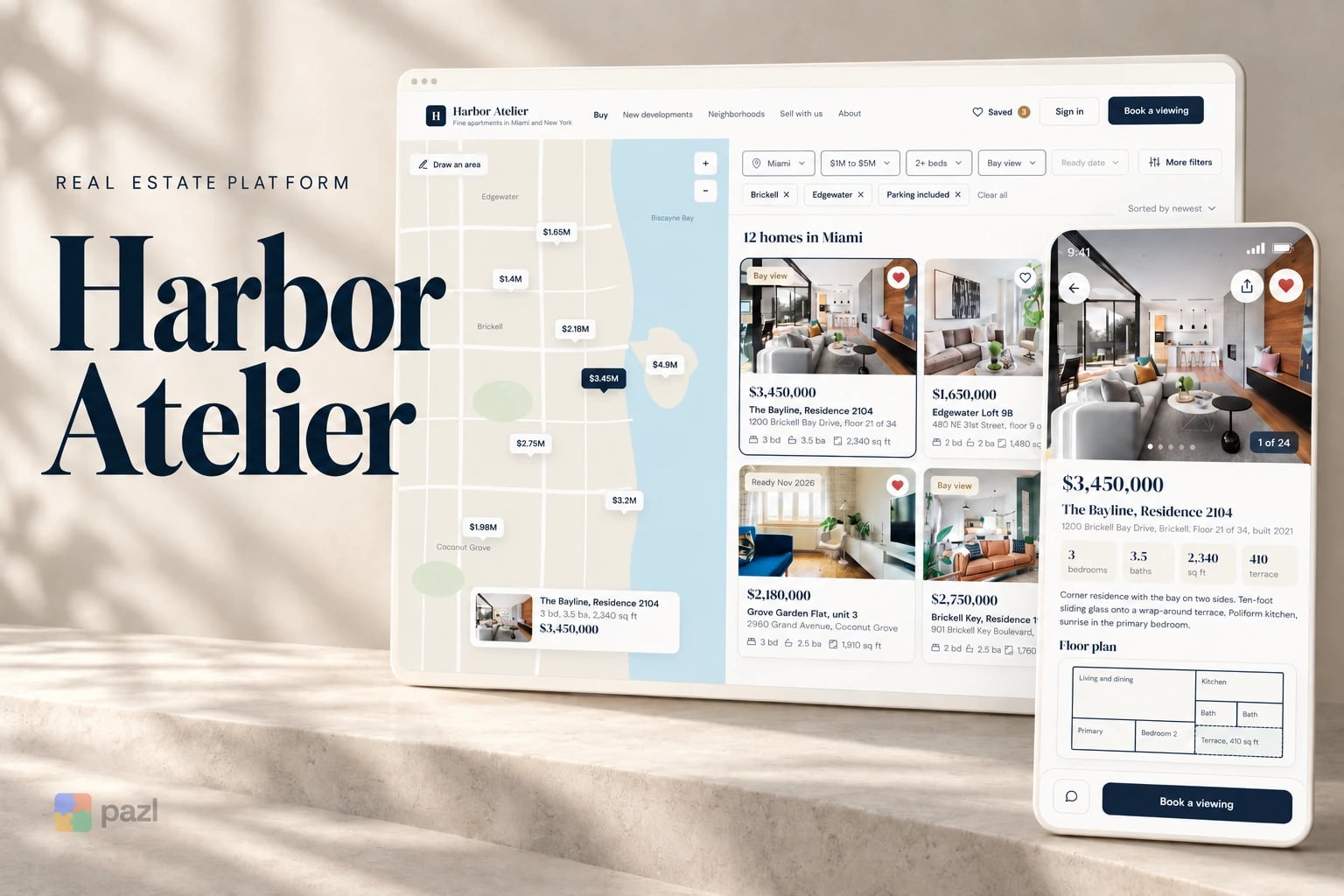
- Industry
- Premium real estate
- Platforms
- Website, phone, partner desk
- Our role
- Product and UI design
- Users
- Buyers and partner agents
Who Harbor Atelier is for
Buyers looking for a premium apartment in Miami or New York who prefer fewer, better listings. And the partner agencies who supply those listings and walk every home first.
- Buyers who know the district, the budget and the bedrooms they need.
- Partner agents who take viewing requests and confirm the times.
- Buyers who open an agent’s link on a phone.
Why a premium property site needs a partner desk
Buyers at this level are busy and specific: they want the facts and a viewing without a phone call. Behind the site, each request should reach the right agent with its context, not get lost in email.
- Keep the list short and the facts plain: price, size, floor plan, building.
- Let a buyer book a viewing in one form, with a day and a time.
- Hand the partner each request with the buyer’s note and the homes attached.
What we designed for Harbor Atelier
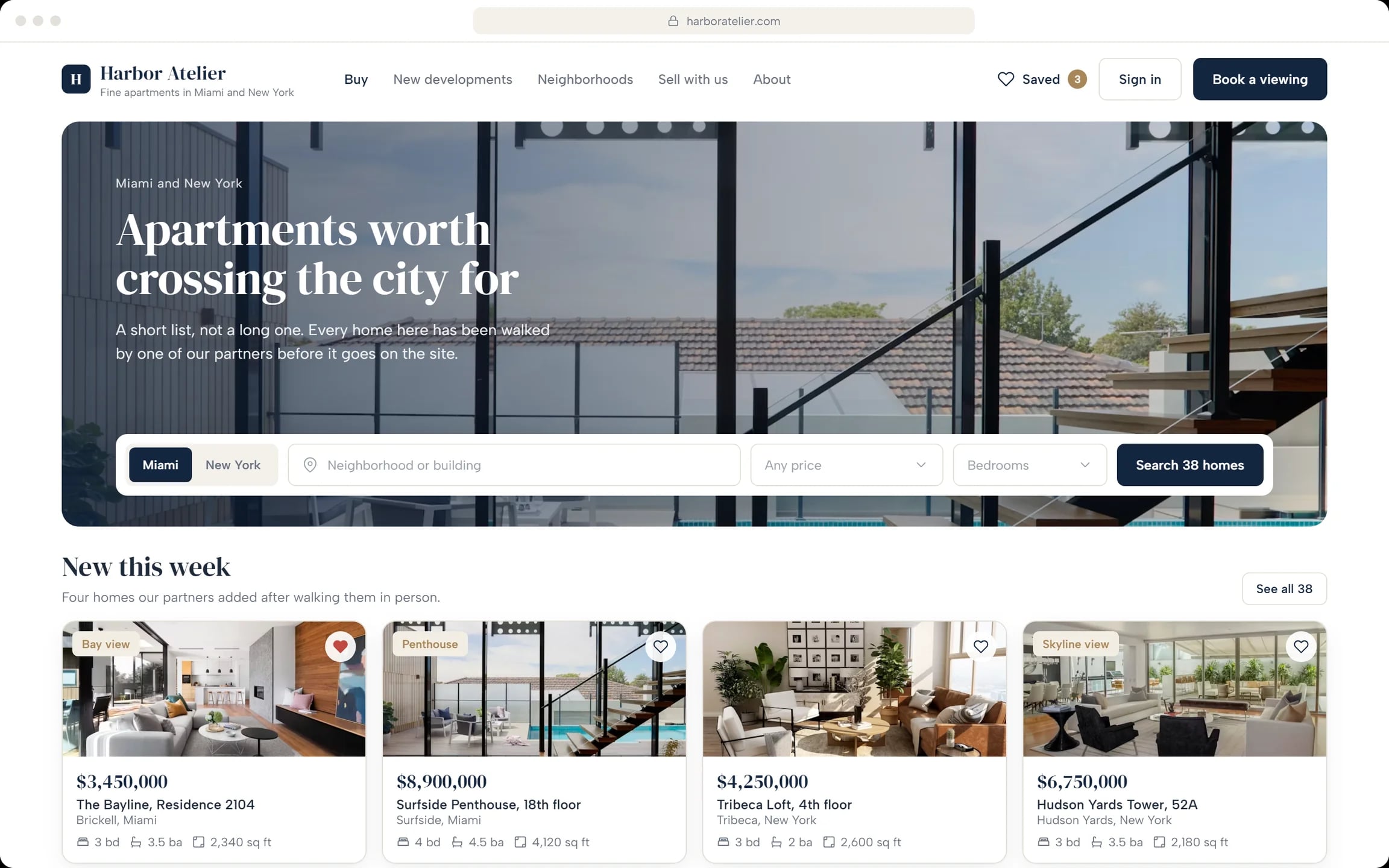
Home page with search
“Apartments worth crossing the city for.” Search by city, neighbourhood, price and bedrooms, then see this week’s new homes.
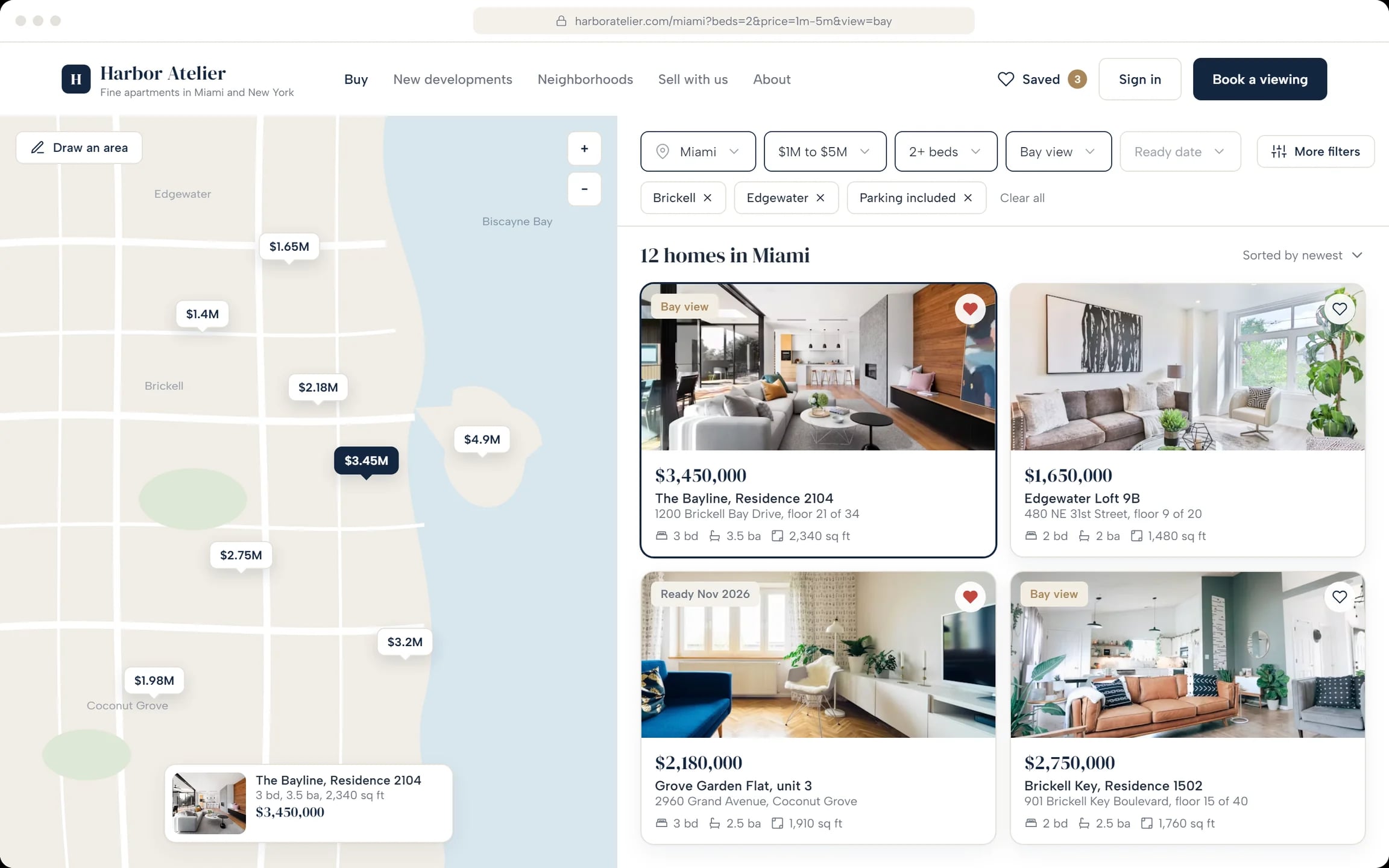
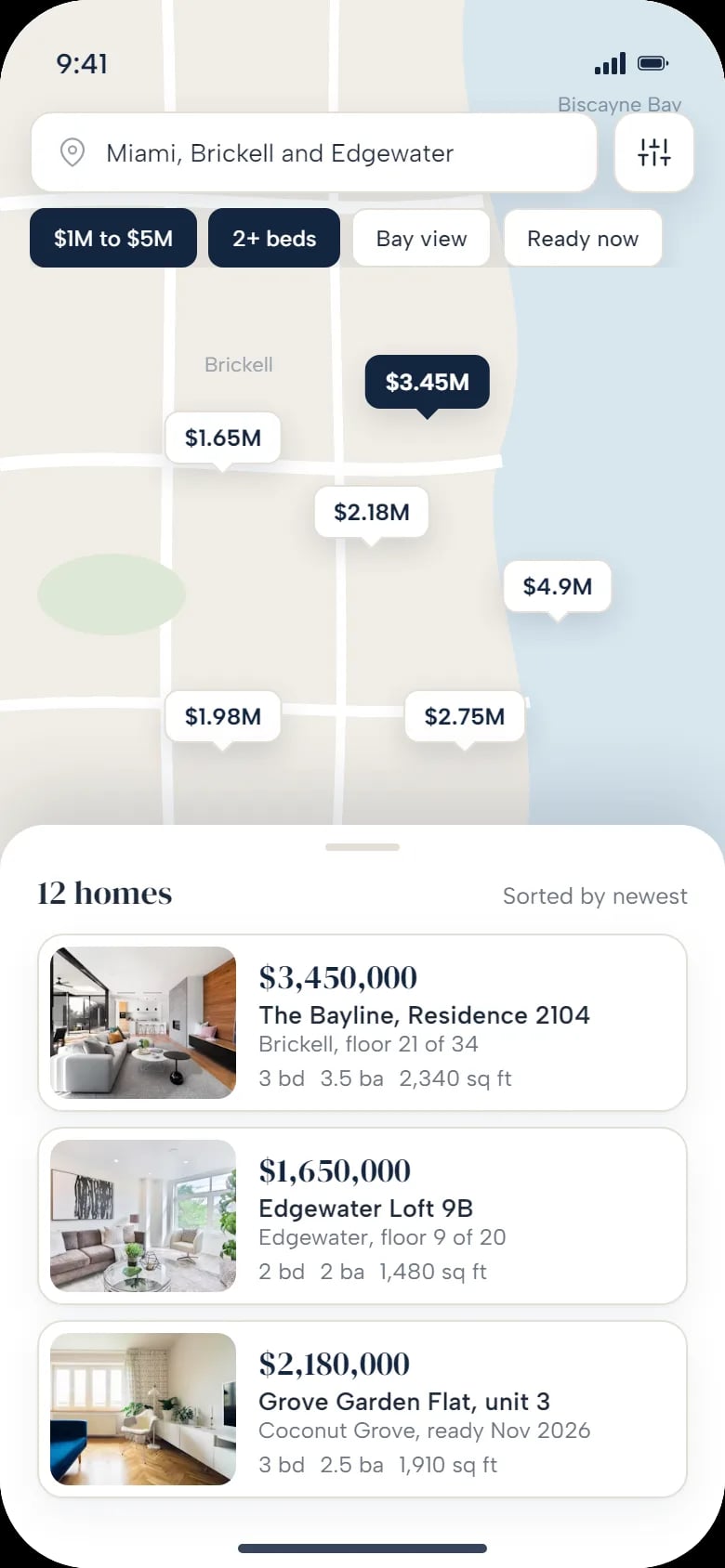
Catalogue with a map
Prices on the map, filters on one screen: district, price, bedrooms, view, parking. Or draw an area.
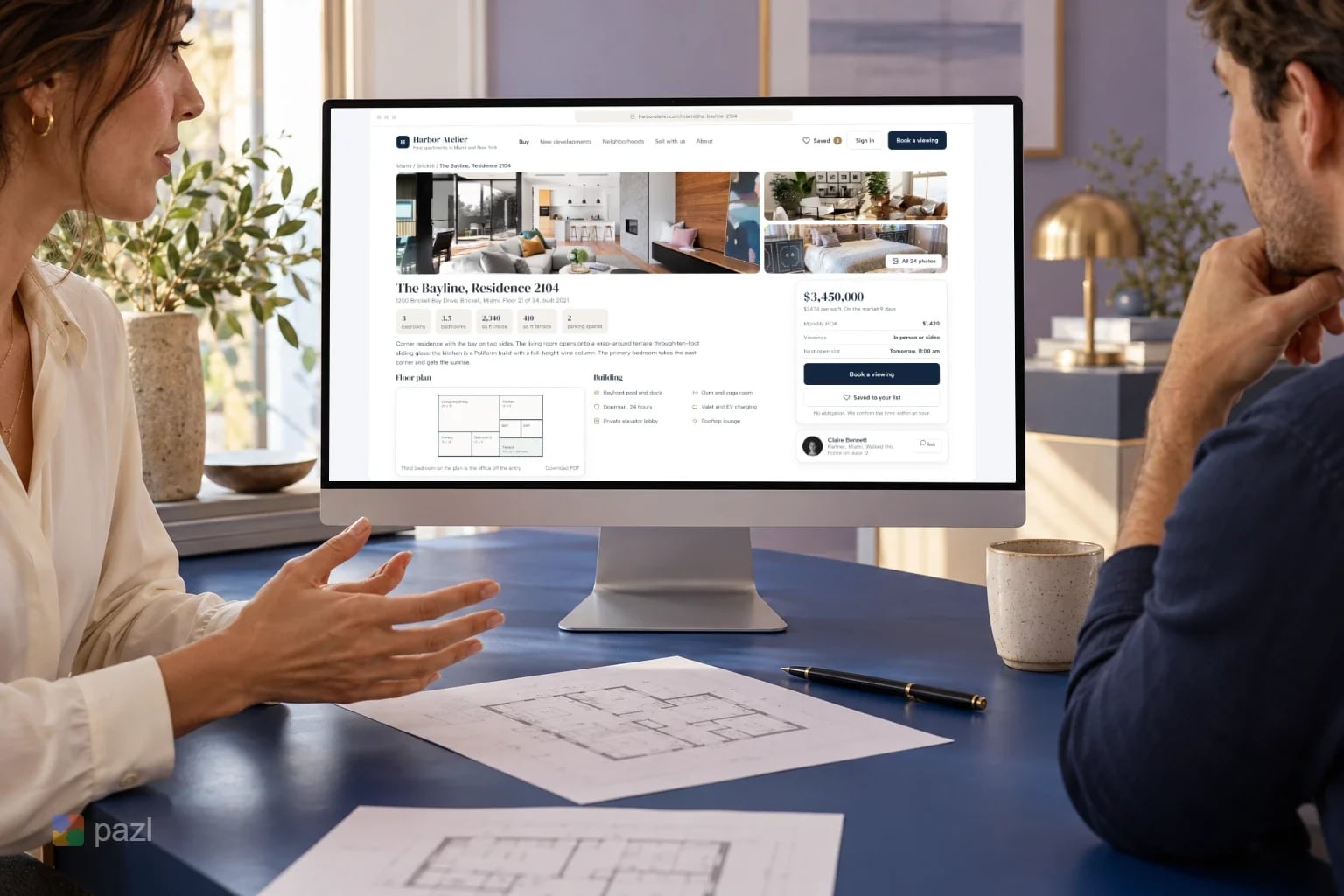
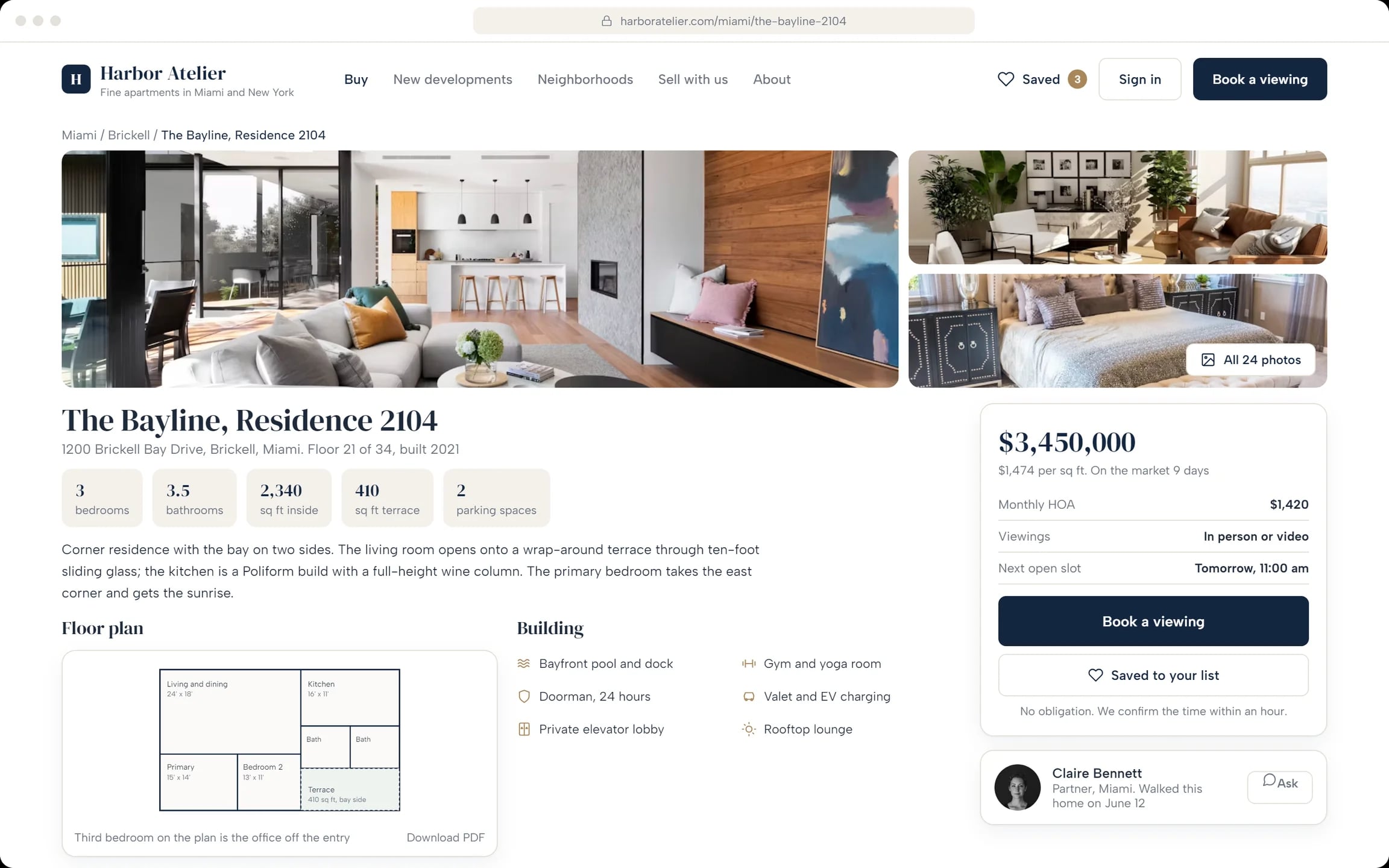
Property page
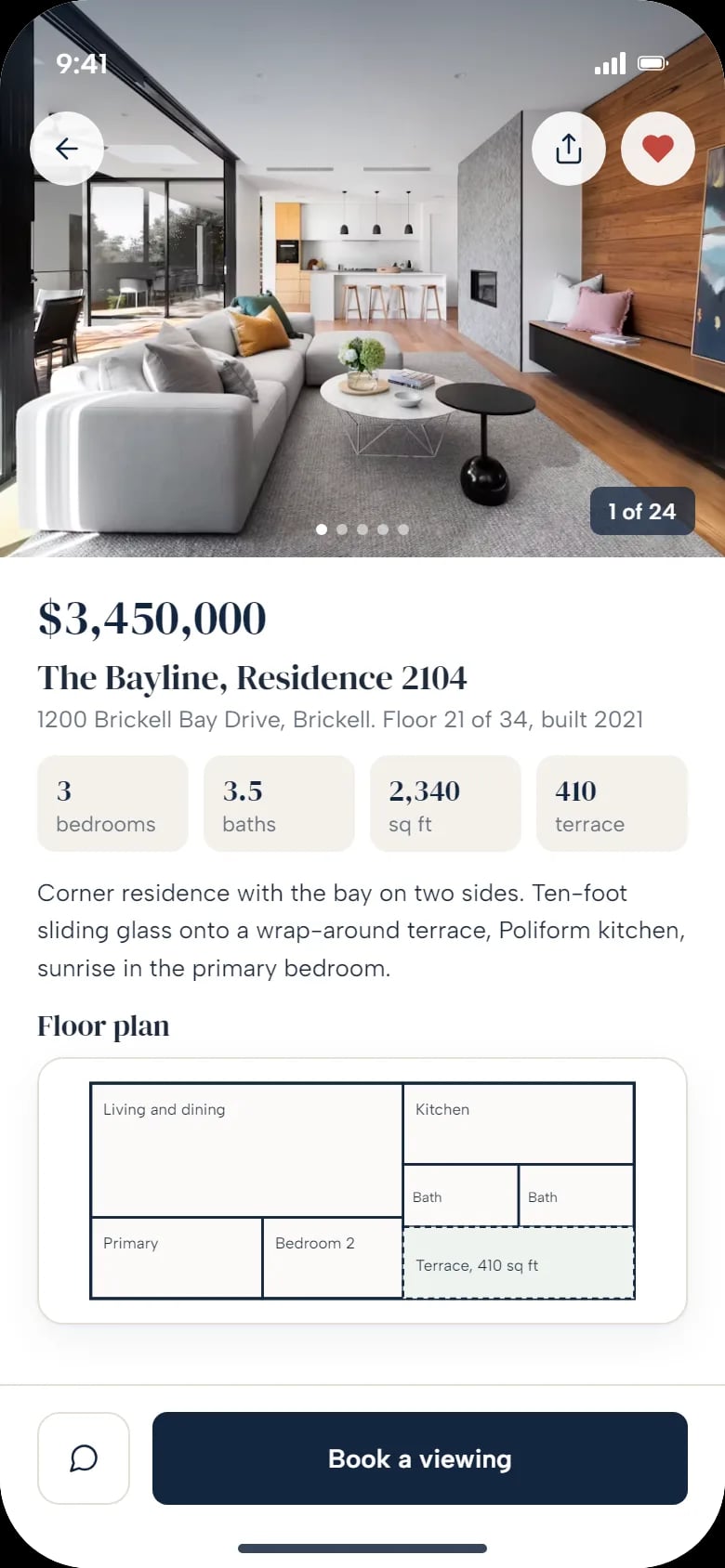
Photos, key numbers, floor plan, building and a price card with the next open slot. The partner who walked the home is named.
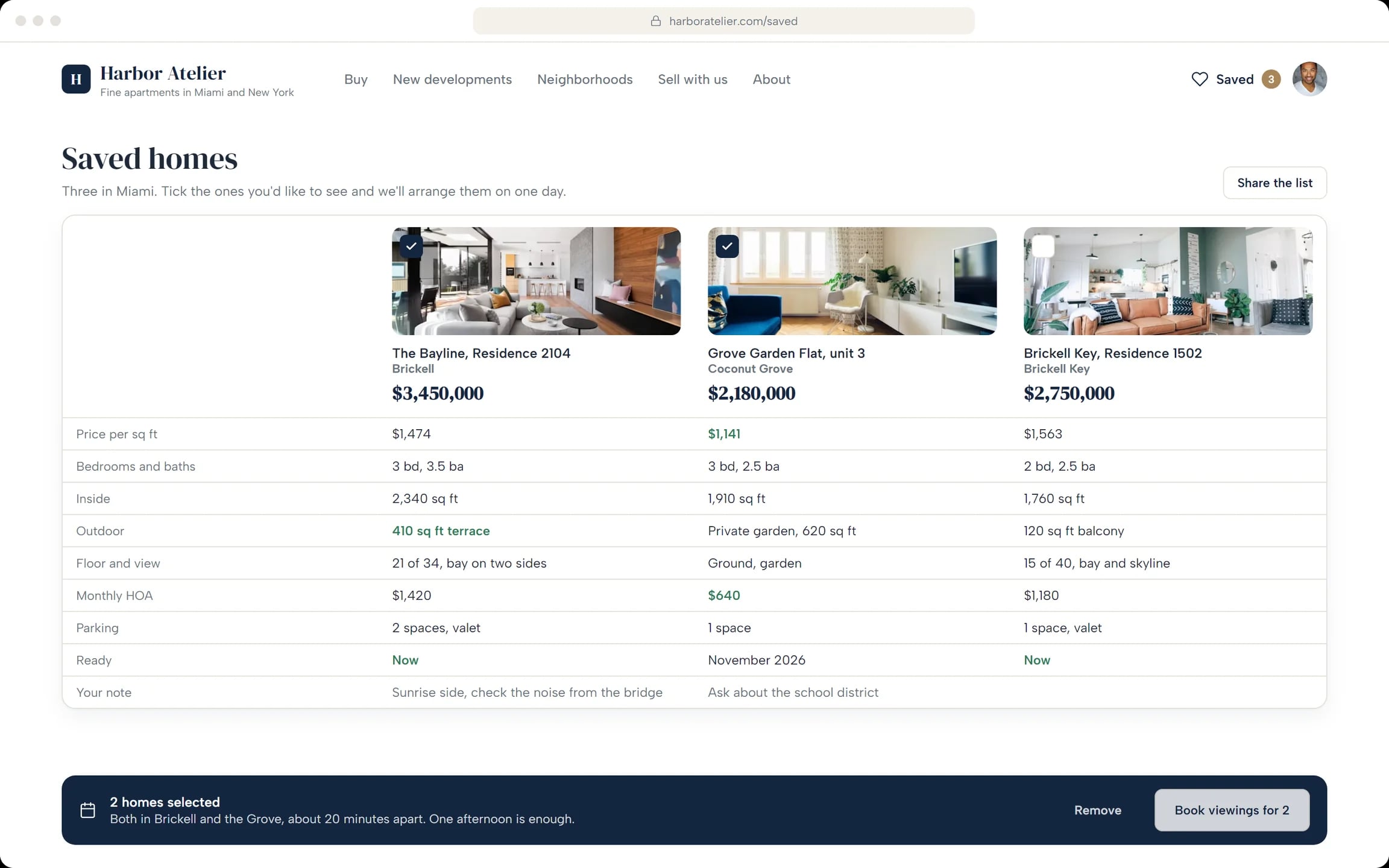
Saved homes, side by side
Price per square foot, size, outdoor space, HOA and a personal note in one table. Tick two and see both in one afternoon.
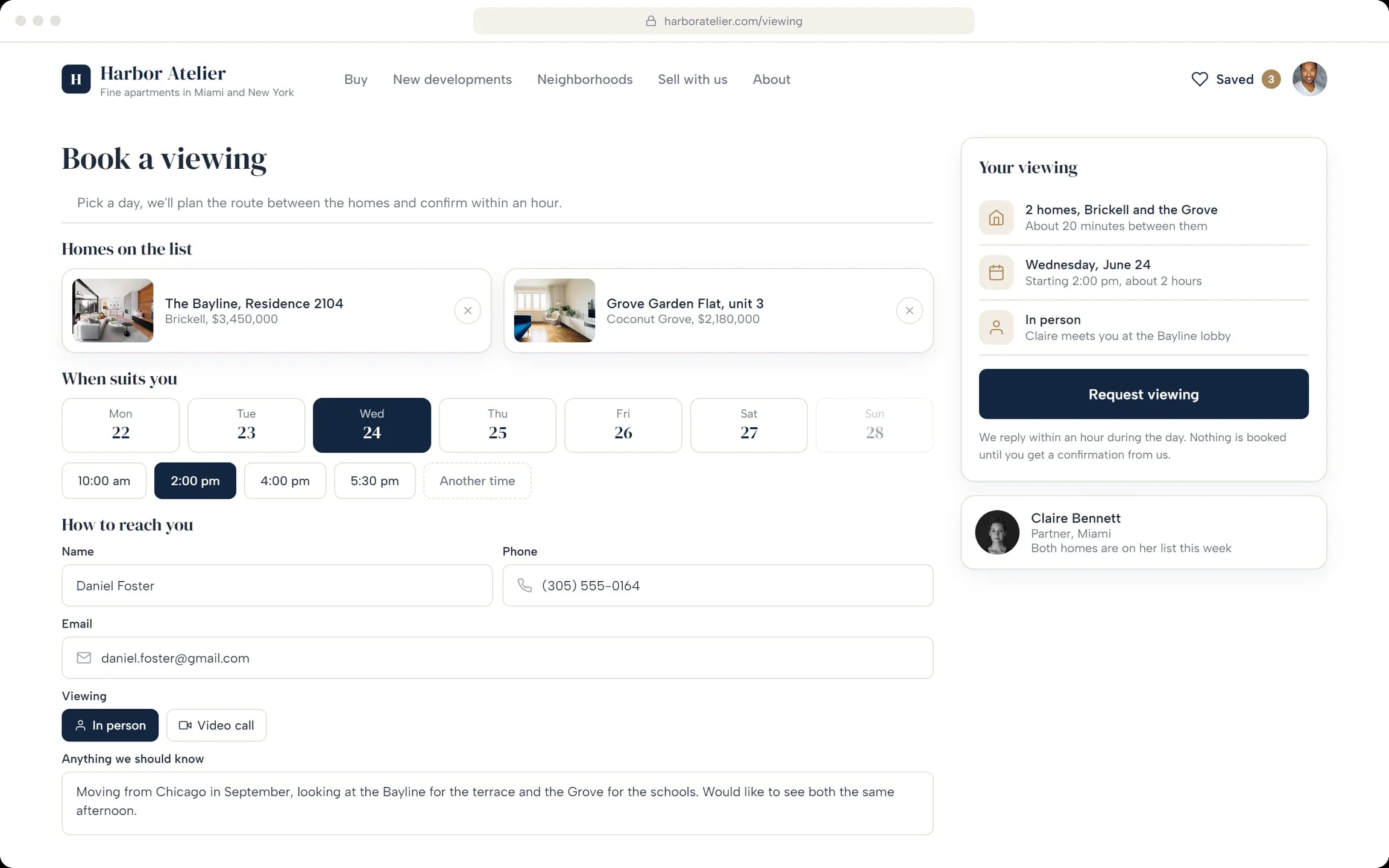
Book a viewing
Homes, day and time, in person or by video, and a note. Nothing is booked until the agent confirms.
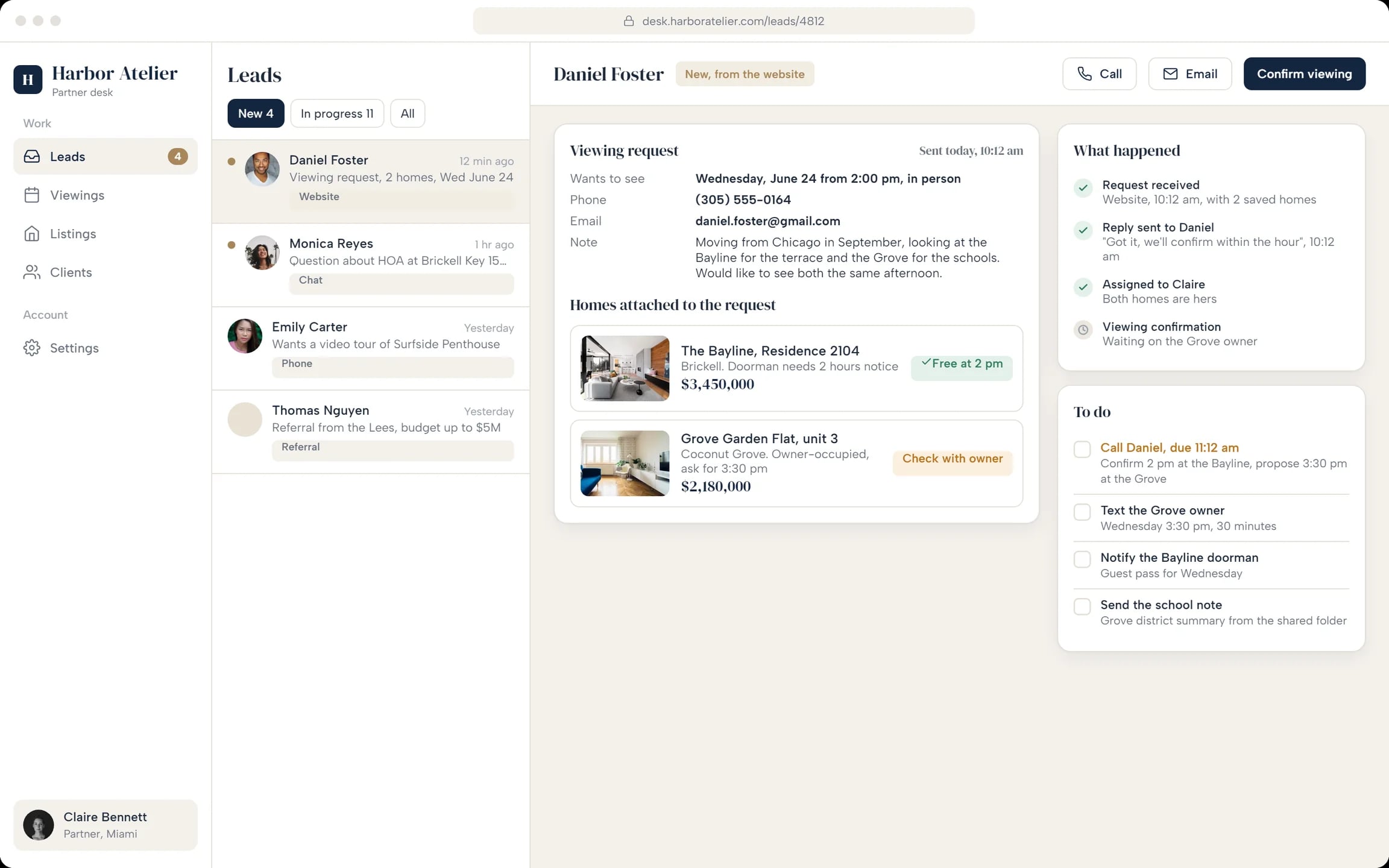
Partner desk
Each request opens with the buyer’s note, both homes, a log of what happened and the agent’s to-do list.
How a buyer gets from search to a viewing
Search
Pick Miami or New York, set the price and bedrooms, browse the map.
Shortlist
Save homes and compare them side by side, with a note on each.
Book
Choose the homes, a day and a time, in person or by video.
Confirm
The partner checks with the owners and confirms the time.
How we designed Harbor Atelier
We started from one request: what a buyer needs before booking, and what a partner needs to act on it. The screens are laid out in HTML and CSS, for desktop and phone.
Two sides of one request
The path from search to a confirmed viewing, and what the partner sees at each step.
Structure
Five pages for buyers; leads, viewings, listings and clients for partners.
A quiet visual system
Large photos, a serif for names and prices, plain facts and one dark button: Book a viewing.
Desktop and phone screens
Six desktop and two phone screens, following one buyer’s request to the partner desk.
A closer look at the screens
What the platform does
- Shows the facts a buyer asks first: price per square foot, HOA, floor plan, building.
- Turns a shortlist into one afternoon of viewings.
- Sends each request to the partner with the buyer’s note and the homes attached.
- Logs every step, so nothing is lost between calls.
Questions about this project
Choose the homes, a day and a time, in person or by video, and add a note. Nothing is booked until the partner agent checks with the owners and confirms the time.